
 By
By 
Cloud computing is the distribution of on-demand IT resources such as servers, storage, software, and analytics via the internet, allowing customers to access them from any location without owning the physical infrastructure. Rather than purchasing and managing their own servers, users pay for computing services as needed from providers such as Amazon Web Services (AWS), Google Cloud, and Microsoft Azure, resulting in cheaper prices, better flexibility, and simpler scalability.
Cloud computing is essential in our daily life, whether we need to access a cloud service like Google Gmail, watch a movie on Netflix, or play a cloud-hosted video game. Cloud computing allows you to access the processing power or storage you need without having to purchase or manage physical gear.
Cloud computing has also become indispensable in corporate contexts, ranging from small startups to multinational corporations, because it provides greater flexibility and scalability than traditional on-premises infrastructure. Its numerous business applications include enabling remote work by making data and applications accessible from anywhere, establishing the foundation for seamless omnichannel customer engagement, and providing the massive computing power and other resources required to capitalize on cutting-edge technologies such as generative AI and quantum computing.
Cloud Computing Services
The most common “as-as-service” cloud platform models are infrastructure-as-a-service (IaaS), platform-as-a-service (PaaS), software-as-a-service (SaaS), and serverless computing. Most developers at large firms utilize a combination of all four.
IaaS provides complete control over IT infrastructure, enabling enterprises to develop and maintain systems. PaaS complements IaaS by offering a platform for application development and deployment, while handling the underlying infrastructure for you. SaaS, the most popular cloud service, provides ready-to-use software without the need for management. Serverless computing, which is based on IaaS and PaaS, allows you to focus exclusively on coding.
IaaS (Infrastructure-as-a-Service)
Infrastructure as a service (IaaS) provides pay-as-you-go access to essential computing resources such as physical and virtual servers, networking, and storage via the internet.
IaaS allows customers to grow and reduce resources as needed, eliminating the need for large initial capital expenditures, needless on-premises or “owned” infrastructure, and overbuying capacity to accommodate periodic spikes in consumption.
According to a survey from the Business Research Company, the IaaS market is anticipated to develop fast in the next few years, increasing to USD 212.34 billion in 2028 at a compound annual growth rate (CAGR) of 14.2%.
PaaS (Platform-as-a-Service)
Platform as a service (PaaS) offers software developers an on-demand platform—hardware, complete software stack, infrastructure, and development tools—for running, creating, and managing applications without the cost, complexity, and inflexibility associated with on-premises platform maintenance.
With PaaS, the cloud provider hosts everything in their data center. These include servers, networks, storage, operating system software, middleware, and databases. Developers can choose from a menu of servers and environments to run, build, test, deploy, maintain, update, and grow applications.
Today, PaaS is typically based on containers, a virtualized computation model that is one step removed from virtual servers. Containers virtualize the operating system, allowing developers to bundle the program with only the operating system services required to function on any platform without modification or the use of middleware.
Red Hat® OpenShift® is a popular PaaS based on Docker containers and Kubernetes, an open source container orchestration system that automates cloud deployment, scaling, load balancing, and other tasks for container-based applications.
SaaS (Software-as-a-Service)
Software as a service (SaaS), often known as cloud-based software or cloud applications, refers to interactive application software that is hosted on the cloud. Users can access SaaS via a web browser, a specific desktop client, or an application programming interface (API) that works with a desktop or mobile operating system. Cloud service providers offer SaaS for a monthly or annual subscription cost. They can also offer these services on a pay-per-usage basis.
In addition to the cost reductions, time-to-value, and scalability benefits of the cloud, SaaS provides the following:
- Automatic upgrades: With SaaS, users have access to new features when the cloud service provider adds them without having to orchestrate an on-premises upgrade.
- Protection from data loss: Because SaaS stores application data in the cloud with the application, users don’t lose data if their device crashes or breaks.
SaaS is the major delivery model for most commercial software nowadays. There are hundreds of SaaS solutions available, ranging from specific industry and wide administrative (for example, Salesforce) to comprehensive enterprise database and artificial intelligence (AI)-powered software applications.
According to a Fortune Business Insights report, the global software as a service (SaaS) industry was valued at USD 273.55 billion in 2023 and is expected to rise from USD 317.55 billion in 2024 to USD 1,228.87 billion by 2032.
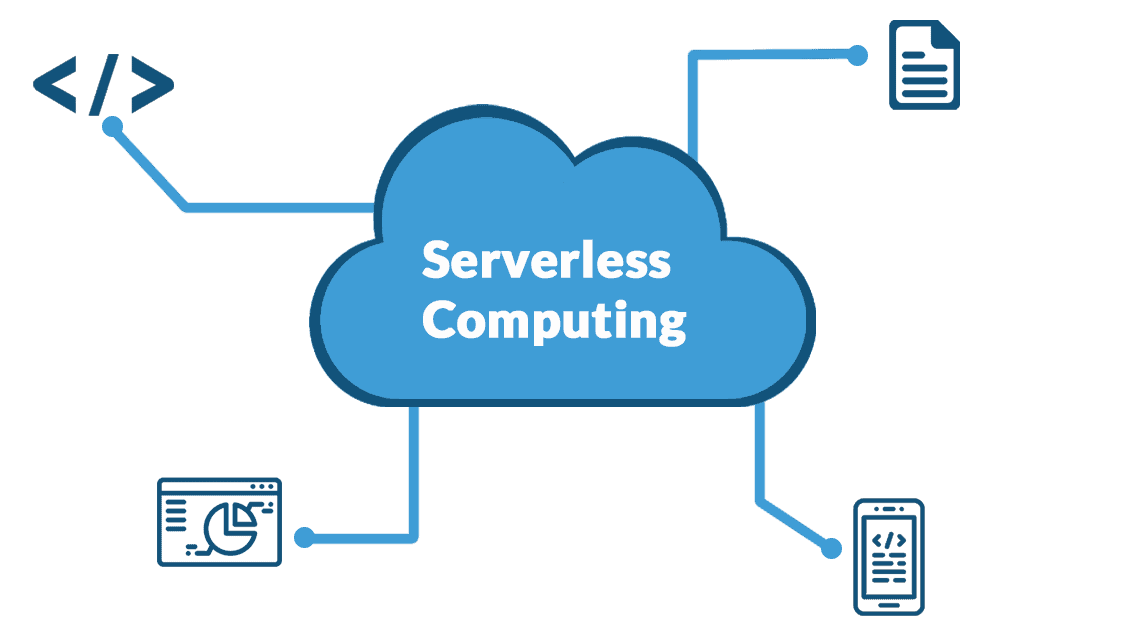
Serverless computing
Serverless computing, or simply serverless, is a cloud computing approach that delegated all back-end infrastructure management chores, such as provisioning, scaling, scheduling, and patching, to the cloud provider. This functionality allows developers to concentrate all of their time and effort on the code and business logic unique to their apps.
Read Also: Developing a Cloud Migration Strategy for Hospitals and Health Tech Companies
Furthermore, serverless runs application code per request and expands the supporting infrastructure dynamically in response to the amount of requests. Customers using serverless pay solely for the resources used by the application; they never pay for idle capacity.
Function as a service (FaaS) is commonly confused with serverless computing, however it is actually a subset of serverless. FaaS enables developers to execute sections of application code (known as functions) in response to particular triggers. Everything save the code—physical hardware, virtual machine (VM), operating system, and web server software management—is delivered automatically by the cloud service provider in real time as the code executes and turned down once completed. Billing begins when execution begins and ends when execution terminates.
Types of Cloud Computing
Public cloud
A public cloud is a form of cloud computing in which a cloud service provider makes computer resources available to users via the public internet. These include SaaS applications, individual virtual machines (VMs), bare metal computing hardware, full enterprise-grade infrastructures, and development platforms. These resources may be available for free or through subscription-based or pay-per-use payment schemes.
The public cloud provider owns, operates, and bears full responsibility for the data centers, hardware, and infrastructure that power its customers’ workloads. It usually includes high-bandwidth network connectivity to ensure great performance and quick access to programs and data.
The public cloud is a multi-tenant system in which all customers access and share the cloud provider’s data center infrastructure and other resources. In the realm of the biggest public cloud vendors, such as Amazon Web Services (AWS), Google Cloud, IBM Cloud®, Microsoft Azure, and Oracle Cloud, these customers can total millions.
Most businesses have migrated some of their computer infrastructure to the public cloud because public cloud services are elastic and easily adaptable, allowing them to adapt to changing workload demands. Customers are drawn to the public cloud because it offers the promise of increased efficiency and cost savings by only paying for what they use. Others want to cut spending on hardware and on-premises infrastructure.
Private cloud
A private cloud is a cloud environment in which the entire cloud architecture and computing resources are allocated to a single customer. The private cloud combines many of the benefits of cloud computing, such as elasticity, scalability, and ease of service delivery, with on-premises infrastructure’s access control, security, and resource customisation.
A private cloud is often hosted on-premises at the customer’s data center. It can, however, be hosted by an independent cloud provider or constructed on rented infrastructure in an offsite data center.
Many businesses prefer a private cloud over a public cloud environment to meet regulatory compliance needs. Large-scale entities such as government agencies, healthcare organizations, and financial institutions frequently use private cloud settings for workloads involving confidential documents, personally identifiable information (PII), intellectual property, medical records, financial data, or other sensitive data.
Organizations that create private cloud architecture using cloud-native concepts can swiftly shift workloads to the public cloud or run them in a hybrid cloud (see below) environment when they are ready.
Hybrid cloud
A hybrid cloud is exactly what it sounds like: it combines public cloud, private cloud, and on-premises settings. A hybrid cloud, in particular (and ideally), combines all three environments to provide a single, adaptable infrastructure for executing the organization’s applications and workloads.
Initially, enterprises used hybrid cloud computing models to shift sections of their on-premises data into private cloud infrastructure, which was then connected to public cloud infrastructure hosted off-premises by cloud suppliers. To establish a “single pane of glass,” a packaged hybrid cloud solution such as Red Hat OpenShift, middleware, and IT management tools were used. Teams and administrators use this unified dashboard to monitor their applications, networks, and systems.
Today, hybrid cloud architecture goes beyond physical connectivity and cloud migration to provide a flexible, secure, and cost-effective environment that allows for the portability and automated deployment of workloads across various environments. This functionality enables a company to achieve its technical and business goals in a more effective and cost-efficient manner than a public or private cloud alone.
For example, a hybrid cloud environment is perfect for DevOps and other teams developing and testing web apps. This frees enterprises from purchasing and increasing the on-premises physical infrastructure required to execute application testing, resulting in a faster time to market. After developing an application on the public cloud, a team might migrate it to a private cloud environment based on business requirements or security concerns.
A public cloud also enables businesses to quickly increase resources in response to unforeseen traffic spikes while preserving private cloud workloads, a characteristic known as cloud bursting. Streaming services like Amazon use cloud bursting to handle the extra viewing load when they launch new series.
Most commercial firms now adopt a hybrid cloud approach because it provides more flexibility, scalability, and cost optimization than traditional on-premises infrastructure configurations. According to the IBM Transformation Index: State of Cloud, over 77% of enterprises and IT professionals have implemented a hybrid cloud strategy.
Multicloud
Multicloud combines two or more clouds from different suppliers. A multicloud environment can be as easy as using email SaaS from one vendor and picture editing SaaS from the other. However, when businesses talk about multicloud, they usually mean using various cloud services—including SaaS, PaaS, and IaaS—from two or more major public cloud providers.
Organizations utilize multicloud to avoid vendor lock-in, expand their service offerings, and gain access to new innovations. Multicloud allows enterprises to select and configure a unique combination of cloud capabilities and services to match their own business requirements. This freedom of choice includes the ability to select “best-of-breed” technologies from any CSP (as needed or as they arise), rather than being limited to a single vendor’s offerings. For example, a firm may select AWS for its worldwide reach in web hosting, IBM Cloud for data analytics and machine learning (ML) platforms, and Microsoft Azure for its security capabilities.
A multicloud architecture also decreases the risk of licensing, security, and compatibility issues caused by “shadow IT”—any software, hardware, or IT resource utilized on a business network without the IT department’s approval, and frequently without IT’s knowledge or oversight.
The modern hybrid multicloud
Most enterprises now adopt a hybrid multicloud architecture. Aside from the ability to select the most cost-effective cloud service, hybrid multicloud provides the most control over workload deployment, allowing businesses to run more efficiently, enhance performance, and reduce expenses.
According to an IBM Institute for Business Value study, the value of a full hybrid multicloud platform technology and operating model at scale is two and a half times that of a single-platform, single-cloud vendor strategy.
However, the new hybrid multicloud model is more complex. The more clouds you utilize, each with its own management tools, data transmission rates, and security procedures, the more complex it becomes to manage your environment. With over 97% of firms using more than one cloud and the majority of organizations running ten or more clouds, a hybrid cloud management strategy has become critical.
Hybrid multicloud management technologies offer visibility across various provider clouds via a central dashboard, allowing development teams to see their projects and deployments, operations teams to monitor clusters and nodes, and cybersecurity personnel to check for threats.
Key Benefits of Cloud Computing
Cloud computing has transformed how people and organizations utilize technology. Its adaptability, scalability, and cost-effectiveness make it a popular choice among businesses of all sizes. Here are some of the major advantages of cloud computing:
1. Cost Efficiency
Traditional IT infrastructure requires significant upfront investments in hardware, software, and maintenance. Cloud computing eliminates these costs by offering a pay-as-you-go model, where users only pay for the resources they consume. This makes enterprise-level computing power accessible to startups, small businesses, and large corporations alike.
2. Scalability and Flexibility
The cloud allows businesses to scale resources up or down based on demand. For example, an e-commerce website experiencing a holiday traffic surge can quickly increase server capacity and scale it down afterward. This flexibility prevents businesses from overpaying for unused resources while ensuring performance remains optimal during peak times.
3. Accessibility and Remote Work
With cloud computing, employees can access files, applications, and systems from anywhere with an internet connection. This has enabled the rise of remote work and global collaboration, allowing teams to work seamlessly across different locations and time zones.
4. Enhanced Security and Compliance
Leading cloud providers invest heavily in cybersecurity, offering advanced security measures such as encryption, firewalls, and multi-factor authentication. Many cloud platforms also comply with industry regulations (e.g., GDPR, HIPAA, SOC 2) to ensure businesses meet legal and compliance requirements.
5. Automatic Updates and Maintenance
Cloud providers handle software updates, security patches, and infrastructure maintenance, reducing the burden on IT teams. This ensures that businesses always have access to the latest technology without the need for manual intervention.
6. Business Continuity and Disaster Recovery
Data stored in the cloud is automatically backed up across multiple data centers. This redundancy protects businesses from data loss due to hardware failures, cyberattacks, or natural disasters. Many cloud services offer built-in disaster recovery options, ensuring minimal downtime in case of an incident.
7. Environmental Sustainability
Cloud computing is more energy-efficient than traditional on-premises data centers. By pooling resources and optimizing energy usage, cloud providers reduce carbon footprints and promote sustainability initiatives for businesses looking to adopt greener IT practices.
By leveraging these benefits, businesses can focus on innovation and growth rather than the complexities of managing IT infrastructure. Whether you’re an individual user or a large enterprise, the cloud offers unparalleled advantages in efficiency, security, and accessibility.
Common Use Cases and Real-World Applications of Cloud Computing
Cloud computing has changed practically every industry, allowing organizations and people to harness powerful technologies without requiring costly infrastructure. The following are some of the most common use cases and real-world applications of cloud computing:
1. Data Storage and Backup
One of the most widely used applications of cloud computing is storing and backing up data. Services like Google Drive, Dropbox, and OneDrive allow users to store files securely and access them from any device. Businesses use cloud storage solutions such as Amazon S3 and Microsoft Azure Blob Storage for large-scale data management and redundancy.
2. Cloud-Based Software and Collaboration
Cloud computing powers many productivity and collaboration tools used daily. Software-as-a-Service (SaaS) applications like Microsoft 365, Google Workspace, and Slack enable real-time collaboration, file sharing, and seamless communication across teams, regardless of location.
3. Website and Application Hosting
Businesses rely on cloud platforms to host websites and applications without maintaining physical servers. Services like AWS, Azure, and Google Cloud provide scalable hosting solutions that adjust resources based on traffic demands, ensuring fast load times and reliability.
4. Artificial Intelligence and Machine Learning
Cloud computing enables businesses to run complex AI and machine learning models without investing in expensive hardware. Platforms like Google Cloud AI, AWS SageMaker, and Microsoft Azure AI provide powerful tools for data analysis, automation, and decision-making, powering applications such as chatbots, recommendation engines, and fraud detection systems.
5. Big Data Analytics
Organizations generate vast amounts of data, and cloud computing helps process, analyze, and extract valuable insights. Cloud-based analytics tools like Snowflake, Google BigQuery, and AWS Redshift allow companies to make data-driven decisions without the limitations of on-premises storage and processing.
6. Streaming Services (Video, Music, Gaming)
Streaming platforms like Netflix, YouTube, Spotify, and Twitch rely on cloud computing to deliver content seamlessly to millions of users worldwide. Cloud services provide the necessary storage, processing, and content delivery infrastructure to ensure smooth playback and minimal buffering.
7. Cybersecurity and Threat Detection
Cloud-based security services enhance businesses’ ability to detect and respond to cyber threats in real time. Solutions like CrowdStrike Falcon, Microsoft Defender, and Palo Alto Networks’ Prisma Cloud provide endpoint detection, threat intelligence, and automated response capabilities.
8. Internet of Things (IoT) Connectivity
Cloud computing powers IoT ecosystems by enabling real-time data collection and analysis from connected devices. Platforms like AWS IoT, Google Cloud IoT, and Microsoft Azure IoT allow businesses to manage smart devices, from industrial sensors to home automation systems.
9. Remote Work and Virtual Desktops
With the rise of remote work, cloud-based virtual desktops and remote access solutions like Amazon WorkSpaces and Microsoft Azure Virtual Desktop enable employees to securely access corporate systems from anywhere, maintaining productivity without traditional office setups.
10. Disaster Recovery and Business Continuity
Cloud-based disaster recovery solutions ensure businesses can quickly recover from unexpected disruptions. Services like AWS Disaster Recovery, Azure Site Recovery, and Google Cloud Backup & DR provide automated failover mechanisms, keeping operations running smoothly during outages or cyberattacks.
From personal to enterprise-scale operations, cloud computing has become a vital technology that improves efficiency, security, and creativity across industries. As more enterprises shift to the cloud, its impact on the future of technology will only expand.
Final Thoughts
Cloud computing has significantly changed how we store, access, and process data. The cloud has become an integral component of modern life, powering global enterprises, facilitating remote work, and fueling AI innovation.
Individuals benefit from the cloud’s simplicity, accessibility, and security, making ordinary chores such as backing up images, streaming information, and collaborating on projects easier. Businesses benefit from its scalability, cost savings, and operational efficiency, allowing enterprises of all sizes to compete in an increasingly digital economy.
However, as with any technology, cloud computing has issues. Security considerations, legal standards, and cost management must all be carefully examined in order to provide a seamless and secure cloud experience. Businesses and individuals can reduce these risks and maximize the benefits of cloud technology by applying best practices.
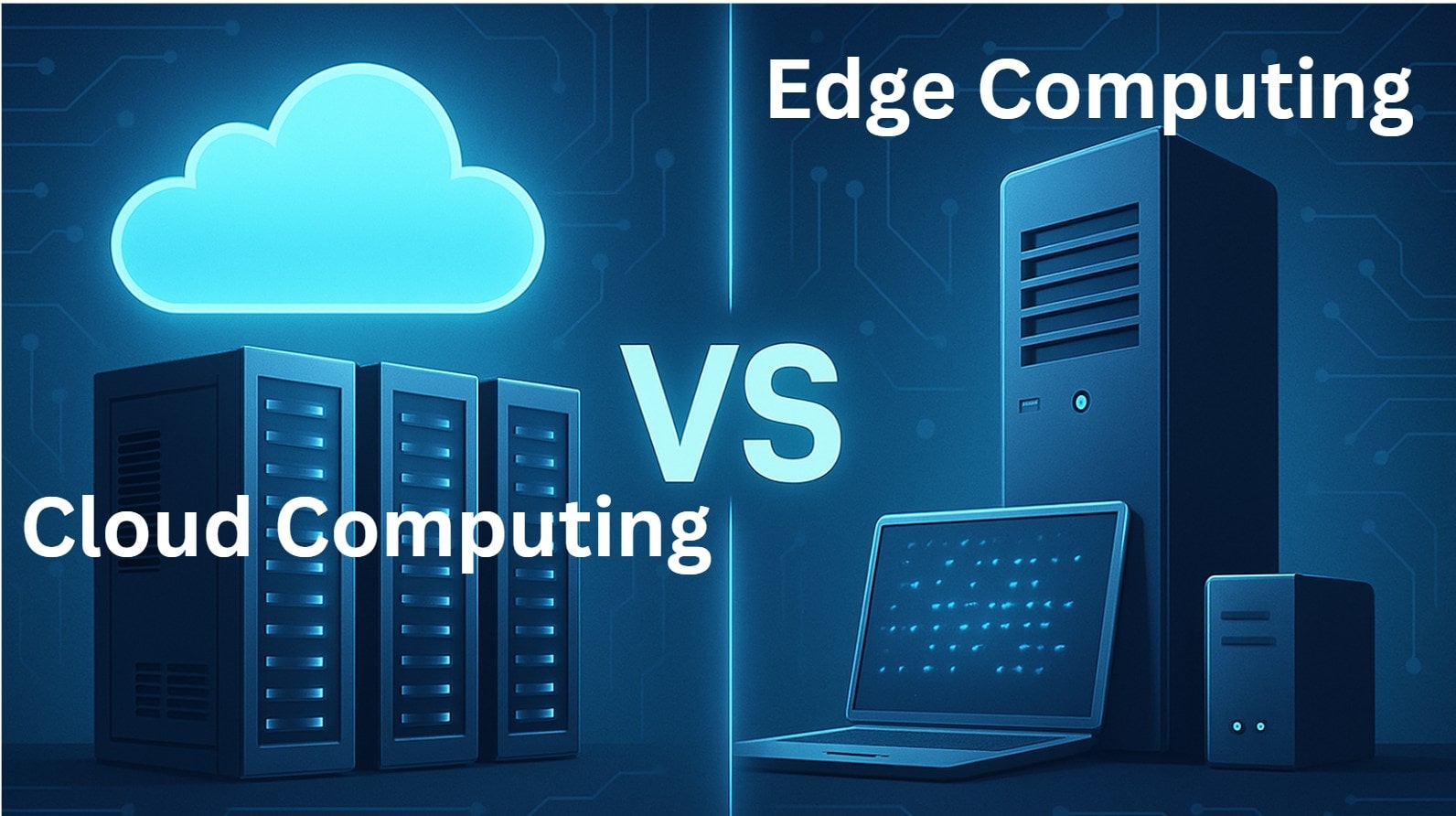
Looking ahead, advances in edge computing, AI, and 5G connectivity will improve cloud capabilities, opening up new avenues for innovation. The cloud is no longer a choice; it is the foundation for the future. Organizations that embrace cloud computing now will be better prepared to flourish in tomorrow’s digital landscape.
Understanding the benefits, difficulties, and future trends of cloud computing is essential for making informed decisions, regardless of where you are in your path. Whether you’re transitioning to the cloud for the first time or optimizing an existing cloud strategy, now is the time to embrace the cloud and fully realize its promise.







Comments