
 By
By 
The top ten AWS services are generally:
Amazon EC2 (virtual servers)
Amazon S3 (cloud storage)
Amazon RDS (managed relational databases)
AWS Lambda (serverless computing)
Amazon VPC (private cloud networking)
AWS IAM (user access control)
Amazon CloudFront (content delivery network)
Amazon DynamoDB (NoSQL databases)
Amazon CloudWatch (monitoring and observability)
Amazon SNS (messaging).
These services encompass compute, storage, databases, networking, security, and communications, giving you a solid overview of the AWS ecosystem.
Among all cloud providers, Amazon Web Services (AWS) is the most popular and widely used. With over 200 fully featured services and a big worldwide infrastructure, Amazon Web Services enables anything from small personal projects to large-scale enterprise systems.
However, if you’re just starting out, this large ecosystem can be overwhelming.
Focusing on the foundations is essential while learning a new skill. AWS provides a large range of services, including computing, storage, networking, databases, analytics, security, machine learning, and others, but just a few are required for novices. Understanding a basic set of foundational services enables you to construct real-world apps, manage infrastructure, secure your resources, and even design totally serverless solutions.
Many of these services are available for free or at a minimal cost through the AWS Free Tier, making it an ideal environment for learning and experimenting.
Why should you learn AWS? Because it is everywhere. Companies from every area, including finance, healthcare, education, media, and gaming, are shifting to AWS because of its scalability, dependability, and cost effectiveness.
Knowing how to browse and use AWS not only offers up a variety of work prospects, but it also provides you with the tools you need to innovate and build at scale.
So, if you’re wondering where to start your AWS journey, you’ve come to the perfect place.
Let’s look at the top ten AWS services for beginners and how they can help you build, learn, and grow in the cloud.
1. Amazon EC2 (Elastic Compute Cloud)
Amazon EC2, also known as Elastic Compute Cloud, is one of AWS’s most essential and extensively utilized services. At its core, EC2 provides scalable, resizable virtual machines known as instances, which can be run in the cloud. Consider EC2 to be the equivalent of renting a machine from Amazon’s global network of data centers.
Instead of purchasing, installing, and maintaining your own physical servers, you can launch an EC2 instance in minutes, select an operating system (such as Ubuntu, Amazon Linux, or Windows), determine the amount of CPU, memory, and storage you require, and begin deploying your apps immediately. One of the most significant advantages of EC2 is its versatility.
One of EC2’s most notable advantages is its ability to be customized. AWS provides a wide range of instance types targeted for specific workloads, including general-purpose, compute-optimized, memory-optimized, GPU-enabled for machine learning, and even ARM-based Graviton processors for cost-effective performance.
As a newbie, you may start with a t3.micro instance (typically free under the AWS Free Tier), which provides enough power to experiment without incurring any upfront costs. Later, when your requirements evolve, you can scale vertically (upgrade to a larger instance) or horizontally (add more instances).
EC2’s capacity to scale on demand makes it appropriate for everything from small personal projects to large enterprise applications. Another significant advantage of EC2 is control. Unlike many Platform-as-a-Service (PaaS) options, which abstract away the underlying infrastructure, EC2 provides complete control over your environment.
You can SSH into your instance, install applications, configure firewalls, run background tasks, and manage resources just like you would on a real system.
This makes EC2 ideal for developers, system administrators, and students who wish to understand the entire stack, from OS to application layer. If you want to learn how servers work in a cloud-native environment, EC2 is an excellent place to start.
2. Amazon S3 (Simple Storage Service)
Amazon S3 (Simple Storage Service) is a scalable, high-speed, web-based cloud storage service provided by Amazon Web Services. It was launched in 2006 and offers developers and IT organizations secure, long-lasting, and highly accessible object storage.
S3 is intended to store and retrieve any quantity of data from any location on the internet at any time, making it suitable for backup, archiving, big data analytics, static website hosting, and cloud-native application storage. S3 saves data as objects in buckets.
Each object has data, a key (the unique identifier), and metadata. A bucket is essentially a container for things that may be set up with access controls, versioning, logging, and lifecycle policies.
S3 supports a variety of storage classes, including S3 Standard for frequently accessed data, S3 Intelligent-Tiering for automatic cost optimization, S3 Standard-IA (Infrequent Access) for less frequently accessed data, S3 One Zone-IA for low-cost infrequent access in a single availability zone, and S3 Glacier and Glacier Deep Archive for cost-effective long-term archival storage.
These options allow you to optimize cost, performance, and durability based on workload requirements.
One of S3’s main advantages is its durability; AWS guarantees 99.999999999% (11 nines) of data durability by redundantly storing items on various devices across multiple facilities.
S3 also provides high availability, which means that consumers can anticipate their data to be available when needed. Data security is a critical responsibility for S3.
From tiny startups to large organizations, Amazon S3 plays a critical role in cloud infrastructure and digital transformation initiatives, offering the dependability, scalability, and security needed to handle data-driven workloads of any size.
3. AWS Lambda
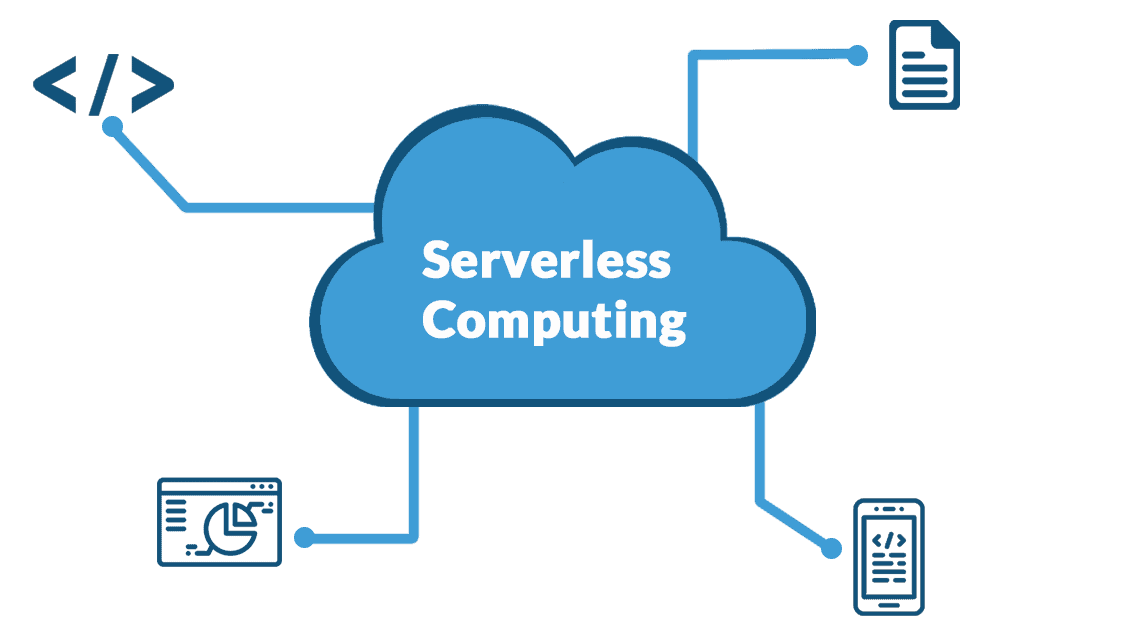
AWS Lambda is a serverless compute service offered by Amazon Web Services (AWS) that allows users to run code without having to create or manage servers. Lambda, which was introduced in 2014, allows developers to focus completely on creating code while AWS manages infrastructure, scaling, and execution automatically. Lambda allows users to upload code as functions that are executed in response to particular triggers such as changes in data, HTTP requests, file uploads, or notifications from other AWS services.
These triggers include Amazon S3, DynamoDB, Kinesis, SNS, API Gateway, and CloudWatch, enabling Lambda to serve as the foundation for event-driven systems. Lambda functions are stateless and run in isolated environments known as containers, which AWS automatically creates and manages.
Python, JavaScript (Node.js), Java, C#, Go, Ruby, and custom runtimes via Lambda extensions are among the programming languages supported by this service. Lambda functions can run in milliseconds and scale automatically from a few requests per day to thousands per second, making them ideal for applications with unpredictable or spiky workloads.
The price strategy is based on the number of requests and compute time utilized (measured in milliseconds), assuring cost-effectiveness for short-lived jobs. AWS has a substantial free tier, with one million free requests and 400,000 GB-seconds of computation time each month.
It complements modern DevOps and CI/CD pipelines by enabling rapid iteration and deployment of distinct functional components. Developers can develop, operate, and monitor functions with the AWS CLI, SDKs, or the AWS Management Console.
Read Also: The Evolution of Cloud Computing: From SaaS to Serverless
Furthermore, AWS SAM (Serverless Application Model) and the Serverless Framework make it easy to develop and deploy serverless applications that follow infrastructure-as-code concepts. Overall, AWS Lambda transforms the way developers create scalable, event-driven apps by providing a low-cost, highly available, and fully managed computing platform.
4. Amazon RDS (Relational Database Service)
Amazon RDS (Relational Database Service) is a fully managed cloud database service from Amazon Web Services (AWS) that makes it easier to set up, run, and scale relational databases.
RDS, which was launched in 2009, supports a number of major database engines, including Amazon Aurora, MySQL, PostgreSQL, MariaDB, Oracle, and Microsoft SQL Server. RDS eliminates the need for users to manage the underlying hardware, database software installation, patching, and backups. AWS automates administrative tasks.
RDS provides high availability with Multi-AZ (Availability Zone) deployments, in which a backup replica is automatically maintained in a separate zone and failover occurs seamlessly in the event of failure. It also supports read replicas, which help to offload read traffic while enhancing performance and scalability.
Data is automatically backed up daily, and transaction logs are continually archived, allowing for point-in-time recovery. Security is enforced through network isolation with Amazon VPC, data encryption at rest with AWS Key Management Service (KMS), and encryption in transit with SSL/TLS.
RDS interfaces with AWS IAM for access control and monitoring via Amazon CloudWatch. Maintenance windows provide automated patching and upgrading with minimal disruption.
RDS is also compatible with the majority of existing tools and apps that operate with traditional relational databases, making migration easy. The service is priced based on instance types and storage.
5. Amazon DynamoDB
Amazon DynamoDB is a fully managed NoSQL database service from Amazon Web Services (AWS) that provides outstanding performance at any scale. It was released in 2012 and is meant to support key-value and document data structures with single-digit millisecond latency, making it perfect for real-time applications like gaming, IoT, mobile apps, and e-commerce platforms.
DynamoDB, unlike typical relational databases, does not require a schema, allowing for flexible data modeling and rapid performance without the need for sophisticated joins or indexing. DynamoDB tables are made up of items (rows) and attributes (columns), and each item is uniquely recognized by a primary key, which can be a partition key or a partition key plus a sort key.
DynamoDB dynamically splits data and workload over several servers, ensuring seamless scaling to handle high traffic and big data volumes without requiring user involvement.
One of its distinguishing features is on-demand scalability. Users can select between on-demand capacity mode, in which the service automatically manages traffic surges, and provisioned mode, in which throughput is manually established with optional auto-scaling.
DynamoDB supports both ultimately consistent and strongly consistent reads, and it provides robust high availability via multi-AZ replication. DynamoDB Accelerator (DAX) offers in-memory caching, which improves read response times from milliseconds to microseconds. The service is extremely reliable and fault-tolerant, with built-in data replication and automatic backups.
Amazon CloudWatch provides monitoring, and VPC endpoints, encryption, and access logging help to enforce security best practices. Additionally, AWS offers DynamoDB Local for offline development and testing.
DynamoDB is widely utilized by organizations like Netflix, Amazon, and Lyft due to its consistent performance, dependability, and ease of integration into scalable cloud-native applications. As a serverless service, there are no servers to patch or operate, and customers only pay for what they use, making it an affordable and dependable option for modern, high-throughput applications.
Overall, DynamoDB represents AWS’s concept of providing strong but simple cloud services that allow developers to build faster, more efficiently, and on a global scale.
6. AWS IAM (Identity and Access Management)
AWS Identity and Access Management (IAM) is a core security feature in Amazon Web Services (AWS) that enables administrators to securely manage access to AWS services. IAM allows users to establish and administer AWS users, groups, roles, and policies that specify who can access what resources and under what conditions.
IAM is a global service, therefore its settings are applied across all AWS regions by default. It enables granular permissions, allowing administrators to adhere to the principle of least privilege by offering users only the access required to fulfill their job functions.
IAM identities comprise users (individuals or services), groups (user collections), and roles (permissions granted to trusted entities such as AWS services or external accounts). Permissions are defined using JSON-based IAM policies that can be associated with identities or AWS services.
These policies manage actions (e.g., s3:PutObject) and can limit access based on factors such as IP address, time of day, or request origin.
IAM works with AWS Organizations to manage permissions across many accounts, and it also supports service control policies (SCPs) for organizational governance. Multi-factor authentication (MFA), password rules, and temporary security credentials all contribute to increased IAM security.
IAM’s Access Analyzer identifies resources shared with external entities, boosting visibility and compliance. The IAM Policy Simulator allows you to test the implications of IAM policies before they are deployed. All IAM operations and API requests are logged using AWS CloudTrail to ensure openness and accountability.
IAM is a free AWS service; users only pay for the resources they access through it.
IAM’s versatility, security capabilities, and close connection with all other AWS services make it indispensable for controlling user access, safeguarding cloud environments, and retaining operational control in both small and large-scale AWS deployments.
7. Amazon CloudWatch
Amazon CloudWatch is a comprehensive monitoring and observability tool offered by Amazon Web Services (AWS). It allows customers to collect, analyze, and act on data from AWS resources, applications, and services in real time.
It enables developers, system administrators, and DevOps teams to monitor system performance, spot abnormalities, and troubleshoot operational issues.
CloudWatch automatically collects metrics from a variety of AWS services, including EC2, RDS, Lambda, ECS, DynamoDB, and more. Users can also submit custom metrics from their own applications and on-premises infrastructures using the AWS CLI, SDKs, or API.
CloudWatch saves these metrics at a one-second resolution, allowing for near real-time analysis. Metrics can be viewed using dashboards, which are fully customisable and include charts, graphs, and automatic refresh.
CloudWatch Alarms can be set up to monitor metrics and do automated tasks such as sending messages via Amazon SNS or enforcing auto scaling regulations.
This enables proactive reactions to changes in system performance and availability. CloudWatch Logs collects and saves log files for AWS services, bespoke applications, and on-premises servers. Logs may be filtered, searched, and presented in real time, allowing for speedier incident investigation. Users can define metric filters to extract specific data points from logs and generate CloudWatch metrics for alerting or visualization.
CloudWatch Logs Insights offers a sophisticated query language for doing ad hoc analysis of log data, allowing teams to quickly identify issues or performance bottlenecks.
A free tier is provided, which includes basic monitoring metrics and limited log storage. CloudWatch enables enterprises to maintain high availability, increase performance, and minimize mean time to resolution (MTTR) by centralizing monitoring and alerting across their AWS infrastructure.
Amazon CloudWatch, whether used for infrastructure monitoring, application performance analysis, or operational automation, is an essential tool in current cloud-based system observability and reliability engineering.
8. AWS CloudFormation
AWS CloudFormation is a service offered by Amazon Web Services that allows users to model and configure their cloud infrastructure in a predictable and automated manner.
It allows developers and system administrators to design infrastructure as code via JSON or YAML templates. This implies that rather than manually setting resources such as EC2 instances, S3 buckets, or IAM roles, you can specify them in a file. That file serves as a single source of truth for your cloud environment, making it easy to maintain and replicate configurations.
When a CloudFormation template is deployed, AWS reads it and configures the resources in the proper sequence. This provisioning is referred to as stack creation, and each stack can be modified or deleted as a unit.
Unlike Terraform, CloudFormation is AWS-native and tightly integrated with AWS services and IAM regulations. However, it is more opinionated and less adaptable in multi-cloud applications.
AWS constantly upgrades CloudFormation to accommodate new AWS services and features.
However, there may be a gap between service releases and complete template support, necessitating the use of bespoke resources.
CloudFormation templates may be checked and validated to ensure compliance and security using tools such as cfn-lint and CloudFormation Guard. The AWS Console can also construct templates automatically by using the “Create Template from Existing Resources” option.
Finally, AWS CloudFormation is an essential tool for creating dependable, scalable, and secure infrastructure on AWS.
9. Amazon VPC (Virtual Private Cloud)
Amazon VPC (Virtual Private Cloud) is a fundamental networking service offered by AWS that enables users to construct isolated virtual networks within the AWS cloud. A VPC gives you complete control over your virtual networking environment, including the ability to select IP address ranges, create subnets, and configure routing tables and gateways.
Essentially, it allows you to create a logically isolated area of the AWS cloud from which you may launch AWS resources in a customized virtual network. You begin by defining a CIDR block (Classless Inter-Domain Routing), which specifies the IP address range for your VPC. Within the VPC, you can build subnets to divide the IP address range into smaller portions.
Subnets can be public or private, depending on whether they connect to the internet through an Internet Gateway. A public subnet is used for resources such as web servers that must be accessible via the internet. A private subnet is used for backend resources such as databases that should not be accessible over the public internet.
Amazon VPC allows you to attach an Internet Gateway (IGW) to facilitate communication between your VPC’s resources and the internet. You can use a NAT Gateway or NAT instance to provide outward internet connectivity from private subnets.
VPCs play an important role in modern cloud-native designs, enabling isolation, segmentation, and connectivity control. They are often used in conjunction with AWS services like as EC2, RDS, ECS, and Lambda, serving as the networking backbone of your architecture.
Amazon VPC also plays an important role in security frameworks, compliance, and zero-trust network designs. Deep packet inspection and threat detection can be implemented using advanced features such as traffic mirroring and network firewalls.
In summary, Amazon VPC provides the tools you need to create a secure, scalable, and adaptable cloud network based on your individual requirements. It enables cloud architects to create networks that replicate traditional on-premises systems while leveraging the elasticity and power of the AWS cloud.
10. AWS Cloud9
Amazon Web Services offers AWS Cloud9, a cloud-based integrated development environment (IDE).
It enables developers to write, run, and debug code straight from a web browser, eliminating the need to install any local software.
Cloud9 supports a variety of programming languages, including JavaScript, Python, PHP, Ruby, Go, C++, and more. Because it is cloud-based, you may access your development environment from any location with an internet connection.
Each Cloud9 environment is based on an EC2 instance, which you may tailor to the size and resources required for your project. You have complete control over the underlying instance, and you can stop, restart, or terminate it as needed.
Cloud9 is preloaded with crucial technologies like as Git, Node.js, Python, and Docker, which reduces setup time. It includes a robust code editor, an integrated terminal, and a debugger, all within a browser-based interface.
Multiple developers can work on the same file at the same time with the IDE’s real-time collaboration feature. This makes it perfect for pair programming, code reviews, and remote team communication.
AWS Cloud9 is strongly connected with other AWS services, allowing for smooth development and deployment of cloud-native applications. For example, you can simply access S3 buckets, run Lambda functions, and configure IAM roles from the IDE.
Cloud9 environments can be linked to your own VPC, making it easy to develop secure applications across private networks. It automatically saves your work to the cloud, reducing the likelihood of losing progress due to device failure or crashes.
You may clone repositories from GitHub, Bitbucket, or any other Git-based source, making version management simple. The environment is very flexible, and developers can add other packages or software as needed.
Cloud9 supports keyboard shortcuts, themes, code linting, and extensions to increase productivity.
To avoid unexpected charges, AWS automatically terminates idle environments after a defined period.
Cloud9 facilitates speedier onboarding by allowing new team members to get started without requiring complicated local setup.
It’s especially useful in educational settings, hackathons, and enterprises that require strong security or compliance measures.
AWS Cloud9 combines sophisticated development tools with cloud-based flexibility and scalability, allowing developers to create faster and more efficiently from anywhere.
Conclusion
As a newbie, focusing on these services provides a solid basis. You will be able to construct websites, APIs, databases, and even go serverless using AWS. Once you’re familiar with these, you’ll be in a good position to investigate more complex products and services.







Comments