
 By
By 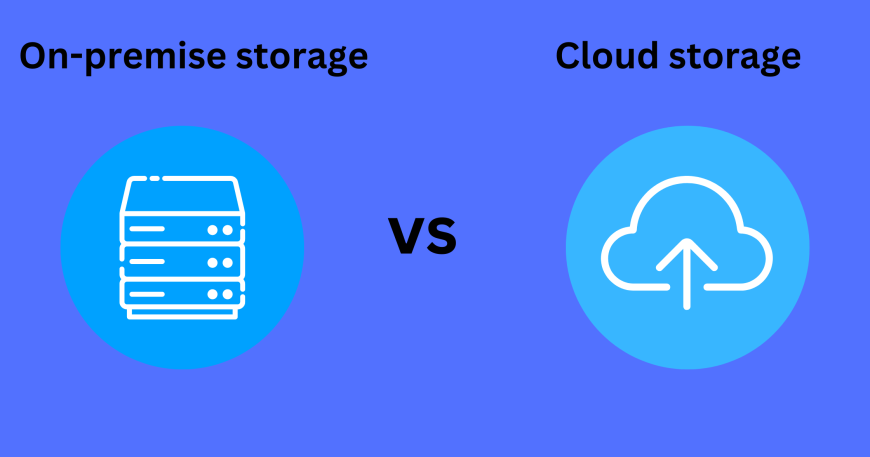
The optimal decision between cloud and on-premise IT infrastructure is determined by your company’s specific requirements, but cloud offers scalability, flexibility, and lower initial costs, whereas on-premise provides greater control, customization, and predictable long-term costs, but requires a larger initial investment and more internal resources for maintenance. Cloud is suitable for fluctuating workloads and faster innovation, whereas on-premise is best suited to highly regulated industries or enterprises with sophisticated, one-of-a-kind IT requirements.
Scalability requirements, budget limits, data sensitivity, and control preferences all influence whether to deploy in the cloud or on-premises. Cloud implementation provides flexibility, rapid scalability, and a lower maintenance burden, but on-premise solutions provide more data control, customisation possibilities, and cost predictability.
Cloud computing is advantageous for firms with unpredictable workloads and low upfront investments, whereas on-premise is preferred for those who require strong data control, customisation, and compliance adherence. Finally, the selection is based on how well the chosen deployment model meets an organization’s specific technical requirements and strategic objectives.
Cloud Deployment
Cloud deployment is a flexible and cost-effective service approach in which a third-party supplier provides virtualized computing resources that may be accessed on demand. It avoids the need for capital investments by hosting the server offsite, and organizations just pay for what they use. Cloud-based servers improve data protection by performing regular backups. Businesses that subscribe to a cloud deployment service might avoid upfront expenditures and maintenance headaches because the provider manages the servers, network, and software. Data can be stored in a public or private cloud depending on the needs.
- A Private Cloud is utilized by a single company or organization through on-site hosting, either in-house or through a third-party service provider.
- Public Cloud offers shared computing resources and services, over the internet to multiple organizations or users.
Pros
- Cost-effectiveness: No upfront or annual cost is required. You pay on a recurring basis, making it an operational expense.
- Less IT Work: Cloud service provider takes care of compatibility and upgrades which lessens the workload on IT staff.
- Scalability: Cloud deployment offers scalable and flexible resources that are cost-effective and customizable to your needs.
- Frequent Data Backups: Cloud-based servers provide easy regular data backups, minimizing the risk of losing critical data.
Cons
- Long-Term Costs: Cloud deployment has lower initial costs but can become more expensive in the long run, increasing the total cost of ownership.
- Connectivity Issues: With internet dependability, internet outages can disable access to crucial files, hindering business operations and productivity.
- Customization: At times, complex development requirements may not align with a cloud-based solution.
On-Premise Deployment
An on-premises data center is a cluster of servers that are privately owned and managed. On-premise deployment refers to private data centers that firms host and control themselves. With on-premise software, everything—including deployment, maintaining the solution, maintenance, security, and updates—must be managed internally.
Read Also: Top 10 Cloud Computing Trends to Watch in 2025
The software is subsequently put on your servers, necessitating the acquisition of higher-performance servers, database software, and operating systems. You have complete control over the system, with no intrusion from a third party.
Pros
- High Uptime: No dependency on the internet or external variables which makes the internal network accessible at any time.
- Customization: Modifying servers hardware can be done by the company independently which gives greater flexibility and customization.
- Absolute Control: Close monitoring over maintenance and upgrade gives absolute control over the data, hardware systems, and software.
- Security: With data stored on the organization’s own servers, extra data protection can be added which results in a higher level of security.
Cons
- High Maintenance: Additional capital expenses are necessary for replacing, upgrading, or expanding on-prem infrastructure.
- Difficult resources management: As the resources keep on increasing, the growing allocation for it’s maintenance and management becomes difficult to upkeep.
- Complex integration: The integration of on-prem systems with multi-cloud and hybrid environments introduces additional complexities.
Cloud vs On-Premise: Key differences
| Factors | Cloud | On-Premise |
| Deployment | Services are hosted on the service provider’s premises | Resources are deployed in-house and within an enterprise’s IT infrastructure |
| Control | Businesses have limited control as data and encryption keys are stored by the vendor/ service provider on their infrastructure | Enterprises retain all their data and are fully in control of what happens to it, for better or worse |
| Security | Cloud providers take extra measures to have robust security measures in place to protect their infrastructure | Companies that have extra sensitive information must have a certain level of security and privacy which is managed internally |
| Accessibility | Solution is hosted on a publicly accessible server, hence by default is accessible from all around the globe | As the solution is hosted locally, hence by default services are accessible within the internal network only |
| Cost | The overall cost for cloud deployment is significantly lower as there is no upfront cost for the service, only the operation/usage fee involved | Overall cost is higher in on-premise deployment, as it involves upfront purchase cost for the service and additional cost for the maintenance and updates |
| Implementation & integration | Cloud solutions can be rapidly enabled for organizations, with pre-integrated features for thousands of applications, leading to shorter implementation times | Implementation takes longer due to complete on-site installation, and configuration and integration can take weeks or months to complete |
| Ease of Scalability | With pay-as-you-go service, cloud deployment can be more easily scaled up or down based on the organization’s needs | Prior planning is required for scalability or can be a challenge and time-consuming process |
| Maintenance & Updates | The vendor is responsible for ensuring consistent service availability, security, and potential recovery measures, relieving businesses of these responsibilities | Businesses need to plan system updates carefully, as updates can come with additional costs and responsibilities for on-premise deployment and validation |
| Compliance | The vendor is responsible for ensuring consistent service availability, security, and potential recovery measures, relieving businesses of these responsibilities | Companies adopting cloud computing must ensure their chosen provider complies with industry regulations through thorough due diligence. |
How to Choose for Your Business
When picking between Cloud deployment and On-Premise deployment for your organization, you need evaluate a number of variables to determine which solution is ideal for you. To make an informed decision, you should ask yourself the following crucial questions:
- What is your budget for capital investment?
- Do you have physical office space available to install your system locally?
- Do you need a scalable system?
- What are your safety requirements, and do you have the necessary tools to ensure top-notch security?
- Do you need on-demand services, and how much uptime do you require?
- Do you require a customized system for your business?
It’s worth noting that a hybrid approach mixing cloud and on-premise solutions is gaining popularity. This enables you to leverage the strengths of both types of systems for the most relevant requirements. For example, you could use on-premise servers for your most sensitive data and store day-to-day data on the cloud, making it easily available to all employees.







Comments