
 By
By 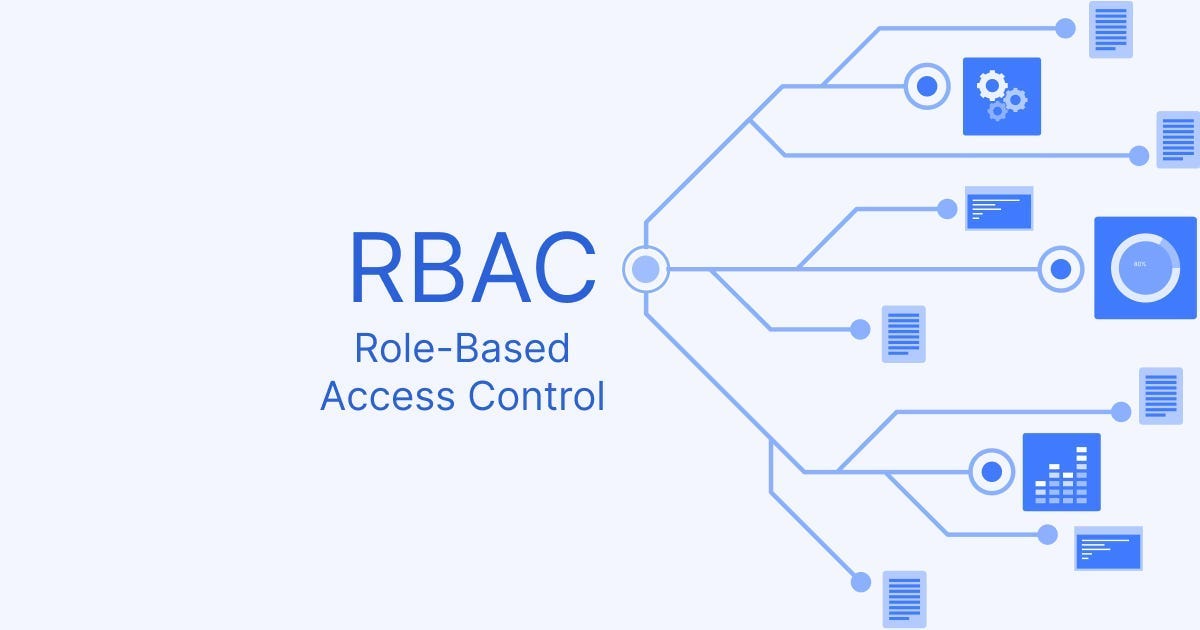
Role-Based Access Control (RBAC) is a security approach used in Banking as a Service (BaaS) platforms to restrict user access to data and operations based on their job duties within an organization. This strategy is critical for security, compliance, and efficient management in the complicated financial services market.
Core Concepts in a BaaS Context
Instead of individually managing permissions for every user (e.g., a bank teller, loan officer, or compliance officer), RBAC defines abstract roles that represent the access needs of a specific job function.
- Users: Individuals, services, or systems that require access to the BaaS platform.
- Roles: Job functions (e.g.,
Teller,Loan_Officer,Auditor,API_Client_App) that serve as a container for permissions. - Permissions: Specific actions a user in a particular role can perform on a resource (e.g.,
read_account_balance,initiate_transfer,approve_loan,access_customer_data). - Role Assignment: The process of linking users to one or more roles based on their responsibilities.
Key Benefits for BaaS Platforms
RBAC is a critical component of identity and access management (IAM) strategies, offering several benefits.
- Enhanced Security: By enforcing the principle of least privilege, users are only granted the minimum access necessary to perform their duties, significantly reducing the potential damage from a compromised account or insider threat.
- Simplified Compliance: BaaS platforms must adhere to strict financial regulations like SOX and PCI DSS. RBAC provides a clear, auditable framework of who has access to what, simplifying the process of demonstrating compliance to regulators.
- Streamlined Operations: Managing individual permissions for thousands of users in a large enterprise is complex and error-prone. RBAC simplifies user onboarding, offboarding, and role changes by applying changes at the role level.
- Scalability: As a BaaS platform grows and adds new clients, features, and users, RBAC scales efficiently without requiring a complete redesign of the access control structure.
Practical Implementation Examples
In a typical BaaS scenario, different roles would have distinct access levels to protect sensitive financial data.
| Role | Permissions |
|---|---|
| Bank Teller | View customer accounts, process deposits and withdrawals. |
| Loan Officer | View detailed financial profiles, access credit reports, approve loan applications (subject to management verification). |
| Auditor | Read-only access to all financial transactions and systems for review, but no modification capabilities. |
| Customer Service | Access basic account information and support tools; cannot initiate transfers or view sensitive financial reports. |
Implementation Best Practices
Successfully deploying RBAC in a BaaS environment requires careful planning.
- Define Roles Clearly: Roles should align with actual job functions and responsibilities within the organization, avoiding “role explosion” (too many overlapping roles).
- Enforce Separation of Duties (SoD): Implement constraints to ensure that no single person can perform conflicting critical tasks (e.g., a user cannot both initiate and approve a financial transaction).
- Automate Provisioning: Use identity and access management (IAM) tools to automate the assignment and deprovisioning of roles as employees join, leave, or change positions.
- Conduct Regular Audits: Periodically review role assignments and permissions to ensure they remain appropriate and align with current business needs and security policies.
By leveraging RBAC, BaaS platforms can provide robust security and compliance while maintaining the operational efficiency needed to deliver innovative financial services.
What Is Role-Based Access Control (RBAC)?
Role-Based Access Control (RBAC) is a security approach that arranges user access based on specific responsibilities within an organization. Instead of assigning permissions to individuals one by one, RBAC allocates permissions to roles, and users are granted access based on whose role they belong to. This simplifies access control, makes it more uniform, and allows for simpler scaling.
In an RBAC system, a role often denotes a job function or responsibility. HR managers, sales representatives, and system administrators, for example, would all have unique responsibilities. Each of these positions has preset permissions that specify what responsibilities the person in that position must complete. When a person is assigned to the role, they are automatically given the appropriate level of access.
RBAC differs from other access control models in how it manages permissions and makes access decisions.
- Discretionary Access Control allows resource owners to grant access at their discretion, creating inconsistent security policies.
- Mandatory Access Control utilizes fixed security labels and clearances, which provide less flexibility in meeting business needs.
- Attribute-Based Access Control evaluates multiple dynamic attributes, such as user location, time, and device, to make decisions.
RBAC vs Other Access Control Models
Each access control model offers distinct advantages and suits different security requirements and organizational contexts. Here’s how RBAC compares to different models:
| Aspect | RBAC | DAC | MAC | ABAC |
|---|---|---|---|---|
| How Access Is Assigned | Based on roles tied to job functions | Resource owners decide who gets access | Central authority defines rules | Based on user, resource, and environment attributes |
| Control Basis | Access based on organizational roles | Resource owners control access | System-enforced labels and clearances | Dynamic attributes (user, resource, environment) |
| Flexibility | Moderate; roles adapt to organizational changes | High; owners grant access freely | Low; rigid security classifications | Very high; evaluates multiple attributes dynamically |
| Administrative Overhead | Low to moderate; manage roles instead of individuals | High; distributed control across owners | Moderate; centralized policy management | Moderate to high; complex attribute management |
| Scalability | Excellent for growing organizations | Poor; becomes unmanageable at scale | Good for classified environments | Excellent for dynamic, complex environments |
| Use Cases | Enterprise IT, healthcare, and financial services | Small teams, collaborative environments | Government, military, classified data | Cloud platforms, zero-trust architectures |
| Security Level | Strong; enforces least privilege by role | Variable; depends on owner decisions | Very strong; mandatory access enforcement | Very strong; context-aware decisions |
| Compliance Support | Excellent; clear audit trails and role documentation | Limited; decentralized control complicates audits | Excellent; mandatory controls align with regulations | Excellent; granular policies and detailed logging |
Many businesses use role-based access control (RBAC) because it provides a good blend of security, scalability, and manageability. This architecture is appropriate for organizations with well defined job positions and access entitlements.
How Does Role-Based Access Control Work?
RBAC operates through a systematic process that connects users, roles, and permissions to control access to resources. The process ensures consistent access control while simplifying management and supporting compliance requirements.
1. User Assignment to Roles
Organizations assign each user to one or more roles based on their job function and responsibilities. Roles reflect actual positions within the organization, such as Manager, Analyst, or Administrator.
Users automatically inherit all permissions associated with their assigned roles without individual permission configuration. This assignment process typically occurs during onboarding and updates when employees change positions or departments.
2. Roles Are Linked to Permissions
Each role is configured with specific permissions that define what actions users can perform. Permissions specify access to resources, such as files, applications, databases, or system functions.
Read Also: GDPR and BaaS: What Developers Need to Know
Businesses map permissions to roles by analyzing job requirements and security policies to ensure effective role-based access control. This mapping ensures that users can perform their duties while maintaining the principle of least privilege access.
3. Access Is Granted Through Roles, Not Individuals
When users attempt to access resources, the system evaluates their roles to determine the permissions to which they are entitled. Access decisions are based on role memberships rather than individual user identities or attributes.
This approach simplifies access management because permission changes apply to roles rather than individual users. Organizations can modify access for entire groups by updating role permissions, rather than individual accounts.
4. Role Hierarchies and Inheritance
Many organizations implement role hierarchies in which senior roles automatically inherit permissions from junior roles. A Manager role might inherit all Employee permissions plus additional management capabilities.
These hierarchies reflect organizational reporting structures and reduce redundant permission assignments. Role inheritance simplifies administration while ensuring consistency across related roles in the organization.
5. Session Management and Constraints
RBAC systems can enforce constraints that limit when and how users activate their roles. Time-based restrictions restrict access to business hours or specific days of the week. Location constraints ensure users access resources only from approved networks or geographic regions.
These session controls add contextual security layers that adapt to risk profiles and compliance requirements.
6. Auditing and Monitoring
RBAC systems maintain detailed logs of role assignments, permission changes, and access attempts. These audit trails document who accessed what resources, when access occurred, and which role authorized it.
Companies utilize this information for security investigations, compliance reporting, and refining access policies. Regular monitoring helps identify potential security issues, such as excessive permissions or unusual access patterns.
7. Dynamic Updates and Role Changes
Organizations regularly review and update roles to reflect changing business needs and security requirements. When employees change positions, administrators reassign them to appropriate roles rather than modifying individual permissions.
Role permission updates are automatically applied to all assigned users, ensuring consistent enforcement of the policy. This dynamic capability enables businesses to maintain security while supporting business agility and organizational change.
When you see how users, roles, and permissions come together in real time, it becomes clear why RBAC is such a practical and dependable model for managing access. With the mechanics in place, the next question is why RBAC matters for modern organizations and what makes it a preferred approach for security and compliance today.
Key Components Of Role-Based Access Control
RBAC consists of several fundamental elements that work together to create a comprehensive access control system. Each component plays a specific role in ensuring users receive appropriate access based on their organizational responsibilities.
1. Roles
Roles represent job functions or responsibilities within an organization and serve as the primary mechanism for granting access to resources and assets. Common examples include Administrator, Manager, Employee, Accountant, Developer, and Customer Service Representative.
Organizations design roles to match their actual structure, with some companies having dozens of roles while others maintain simpler structures. These roles may vary significantly by department, with HR roles differing from IT roles or sales roles. Effective role design requires analyzing job functions, understanding access requirements, and creating roles that align with business processes.
2. Permissions
Permissions define specific actions users can perform on resources, such as read, write, modify, delete, or execute. Organizations map permissions to roles by determining what access each job function requires to perform duties.
A Manager role might include permissions to view employee records, approve requests, and generate reports. An Employee role might have permissions limited to viewing their own information and submitting requests. Permission design requires balancing operational needs with security principles, ensuring roles have sufficient access without excessive privileges.
3. Users And Role Assignments
Users are individuals who access systems and resources within the organization’s environment. Each user receives role assignments that determine their access rights based on job responsibilities. Users can be assigned to multiple roles simultaneously when their position requires diverse access needs.
Organizations must conduct regular role reviews to ensure assignments remain appropriate as employees change positions. Periodic access reviews help identify and remove unnecessary role assignments that accumulate over time. This ongoing management prevents permission creep and maintains security posture.
4. Sessions And Constraints
Sessions represent active periods when users access systems using their assigned roles. Organizations can implement constraints that restrict role activation based on contextual factors, such as time or location. Temporary role assignments grant elevated access for specific projects with automatic expiration dates.
Time-based constraints may limit access to the financial system during business hours when oversight is available. Location restrictions might prevent role activation from untrusted networks or unauthorized geographic regions. Device-based constraints ensure users activate sensitive roles only from managed, secure endpoints.
Together, these components form the foundation of an RBAC system and define how users, roles, and permissions fit together. Now that the building blocks are clear, the next step is understanding how RBAC actually works in practice and how these components interact during day-to-day access management.
RBAC Use Cases And Examples
Organizations across industries leverage RBAC to address specific access management challenges and security requirements. These real-world applications demonstrate how RBAC adapts to diverse business environments and regulatory contexts.
1. RBAC In Enterprise IT Systems
Enterprise IT departments use RBAC to control access to internal applications, cloud resources, and infrastructure. System administrators receive elevated permissions to manage servers and networks, while regular employees access only business applications. Developers get access to development environments but not production systems without approval processes.
- Network administrators manage routers, switches, and security appliances through elevated roles and responsibilities.
- Database administrators access production databases while developers use sandboxed environments.
- Helpdesk staff receive limited permissions to reset passwords and troubleshoot common issues.
- Application owners control their specific systems without accessing unrelated infrastructure.
2. RBAC In Healthcare
The healthcare industry implements RBAC to protect patient information while enabling efficient care delivery. Physicians access patient records for assigned patients, while administrative staff manage billing and scheduling. RBAC helps healthcare providers comply with HIPAA requirements for access controls and audit trails.
- Doctors and nurses access patient records based on current care team assignments.
- Pharmacists view medication information and prescription histories for verification.
- Billing staff access insurance and payment information without viewing clinical details.
- Administrative personnel manage schedules and appointments without accessing medical records.
- Emergency staff receive break-glass access for urgent situations, accompanied by audit trail documentation.
3. RBAC In Financial Services
Financial institutions use RBAC to enforce segregation of duties and prevent fraud. Trading roles avoid the same person from initiating and approving transactions. Audit roles provide read-only access to detect suspicious activities without modification capabilities.
- Traders execute transactions while compliance officers review and approve large trades.
- Accountants record transactions while auditors review financial records independently.
- Customer service representatives access account information without transfer capabilities.
- Risk managers analyze data across accounts without the ability to modify customer information.
- Branch managers approve transactions within authority limits defined by their role.
4. RBAC In Cloud And SaaS Applications
Cloud platforms and SaaS applications use RBAC to manage multi-tenant environments and subscription tiers. Organizations control access to cloud resources based on department, project, or cost center. SaaS platforms implement role-based feature access to support different subscription levels and user types.
- Cloud platform administrators manage infrastructure while developers deploy applications.
- Project managers have full access to project management tools, while team members have limited capabilities.
- Tenant administrators manage their organization’s users without accessing other tenants.
- Subscription tiers map to roles that enable or restrict access to premium features.
- API access roles control which systems can integrate with SaaS platforms programmatically.
These use cases show how RBAC can support different teams, workflows, and security requirements across an organization. As you move toward implementing RBAC yourself, it is important to understand the challenges that can arise and the practical ways to address them. The next section covers exactly that.








Comments