
 By
By 
Backend-as-a-Service (BaaS) and no-code solutions have made it possible for non-technical entrepreneurs to create a Minimum Viable Product (MVP) without the assistance of a technical co-founder. By dragging and dropping components and visually setting databases, these technologies enable entrepreneurs to create safe, scalable, and useful applications.
Here is a guide to building without code using BaaS and no-code tools in 2026:
Key BaaS and Backend Tools
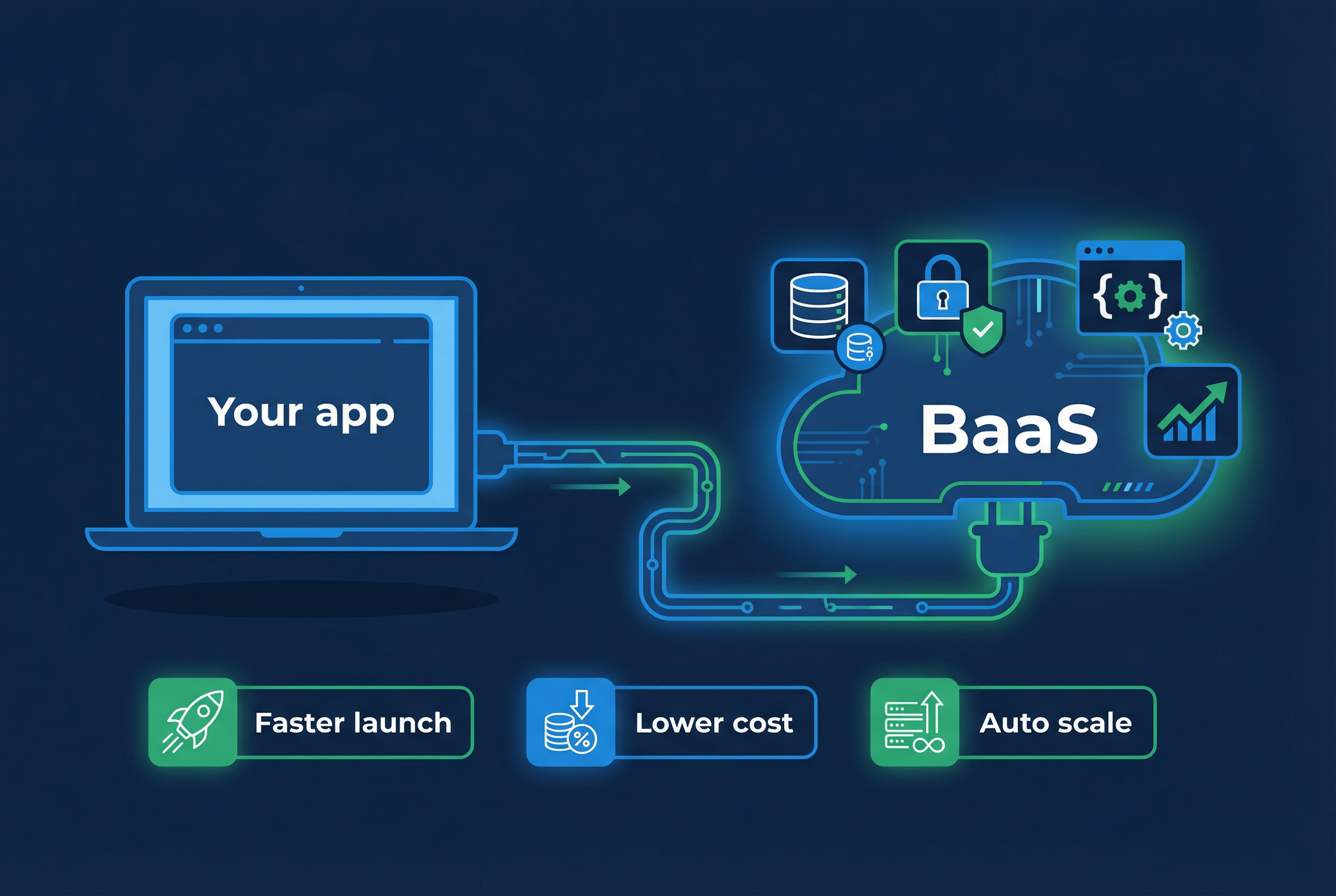
BaaS provides the foundational backend functionality (logins, database, file storage) without needing to manage infrastructure.
- Xano: Often considered the best “no-code backend” for building scalable APIs and database structures without writing code.
- Supabase: An open-source Firebase alternative that provides a powerful PostgreSQL database, authentication, and API generation.
- Firebase: A Google-managed service, ideal for real-time data needs and mobile apps.
- Backendless: Good for advanced control over app data and backend logic.
Top No-Code Front-End Builders
These tools connect to your database (BaaS) to create the user-facing app:
- Bubble: Offers the best balance between power, flexibility, and ease of use for complex web applications.
- FlutterFlow: Excellent for building native iOS and Android apps with a visual interface.
- Softr: Best for beginners, allowing you to build apps in minutes using Airtable or Google Sheets as a backend.
- Glide: Ideal for creating mobile-friendly apps quickly from spreadsheets.
How to Build Without Code (Step-by-Step)
- Map Your Database (BaaS): Use Xano or Supabase to define your data structures (e.g., Users, Products, Orders).
- Build the Frontend: Use Bubble, FlutterFlow, or Softr to create the user interface and connect it to your BaaS.
- Implement Automation: Use tools like Zapier or Make to connect different apps and automate workflows without code.
- Launch and Iterate: Focus on a 2-6 week timeline to launch your MVP, gather user feedback, and iterate.
Benefits for Non-Tech Founders
- Speed: Go from idea to launch in weeks, rather than months.
- Cost Efficiency: Avoid the high expense of hiring developers early on.
- Independence: Maintain full control over product changes without waiting on a technical team.
For maximum flexibility, combining a specialized no-code backend (Xano) with a flexible frontend builder (Bubble or FlutterFlow) is a recommended approach for building scalable startups in 2026.
It takes months and costs between $15,000 and $50,000 to hire a developer to create your MVP. For less than $100 per month, non-technical founders can create the same product using no-code platforms. However, since each platform is designed for a particular kind of application and a different level of expertise, choosing the incorrect platform wastes just as much time as starting from scratch.
Can You Start a Startup Without Coding?
Yes. You absolutely can start a startup without knowing how to code, and thousands of founders are doing it right now. The idea that you need to be a programmer to launch a technology business is one of the most persistent and damaging myths in the startup world. Sara Blakely built Spanx into a billion-dollar company without a technical background. Whitney Wolfe Herd launched Bumble as a non-technical founder. Brian Chesky, co-founder of Airbnb, studied industrial design, not computer science. The pattern is clear: domain expertise, customer empathy, and execution discipline matter far more than the ability to write code.
According to Gartner, 70% of new applications will use no-code or low-code technologies by 2025, up from less than 25% in 2020. The tools available to non-technical founders today are more powerful than what entire engineering teams had access to a decade ago. Platforms like Bubble, Webflow, Airtable, and Zapier enable founders to build functional products, automate workflows, and serve real customers without writing a single line of code. The barrier to starting a startup has never been lower—and the biggest obstacle for most founders is not technical skill. It is access to structured support, strategic guidance, and a community of peers who understand the journey.
What Does It Mean to Be a Non-Technical Founder?
A non-technical founder is someone who starts a company without a background in software engineering, computer science, or programming. This does not mean you are less capable of building a successful startup. It means your primary strengths lie in other areas—business strategy, sales, marketing, operations, design, domain expertise, or customer relationships. These are the skills that actually drive most businesses forward.
The startup ecosystem has historically overvalued technical skills at the expense of business fundamentals. Accelerators like Y Combinator strongly prefer teams with technical co-founders—approximately 77% of YC companies have at least one technical co-founder, according to Crunchbase data. This bias has created a perception that non-technical founders are at a disadvantage. But the data tells a different story.
First Round Capital’s comprehensive 10-year analysis found that companies with female founders performed 63% better than all-male teams, and many of those companies were led by non-technical founders who excelled at understanding their customers and building the right product for their market.
Being a non-technical founder means you approach product development from the customer’s perspective rather than the engineer’s perspective. You think about problems before solutions, outcomes before features. This orientation is actually a significant advantage in early-stage company building, where the biggest risk is building something nobody wants—not building something poorly.
Can You Build a Startup Without a Technical Co-Founder?
The conventional wisdom in Silicon Valley says every startup needs a technical co-founder. The data, however, shows a more nuanced picture. While 77% of Y Combinator companies have technical co-founders, this reflects the selection bias of accelerators rather than a universal requirement for startup success. Many of the world’s most successful companies were built by non-technical founders who brought in technical talent after proving demand.
Spanx, Bumble, Stitch Fix, The Honest Company, and Glossier were all started by non-technical founders. In each case, the founder’s superpower was not coding—it was identifying an underserved market, building a brand that resonated with customers, and executing relentlessly. Technical talent was brought in as the company grew and the product requirements became clearer.
The risk of finding a technical co-founder too early is actually significant. If you bring on a co-founder before validating your idea, you may give away 20-50% of your company to someone who joins based on an unproven concept. If the idea pivots—and most startups pivot at least once—you may end up with a co-founder whose skills do not match the new direction. The smarter approach for many non-technical founders is to validate first using no-code tools and manual processes, prove demand, generate initial revenue, and then hire or partner with technical talent from a position of strength.
Boston Consulting Group research demonstrates that women-founded companies generate 78 cents of revenue per dollar invested compared to 31 cents for male-founded startups—a 2.5x better return on capital. This capital efficiency is a direct advantage for non-technical women founders who build lean, customer-focused businesses rather than engineering-heavy products searching for a market.
We evaluated ten no-code platforms and scored them according to the speed at which a non-technical founder may create a functional app, the cost of operating that app, and the point at which each platform reaches its limits.
1. Bubble
Bubble is the most capable no-code platform for building full web applications. Drag-and-drop UI builder, visual database, workflow automations, API integrations, and user authentication all come built in. Over 6 million people have built on Bubble, and the plugin marketplace covers everything from Stripe payments to AI features.

The community is Bubble’s real competitive advantage. Six million builders means the forums, YouTube tutorials, and template marketplace run deep. Whatever you’re trying to build, someone has probably shared a walkthrough.
The tradeoff is time. Expect 3-4 weeks before you’re comfortable building production apps. Bubble’s logic system (workflows, conditionals, states) is its own paradigm. It’s not coding, but it’s not simple either.
Pricing: Free to build. Starter at $29/month. Growth at $119/month. Team at $349/month. All paid plans include custom domains and remove Bubble branding.
Limitations: You can’t export your code. If you outgrow Bubble, you rebuild from scratch. Performance degrades with complex apps, and the editor itself can lag on large projects.
Best for: Non-technical founders building SaaS products, marketplaces, or internal tools that need custom logic and database relationships.
2. Glide
Glide turns spreadsheets into apps. Connect a Google Sheet or Airtable base, pick a layout, and you have a working app in under two hours. That’s not marketing copy. Independent tests consistently show Glide has the shortest time-to-first-app of any no-code platform.

The spreadsheet-as-database model means non-technical founders already understand the data layer. You manage your app’s data the same way you’d manage a customer list in Google Sheets.
Pricing: Free tier available. Maker at $60/month. Team at $125/month. Business at $249/month. Per-app pricing, not per-user.
Limitations: Apps are progressive web apps (PWAs), not native mobile apps. You can’t publish to the App Store. Complex business logic hits the wall fast. If you need custom workflows beyond basic conditional visibility, Glide isn’t the right fit.
Best for: Founders who need simple data-driven apps (directories, CRMs, inventory trackers) and want the fastest possible path to a working product.
3. Softr
Softr connects directly to Airtable and turns your bases into client portals, internal tools, and member directories. The AI app generator can scaffold a complete app from a text description, though you’ll spend time refining the output.

Setup takes about an hour if you already have Airtable data. Softr handles user authentication, permissions, and gated content out of the box, which saves significant development time for member-based products.
Read Also: Scaling Your Business With BaaS: When to Upgrade or Migrate
Pricing: Free tier with 10 users. Basic at $49/month. Professional at $139/month. Business at $269/month. All plans include custom domains.
Limitations: Tightly coupled to Airtable. If Airtable’s row limits (50,000 on free, 125,000 on Pro) aren’t enough, Softr becomes a bottleneck. Limited customization compared to Bubble. No native mobile app support.
Best for: Founders already using Airtable who want to build client-facing apps on top of their existing data.
4. Adalo
Adalo is built specifically for mobile apps. It generates real native apps you can publish to the App Store and Google Play. The component-based builder works like stacking blocks, and the built-in database handles user accounts, relationships, and CRUD operations.

Adalo raised $8M from Tiger Global and went through Y Combinator, which attracted a large community. The 3.0 overhaul (in progress) promises significant performance improvements.
Pricing: Starter at $45/month. Professional at $65/month. Team at $250/month. App Store publishing requires the Professional plan.
Limitations: Performance problems at scale are well-documented. Apps with complex lists or heavy data can feel slow. Pricing increased significantly in 2024, pushing out hobby projects. The 3.0 migration is ongoing and has caused compatibility issues with older apps.
Best for: Non-technical founders who specifically need a native mobile app published to app stores.
5. WeWeb
WeWeb separates the frontend from the backend. You build the UI in WeWeb’s visual editor and connect it to any backend: Supabase, Xano, REST APIs, or Airtable. This flexibility means more power but also more decisions upfront.

The AI assistant (launched late 2025) generates page structures that are about 80% accurate, cutting setup time significantly. WeWeb switched to seat-based pricing in March 2026, which benefits solo founders but costs more for teams.
Pricing: Free to build. Starter at $29/month. Professional at $49/month. Enterprise at $179/month. Pricing is now per seat.
Limitations: Steeper learning curve than Glide or Softr because you’re managing frontend and backend separately. You need to understand API concepts at a basic level. Not ideal for founders who want a single platform that handles everything.
Best for: Founders who want full design control and plan to connect to a custom backend.
6. Emergent
Emergent (emergent.sh) takes a different approach: vibe-coding. You describe what you want in plain English, and the AI generates a working web app. No drag-and-drop, no visual editor. Just prompts and iteration.

The concept is compelling for non-technical founders who don’t want to learn any builder interface. Describe your app, get a prototype. But the execution is polarizing. Trustpilot reviews sit at 2.8/5, with common complaints about credit consumption and apps that need significant manual fixing after generation.
Pricing: Credit-based system. Exact pricing varies by usage and plan tier.
Limitations: Output quality is inconsistent. Complex apps require multiple rounds of regeneration, burning through credits. The generated code can be difficult to debug if something breaks. Early-stage platform with less community support than established tools.
Best for: Founders who want to rapidly prototype ideas and are comfortable iterating through AI-generated output.
7. Zoho Creator
Zoho Creator is a drag-and-drop app builder inside Zoho’s ecosystem. If you already use Zoho CRM, Books, or Desk, Creator connects natively. The form builder, workflow automation, and reporting tools are solid for business process apps.

The Deluge scripting language adds programmability for advanced logic, but the drag-and-drop builder handles most use cases without it. At $8/user/month, it’s by far the cheapest option for team deployments.
Pricing: Standard at $8/user/month. Professional at $20/user/month. Enterprise at $25/user/month.
Limitations: 70-field limit per form restricts complex data models. The UI builder produces functional but visually basic interfaces. Zoho’s ecosystem is an advantage if you’re in it, but lock-in is real. Outside the Zoho world, integrations are limited.
Best for: Founders running on Zoho’s suite who need custom business apps (order management, approval workflows, inventory tracking).
8. FlutterFlow
FlutterFlow builds cross-platform apps (iOS, Android, web) from a single visual editor. Google-backed and built on Flutter, it generates real, exportable code. The AI generation feature can create entire page layouts from descriptions.

Code export is the standout feature. Unlike Bubble, if you outgrow FlutterFlow, a developer can take your exported Flutter code and continue building. That exit path is rare in no-code and makes FlutterFlow a safer long-term bet for founders planning to scale.
Pricing: Free tier for exploration. Standard at $30/month. Pro at $70/month. Teams at $70/user/month.
Limitations: Requires more technical thinking than Glide or Softr. The visual editor maps closely to Flutter’s widget tree, which is a programming concept. Firebase integration is straightforward, but connecting other backends takes work.
Best for: Founders building cross-platform apps who want the option to hand off to developers later without rebuilding.
9. Airtable Interface Designer
Airtable Interface Designer turns your Airtable bases into custom app-like interfaces. Dashboards, forms, record detail views, and filtered lists all built on top of your existing data. The Superagent AI feature (launched 2025) automates data entry, categorization, and workflow triggers.

If your “app” is really a structured workflow around data (project management, applicant tracking, content calendars), Airtable Interface Designer is likely all you need. No second platform required.
Pricing: Free tier with limited records. Team at $20/seat/month. Business at $45/seat/month. Enterprise: custom.
Limitations: Interfaces are views on Airtable data, not standalone apps. You can’t publish them as independent websites or mobile apps. The 50,000 row limit on free plans and 125,000 on Team plans restrict growth. Not a replacement for a real app if you need user-facing features beyond data display.
Best for: Founders whose MVP is fundamentally a data workflow tool.
10. Typedream
Typedream is the simplest platform on this list. A Notion-like editor for building websites, landing pages, and basic web apps. If you can use Notion, you can use Typedream. The AI website generator creates a full site from a single prompt.

No database. No complex workflows. Just clean websites that look good without design skills.
Pricing: Free tier available. Launch at $15/month. Growth at $29/month. Both include custom domains and remove Typedream branding.
Limitations: Not an app builder. If you need user accounts, databases, or custom logic, Typedream can’t help. It’s a website builder that works well for landing pages and simple sites but not for SaaS products or data-driven apps.
Best for: Founders who need a fast landing page or marketing site to validate an idea before building the actual product.
How to Pick the Right No-Code Platform
| Platform | Starting Price | Learning Curve | Best For |
|---|---|---|---|
| Bubble | $29/mo | 3-4 weeks | Full web apps, SaaS |
| Glide | $60/mo | 2 hours | Spreadsheet-based apps |
| Softr | $49/mo | 1 hour | Airtable-powered portals |
| Adalo | $45/mo | 1-2 weeks | Native mobile apps |
| WeWeb | $29/mo | 1-2 weeks | Custom frontend + API |
| Emergent | Credits-based | Minutes | AI-generated prototypes |
| Zoho Creator | $8/user/mo | 1 week | Business process apps |
| FlutterFlow | $30/mo | 2-3 weeks | Cross-platform + code export |
| Airtable | $20/seat/mo | 1 hour | Data workflow interfaces |
| Typedream | $15/mo | 30 minutes | Landing pages and sites |
How Do You Validate Your Idea Without Writing Code?
Validation is the process of proving that real people will pay for your solution before you invest significant time and money building it. Non-technical founders actually have an advantage here because they are less likely to fall into the trap of building first and validating later. The best validation methods require zero coding.
Landing page tests are the fastest way to gauge demand. Create a simple page that describes your product, its benefits, and a clear call to action. Use Webflow, Carrd, or even a single-page site to present your value proposition. Drive traffic through targeted social media posts, online communities, or small ad budgets. If people sign up for a waitlist or attempt to purchase, you have a signal worth pursuing.
The concierge MVP is one of the most powerful validation techniques for non-technical founders. Instead of building an automated product, you deliver the service manually to a small group of customers. This approach lets you test whether people will pay, learn exactly what they value, and refine your offering—all before investing in technology. Food on the Table, which was eventually acquired, started as a concierge service where the founder personally created meal plans for individual customers before building the software to automate it.
Pre-sales and crowdfunding provide the ultimate validation: people paying you money before the product exists. Platforms like Kickstarter and Indiegogo are obvious channels, but you can also run pre-sales through your own landing page with a Stripe payment link. If customers are willing to pay in advance based on a description and a promise, you have strong evidence of demand.
Customer interviews remain the foundation of all validation. Talk to at least 20-30 potential customers before building anything. Ask about their problems, their current solutions, what they have tried, and what they would pay for a better alternative. The insights from these conversations will shape a product that actually serves a real need—the single most important factor in startup success.
Step-by-Step: Launching Your First Product Without Coding
Launching a product as a non-technical founder follows a specific sequence. Each step builds on the previous one, reducing risk and increasing your confidence that you are building something people want. Here is the process.
Step 1: Identify a specific problem worth solving. Start with a problem you understand deeply, ideally one you have experienced yourself. The best startup ideas come from founders who are intimately familiar with the pain point they are addressing. Write a clear problem statement: who has this problem, how often they experience it, and what it costs them (in money, time, or frustration).
Step 2: Conduct 20-30 customer discovery interviews. Talk to potential customers and validate that the problem is real, frequent, and painful enough that people would pay for a solution. Do not pitch your idea. Ask open-ended questions about their current experience and listen carefully. Look for patterns in what people say and, more importantly, in what they do.
Step 3: Define your minimum viable product. Based on your interviews, identify the smallest version of your product that solves the core problem. This is not your full vision—it is the version you can build in 2-4 weeks that delivers enough value for someone to pay for it. Strip away every feature that is not essential to solving the primary pain point.
Step 4: Build your MVP with no-code tools. Select the tools that match your product type. For a SaaS product, use Bubble. For a marketplace, try Sharetribe. For an e-commerce business, use Shopify. For a service business, combine a Webflow site with Calendly and Stripe. Focus on functionality over polish. Your first product should work, but it does not need to be beautiful.
Step 5: Set up your payment infrastructure. Use Stripe to accept payments from day one. Do not offer your product for free just because it is early. Charging money is the strongest form of validation. Even a small fee confirms that customers value your solution enough to pay for it.
Step 6: Launch to a small audience and iterate. Share your product with the people you interviewed, your network, and relevant online communities. Collect feedback obsessively. Track what users do (not just what they say), and make improvements weekly. Your first ten customers will teach you more than months of planning ever could.
Step 7: Establish a growth system. Once you have paying customers and a product that works, build repeatable acquisition channels. This might be content marketing, social media, referral programs, partnerships, or paid advertising. The key is to find one channel that works consistently before trying to scale across multiple channels.
Final Thoughts
To be honest, it should be enjoyable to create an app without knowing any code. Additionally, you ought to have a broad notion of which platform works best for your specific project by now. You may make an account and begin exploring with any of the applications on our list because they all have either a free plan or a “free to learn/pay to launch” strategy.
Just one more piece of advice before you get started: start with two projects. One is for testing and learning, and the other is for the app you wish to develop. Go to the testing project whenever you encounter a problem with your primary application to generate ideas and put possible fixes into action. This can help you become more proficient with the app builder while maintaining the cleanliness of your primary project.






Comments