
 By
By 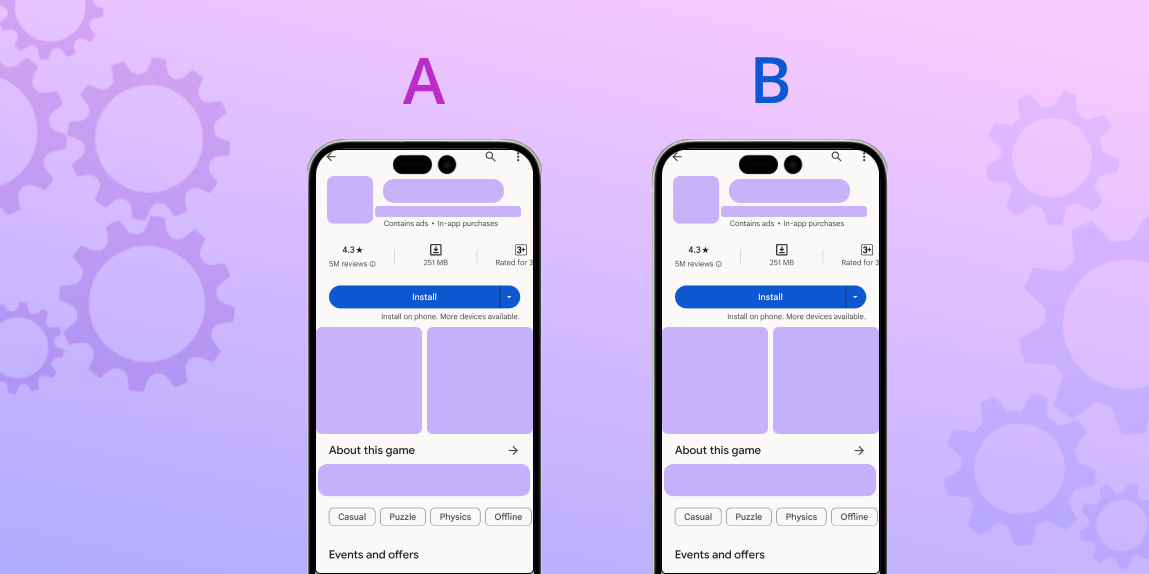
A/B testing for App Store Optimization (ASO) is the process of comparing two or more versions of an app’s store listing or product page to see which one works best. The goal is to achieve a greater conversion rate (CR), which leads to more app downloads and, as a result, increased profitability for any user acquisition channel.
A/B testing allows for data-driven decisions, avoiding costly and time-consuming guesswork. Both the App Store and Google Play, two of the most popular app marketplaces, have native A/B testing functionality. Advanced systems, such as SplitMetrics Optimize, greatly enhance them by providing more metrics and options, such as pre-launch testing.
There are numerous A/B testing methods available, therefore any app should include them as part of its ASO strategy and emulate the agency’s success with texPlus (or many others). Here’s how you do it.
Why is A/B testing critical for ASO?
A/B testing for app store optimization (ASO) on Google Play and the App Store focuses on improving the impact of a product page or store listing on conversion rates. It applies to both organic and paid user acquisition.
In general, A/B testing is an important part of understanding your target market demographic, since it has a huge impact on app translation and seasonal updates.
The impact of A/B testing on ASO is particularly strong for Apple Ads and Google App Campaigns. For example, proper optimization of a product page’s creative components can result in a synergistic effect between ASO and Apple advertisements, because search results advertisements directly use product page creatives, and overall product page performance influences their relevancy.
To summarize, A/B testing for ASO is critical because it affects all user acquisition methods. Without further ado, let’s look at how they can be run.
How to run A/B tests for ASO
There are two methods of running A/B tests for ASO:
- Native testing feature of a given marketplace
- External platforms
On the App Store, it’s Product Page Optimization (PPO), a feature of App Store Connect. On Google Play, Store Listing Experiments are available in the Google Play Console.
What exactly can you A/B test on app marketplaces?
In general, an ASO specialist or an advertiser can A/B test any component of a product page or a store listing. Naive features have some limitations. For example, the app’s name can only be changed with a significant update to the app. Here’s a brief comparison of these native features with SplitMetrics Optimize, our A/B testing platform:
| Element to A/B Test | App Store (PPO) | Google Play (CSL) | SplitMetrics Optimize |
| App icon | Yes | Yes | Yes |
| Screenshots | Yes | Yes | Yes |
| App previews (Videos) | Yes | Yes | Yes |
| App name | No | No | Yes |
| Subtitle | No | Not Applicable | Yes |
| Short description | Not Applicable | Yes | Yes |
| Full description | No | Yes | Yes |
| Feature graphic | Not applicable | Yes | Yes |
| Localization | Yes | Yes | Yes |
| Number of variations | Up to 3 | Up to 3 | 8 |
| Audience | Random segment of organic users | Random segment of all users visiting the listing | Any paid UA channel |
| Review process | Yes | Yes | None |
| Test duration | Up to 90 days | Minimum 7 days | Methodology-dependant |
There are two things to remember:
- The fact that you can test an element doesn’t mean that doing so is justified in terms of a possible CR uplift.
- Although free, both native features offer no flexibility in terms of traffic driven to the tests, which may negatively impact the trustworthiness of the results.
There are more caveats to using these free native services, primarily in what they don’t do. Let’s compare them with our platform in more detail.
When to use an external platform to run A/B tests?
Let’s consider the following:
| Feature | SplitMetrics Optimize | Native feature |
| Pre-Launch Testing | Yes | No |
| Testing methodologies | Bayesian, Sequential, Multi-Armed Bandit | Bayesian |
| Approval Process | No | Yes |
| Targeting & Traffic Control | ICP Targeting, Traffic Routing, Custom Requests | No |
| Result Accuracy | Level of confidence under control | High level of inaccuracies |
| Testing Environments | Product Page/Store listing + Search & Category (competitive environment) | Product page or store listing |
| User Behavior Analytics | 50+ Detailed Metrics | Limited (3 metrics) |
| Simultaneous Experiments | Unlimited | Limited |
Running A/B tests with an external service provides more flexibility in choosing traffic sources, allows for testing a product page before an app is even released, and ensures that the results are statistically significant. Detailed performance metrics will enable testers to draw meaningful conclusions about user experience and usability, even from tests that negate a hypothesis or end without a decisive winner.
Can I use custom product pages or store listings in testing?
Custom product pages (App Store) and custom store listings (Google Play) are alternative versions of your app’s main product page, created to target specific user segments.
These are used primarily to align the content a user sees on the app store with the content they saw in an ad or a specific marketing channel, thereby creating a more personalized experience and increasing the conversion rate from an ad click to an app install.
Their versatility and flexibility mean that app marketers effectively utilize them to try different designs or run A/B-style tests (an actual A/B test requires splitting a single, randomized audience to show them different variants, with all other conditions being equal). There is one thing to consider, though.
An advanced A/B testing platform running tests under scientific rigor will offer the best, statistically sound results with high confidence. Different testing methodologies help make even elaborate experiments relatively short.
The key argument with experiments done with CPPs or CSLs is convenience. You simply introduce new designs for particular keywords or advertising channels and try them out one after another.
When can you A/B test an app’s page?
You can A/B test your app even when it’s nothing more than a few sketches by your designer or visualisations prepared with the help of generative AI, provided you have the right solution that enables that. When you choose to A/B test, your app bears a significant impact on methodology.
- Pre-launch
Pre-launch A/B testing is possible with external, specialized tools like SplitMetrics Optimize, significantly contributing to an app’s development or even conceptual phases. It can be used to determine which creative direction to take.
The capability extends to A/B tests shortly before a release, during a beta phase, where the app’s App Store or Google Play presence is fine-tuned to maximize the impact of a launch.
- Post launch
The most critical times to consider A/B testing for your app’s store listing are before major holiday seasons and during periods of significant app updates.
- Before holidays and seasonal events: Special events have their own design trends that change year to year, and A/B testing is critical to creating best-performing holiday campaigns.
- Before major app updates: The case of Hobnob rebranding and changing its logo, which consequently led to a decline in conversion rates, should serve as a warning against design decisions based on intuition rather than data.
However, A/B testing can and should be a continuous process integrated into your strategy, as you will likely evolve your pages/listings in iterations.
What are the different A/B testing methodologies?
Both Product Page Optimization (PPO) in App Store Connect and Store Listing Experiments in Google Play Console utilize a fixed methodology to run A/B tests, which is warranted by their focus.
Read Also: Screenshots vs. Video Previews: Which Drives More Installs?
For comparison, SplitMetrics Optimize employs multiple A/B testing methodologies to analyze data and determine a winner. Each has its own strengths and is suited for different types of tests (for example, the multi-armed bandit is optimal for seasonal experiments). Here’s a comparison of A/B testing methodologies available on the platform:
| Bayesian | Sequential | Multi-armed bandit | |
| Best for | Live apps, periodic & minor changes | Pre-launch, big changes & ideas | Seasonal experiments |
| Traffic allocation | Randomly & equally | Randomly & equally | More to the best variation |
| Interpretability | Improvement level, winning probability, chance to beat control | Improvement level, confidence level | Weight |
| Key benefit | The golden middle methodology | High confidence | Speed & low cost |
Choosing the proper methodology for a goal will help optimize the costs of acquiring traffic for tests, as well as increase the confidence level of your results. Their inclusion reflects the wider range of possibilities SplitMetrics offers.
What should you A/B test on app marketplaces?
Not all components of a product page or a store listing are equally important for conversion rate uplift, and the fact that you can doesn’t mean you should. After countless tests run by our team, we can confidently point to the elements of pages/listings as critical, in this order:
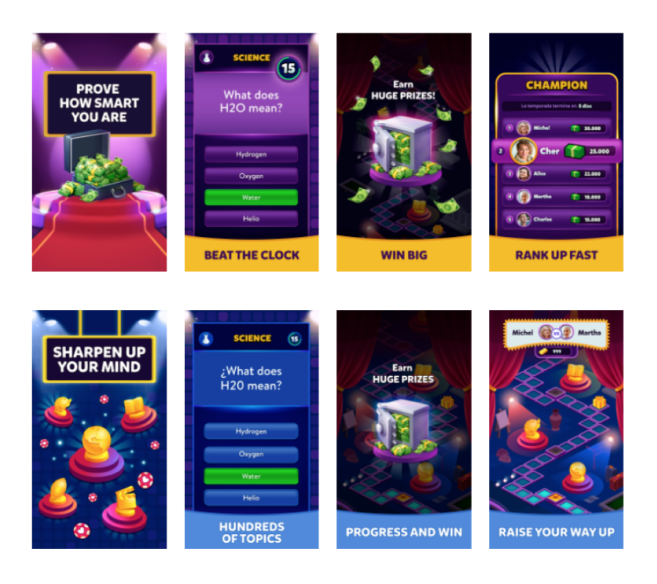
- Screenshots: The fantastic case of textPlus gaining over 119k+ downloads as a result of a single A/B test is evidence of the tremendous impact good app screenshots have on conversion rates and, consequently, downloads.
- App icon: The app icon is the most critical element to test because it’s the first thing users see, whether in search results, on a featured list, or on the app’s product page itself.
- Preview video: These visual assets are highly prominent on both app stores. They are designed to grab a user’s attention immediately and showcase the app’s core value.
Additionally, the feature graphic on Google Play may be another critical asset for that marketplace, while the App Store’s designs should put special emphasis on effective app screenshots.
App Store A/B Testing Advantages and Disadvantages
A/B testing is becoming increasingly important on app stores, and for good reason: all marketing assets associated with a potential user’s decision to download must be optimized for conversion. Otherwise, you may end up wasting (unnecessarily) marketing expenditures by attempting to estimate the most compelling creatives.
App store A/B testing has advanced significantly in a relatively short amount of time. Below, we’ll discuss what we’ve discovered about the most popular approaches to app listing page A/B testing and compare them to one another.
1. Updating Your App Store Page
The most basic A/B test you can perform (but trust me, it’s best if you don’t) is to update your app store site assets, leave them there for a week, and then measure and compare conversions for each variation.
This takes a lot of your time, especially when compared to the Apple App Store, which takes around a week to approve your update. Furthermore, you cannot guarantee that the app page visitors you receive are uniform. You may get enough visitors on your page for about a week, but then a blog might post an article about your app, and, because of this, a completely different audience will be directed to your page, which will throw off the results of the experiment. I honestly can’t think of upsides to such an approach.
2. Facebook Banner Tests
Another method of testing site assets that we’ve seen employed is to place your icon images or screenshot creatives on a Facebook banner and then track how many clicks it receives. This is a better alternative than the prior strategy because it ensures a proper traffic distribution between the versions. However, we believe that this strategy is incredibly limited in general because it just tracks how consumers react to the banner with your emblem, not the app listing page itself.
3. Google Developer Console Experiments
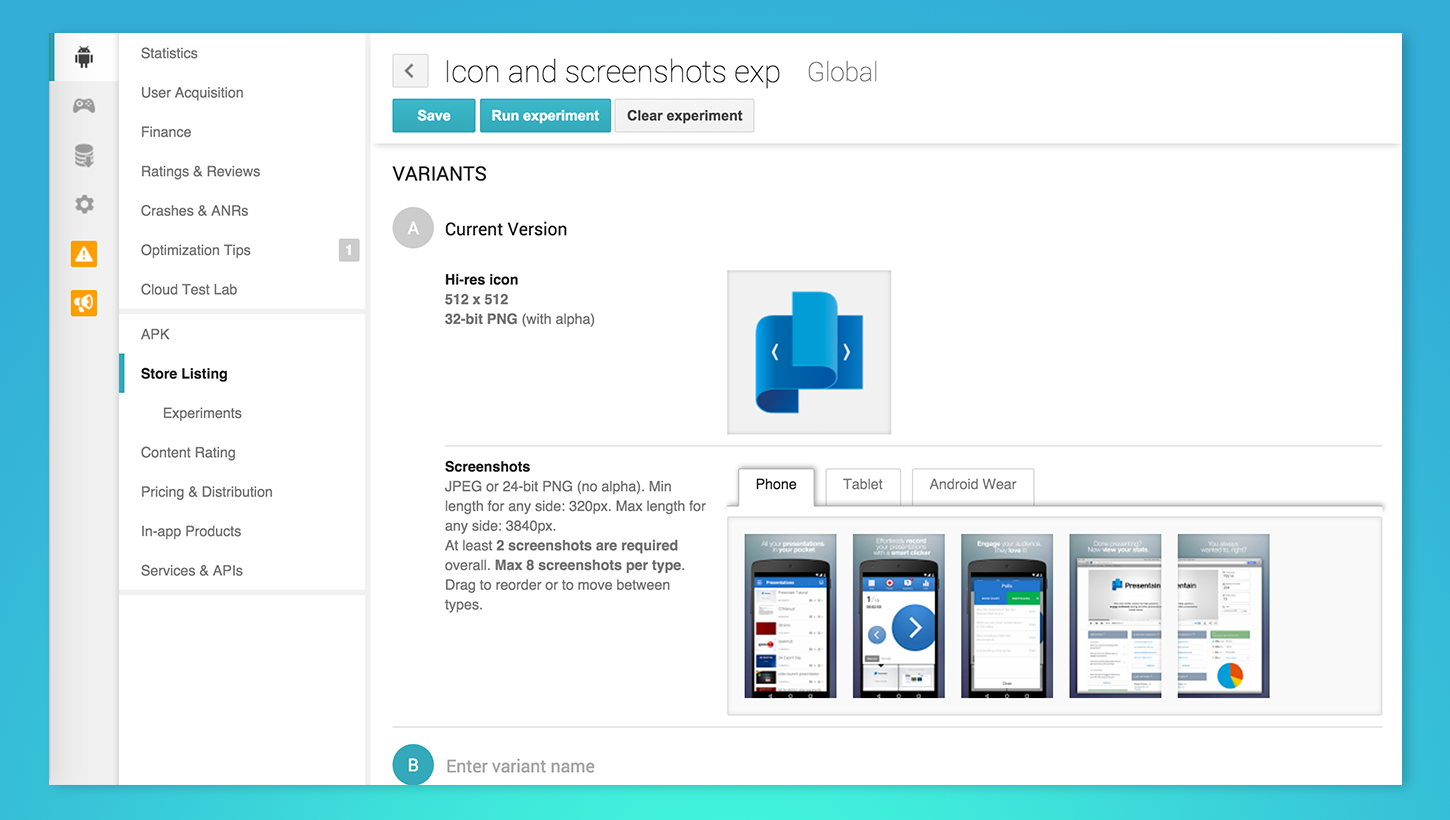
Last May, Google introduced its own A/B testing platform for app listing pages. It’s a nifty little tool that has its pros and cons (which I’ll go over below), but it’s definitely a step forward from testing app pages via successive updates and Facebook banners.
Advantages:
- Organic Traffic: Because Google integrates A/B testing right into the Google Play platform, you don’t have to drive traffic to an app listing page. Google uses the organic traffic you already have going to your app page, which in turn allows you to A/B test the actual app listing page in the Google Play store. This is very cool, but it has a few limitations (more about this below).
- Google Developer Console Integration: Google integrated this A/B testing feature right into the Google Developer console, which gives you a few more handy possibilities, such as applying the winning variant to your app store page after the experiment is over.
Disadvantages:
- No Prelaunch Experiments: Many companies who actively employ A/B testing are using it to determine the page assets they should use when releasing a new app. This is very important since using unattractive app page elements can cost you in low conversion, high CPIs, and, in the end, burn your money. Google Play unfortunately doesn’t provide the ability to run prelaunch experiments.
- No Simultaneous Experiments: You also can’t run multiple experiments at the same time. This can require a lot more time if you are planning to test various aspects of your app page, such as your icons, screenshots, and app video.
- Basic Analytics and Only Four Types of Experiments: A/B testing reports that you receive from Google are quite limited, as they only display the number of visits, installs, and the conversion rate. Moreover, you can only run four types of experiments: icon, screenshots, video (with featured image), and description.
- It Only Works for Google Play: This one’s pretty much a given.
4. Testing via “Fake” App Store Pages
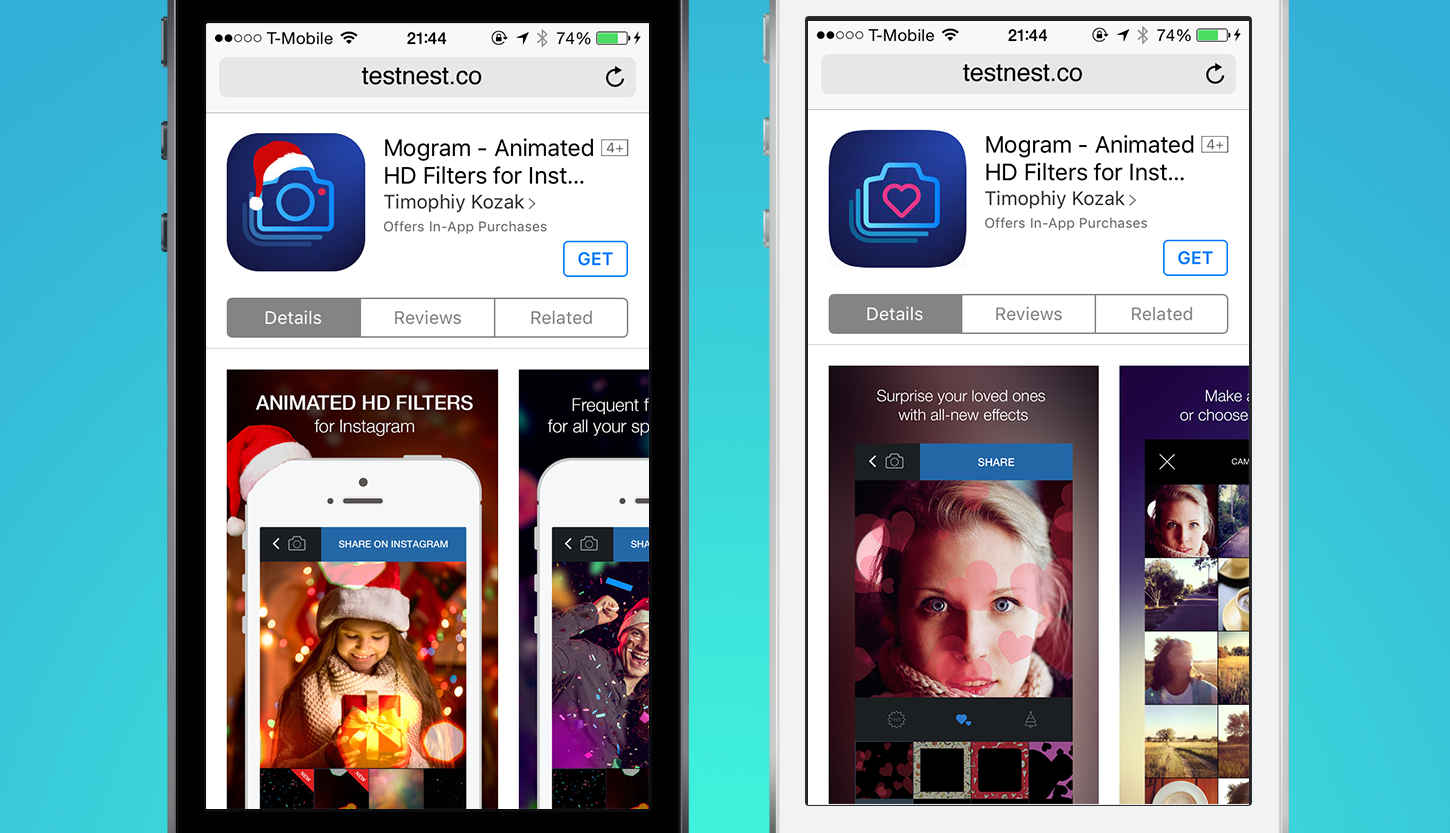
The other approach to testing app listing pages is via a “fake” app store page. In order to do this, you create a web landing page that looks exactly like an app store page, drive traffic to this page, then measure the results. Of course, just like the other approaches to split testing, it also has its pros and cons.
Advantages:
- Prelaunch Experiments: Because you’re dealing with a web page, the Get/Install button link can be set to any URL. This is particularly useful in cases where your app is not launched on the app stores yet. You can link your Get button to a page with a “coming soon” message and an email capture form. This way, you can track how users interact with your app store page variation and not lose the ones who decide to download.
- Many Experiment Types: With a custom web page, you can test pretty much anything on the listing page, from the icon and screenshots, to featured pages graphics, app name, and description.
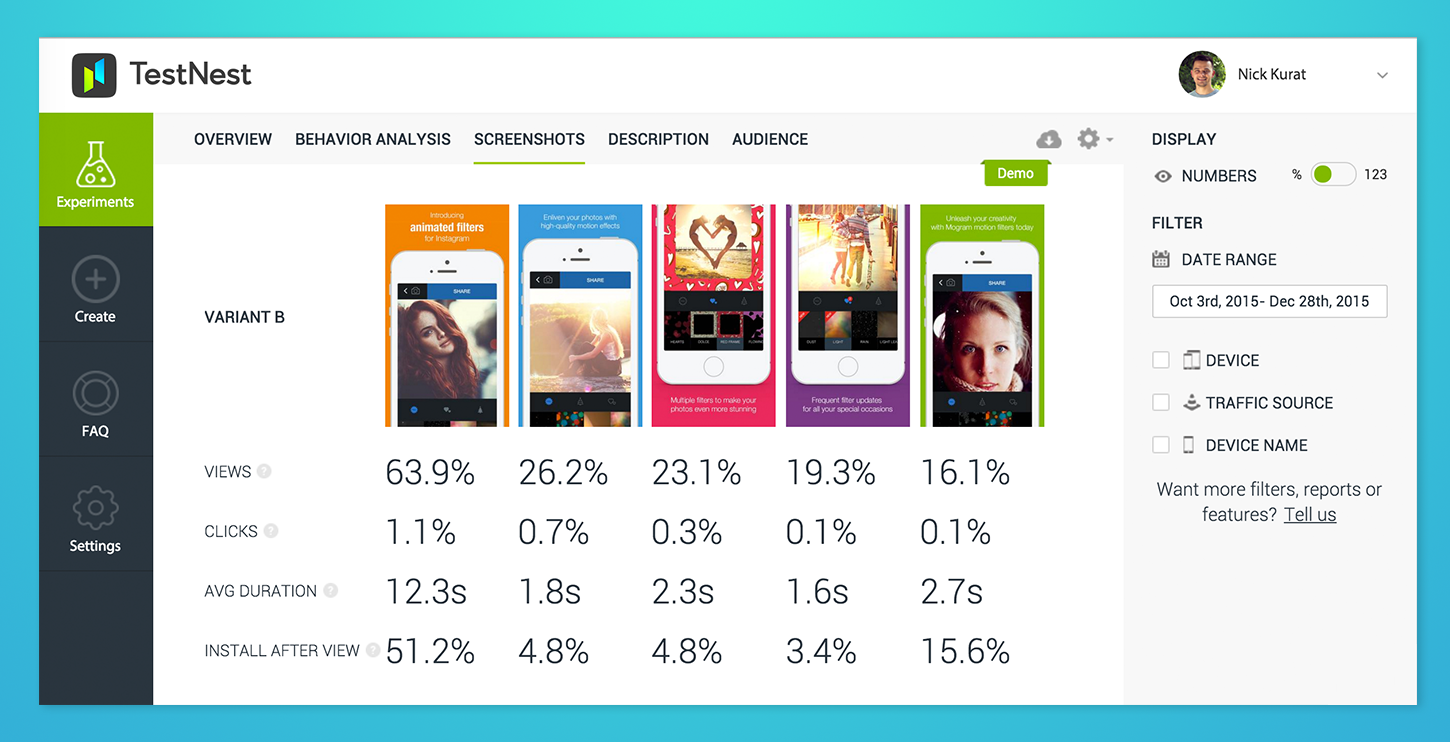
- Wide Tracking Possibilities: We’ve discovered that basic A/B testing analytics are not enough to fully understand the behavior of your page visitors. It’s crucial to understand this type of behavior as you may be optimizing the wrong link of the chain. For instance, you may be trying to optimize app store page assets, but your Facebook banners are inconsistent with your app store page. If a user clicks through from the Facebook ad onto your app store page, and sees that its assets (icon, screenshot, etc.) don’t promise what they initially did on the Facebook page, the result would be a low conversion rate. As such, your Facebook banners would need to be updated first to be in line with your app’s landing page in the app store. Web pages give you wide tracking possibilities, as their analytics go beyond what you can get from the Google Developer Console experiments or Apple App Store analytics.
- Simultaneous Experiments: Unlike Google Play experiments, you can run as many experiments as you want with as many asset variants as you want. After all, these are just web pages on the internet where you send your traffic and track user actions. It’s important, however, to remember that each new experiment and variation in that experiment will require additional traffic in order to get statistically significant results.
Disadvantages:
- No Organic (App Store Search) Traffic: Because the experiment landing page is not integrated into actual app stores, there is no way to drive native app store search traffic to the experiment page. In most cases, this ends up being insignificant: Facebook’s targeted ads help you find your ideal audience that would normally look for your app when searching in the app store. More advanced testers, however, probably want to use the same traffic pattern they have on the app store page, which is the right balance of organic and paid traffic.
- App Store Page Displaying Twice: After the visitor taps on the Get/Install button, you want them to download the app the same way as if they were in the app store. The problem is, you can’t install an app from the internet by this link. The app would first be opened in the native app store, and then the user would need to tap the Get/Install button there to download it. This can be somewhat nerve-wracking at first (since you’ll be losing some users who’ve decided to download your app), but it’s the cost one has to pay in order to collect results from an experiment. By the time they tap on Get/Install, you’ve already collected all the valuable information about their behavior. Plus, this is an experiment, so you don’t have to run all of your traffic through the web page; just a few thousand visitors is enough to get statistically significant results and apply them to the app store.
How to Design A/B Tests?
How to identify and select elements for testing? How to get statistically significant results, especially with low traffic, for as little money as possible?
The technical side of running an A/B test is easy; designing and implementing an actual test requires a solid framework that puts creativity on the right track. Let’s take a look at the official A/B testing & app validation framework, followed by SplitMetrics:
The official SplitMetrics’ app validation and A/B testing framework:
1. Research your competitors, market, and audience;
2. Ideate all the elements you could test;
3. Form a hypothesis;
4. Select variations;
5. Design an experiment;
6. Analyze the results;
7. Share your findings;
8. Go back to stage 3!
First, it begins with research, with ASO competitive research being a critical part. Creative optimization with A/B testing for ASO never takes place in a vacuum. A product page should be immediately understood within its category, yet be distinct enough to capture attention and incentivize a download.
Second, following this order will guide your designers to make changes with potential impact on conversion rates, grounded in data and a good understanding of user preferences and journeys.
How to select the correct elements for A/B testing?
What you want to test largely depends on when you’re running your experiments. For example, while prototyping, you may compare significantly different designs, even multiple ones, as a form of market research. Rockbite’s mobile game validation mentioned earlier is an excellent example of this practice.

A/B testing for a live app is an iterative process, where the elements with the most significant impact are selected first. Logically, these may be the focal points of each component:
- A particular character to be featured on an app’s icon;
- A person, image, or feature to be displayed on the first screenshot;
- A key message to be displayed on the first screen.
A reasonable hypothesis connects a specific element to a change in conversion rate. It largely depends on what particular product page creative you’re testing, so let’s review them and provide some examples.
Screenshot testing
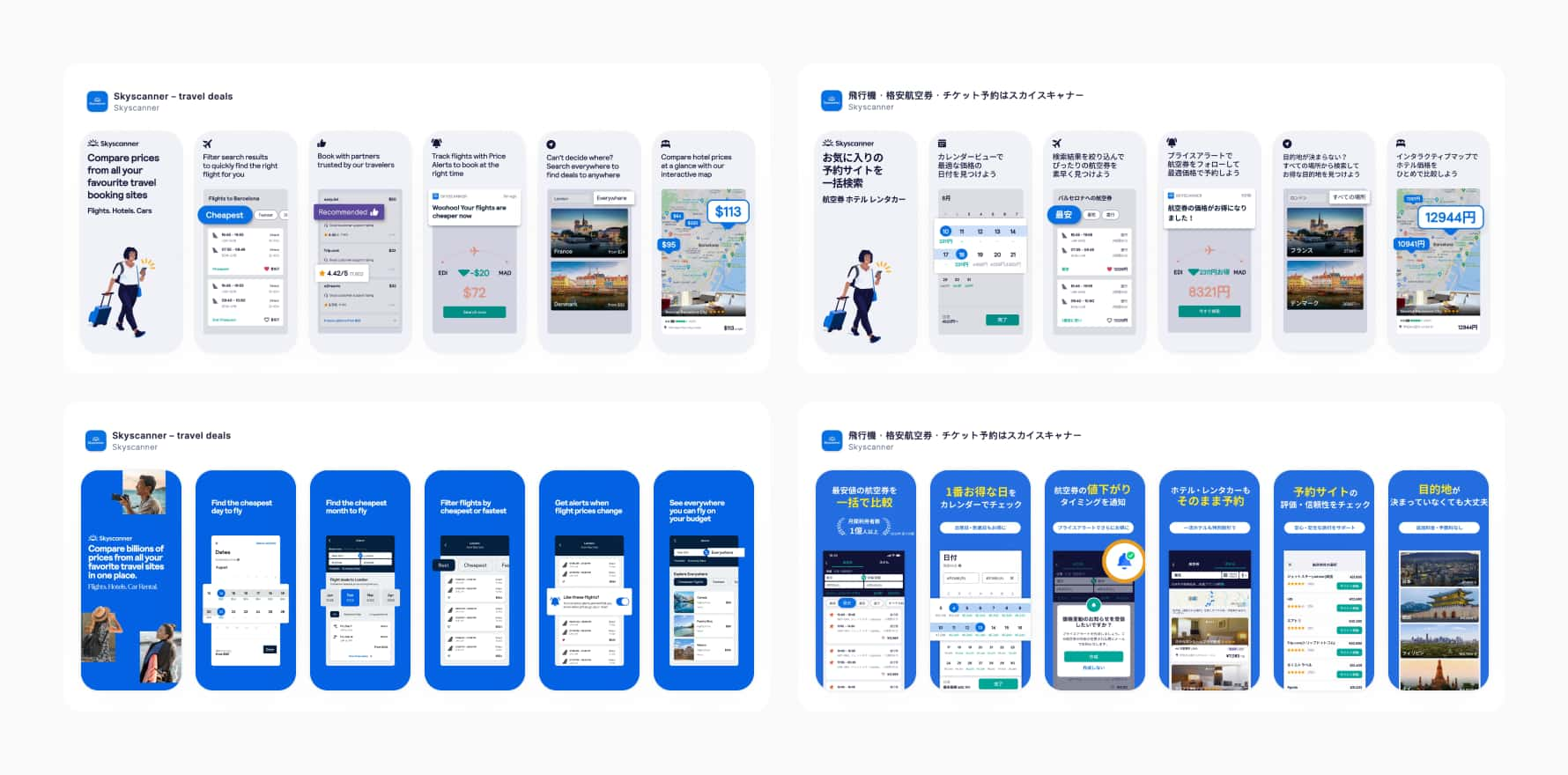
Screenshots, with design grounded in data and user preferences, are critical for conversion rates. Visible in both search results and on the product page, the right choice of screenshots can have a tremendous impact on your results. Here are some examples of what you can test:
- The first screenshot: Test different core messages and value propositions. Which feature of your app is the primary, most popular one? Which call to action works best?
- Text overlays on screenshots: A feature-driven caption might say, “A workout tracker.” A benefit-driven caption would say “Track your workouts, effortlessly.” Test which style resonates more with your audience.
- The order and number of screenshots: Even with the same set of screenshots, their order can change your conversion rate. Put your most compelling screenshots first. Most users only view the first few.
- Visual style: Test different backgrounds, solid colors, gradients, or images. Certain apps can test horizontal vs vertical layouts
Screenshot optimization is critical on the App Store, where the first one occupies a significant part of the screen. Additionally, device uniformity incentivized some unique design patterns (like panoramic screenshots) that might not work as well on Google Play. It’s one of many reasons to creat these marketplaces individually in terms of screenshot optimization.
App icon testing
A sound app icon communicates the purpose of your app immediately, while standing out from the crowd. It’s essential to track and optimize tap-through and conversion rates. Here are some directions your A/B tests can go:
- General visual concept: Symbol vs. abstract, like a camera lens for a photo app against one that uses a more abstract, brand-focused visual.
- Object vs. Character: Test an icon featuring the character against one that uses an object related to the app’s theme, gameplay or genre..
- Brand vs. Function: For established brands, you could test an icon that is purely your logo against one that includes a small element hinting at the app’s use case.
- Test Color and Style: Color Palette, Shadows and Gradients, presence of text and language.
Preview video testing
A/B testing a preview video is about optimizing the first dynamic impression a user has of your app. These videos are crucial because they autoplay silently, receive priority placement over screenshots, and can quickly convey your app’s core value. Here are the key elements to an A/B test for your app preview video:
- The Thumbnail (or Poster Frame): Test different designs, text overlays, or even a still from a different part of the video.
- The First 3-5 Seconds: Statistically, you have a very short window to capture a user’s attention. Try starting the video with different scenes. Does a high-energy action scene perform better than one showing the app’s UI?
Additionally, consider testing whether to use a preview video at all, because not all apps need them. For highly focused apps, a screenshot might well do the trick.
Conclusion
While A/B testing app store sites is an excellent idea, not all ways are equally effective. In fact, some can be deceptive and lead you to the wrong conclusions. Each approach has advantages and disadvantages, but we discovered that “fake” app store site testing provides the most value with moderate constraints.
If you have an Android app that has already released and want to test graphical assets (icon, screenshots, video), you should absolutely use the Google Play Developer Console.








Comments