
 By
By 
To recover from a dip in app store rankings, you must first determine the problem, then optimize your App Store Optimization (ASO) approach, and finally improve overall app quality and user engagement.
1. Identify the Cause of the Drop
First, determine why your ranking dropped by analyzing recent changes and external factors:
- Check for recent metadata changes: Review any changes made to your app’s title, subtitle, keywords, description, screenshots, or icon within the last few weeks. An accidental negative change in keywords or visuals is a common culprit.
- Monitor competitor activity: Use ASO tools to see if competitors have updated their metadata, launched new features, or started new ad campaigns that may have outranked your app.
- Look for algorithm updates: App store algorithms change frequently. Check industry forums or ASO tools’ algorithm detectors to see if an unannounced update coincided with your drop.
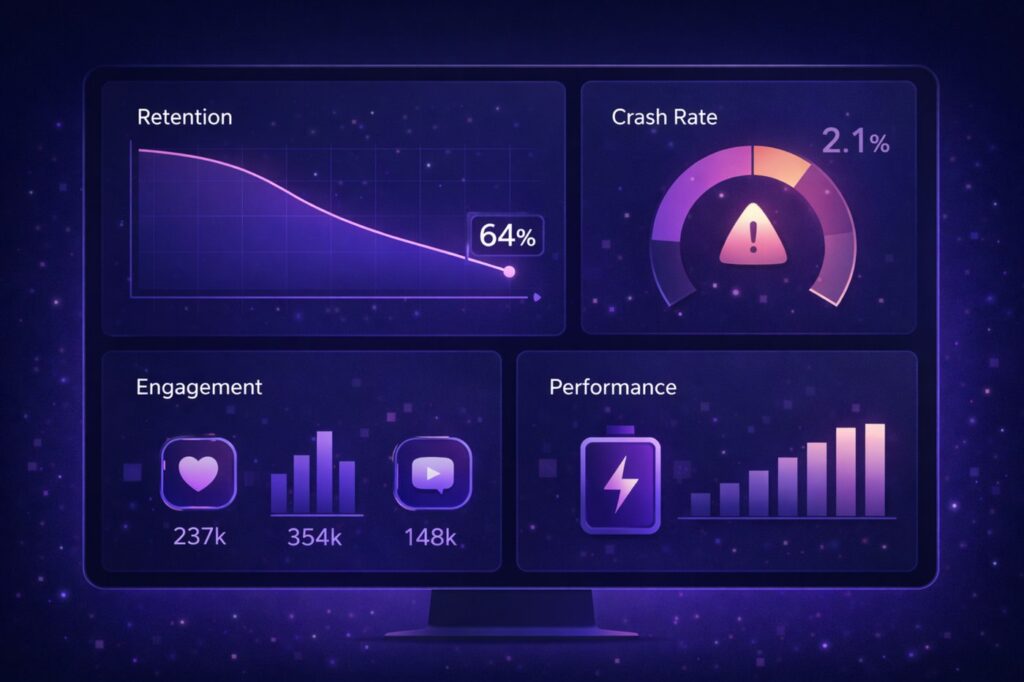
- Analyze performance metrics: Check your developer console for spikes in crashes, uninstalls, or a decrease in user retention and engagement rates, as these signal poor user experience and are penalized by app stores.
- Review your ratings and reviews: A sudden influx of negative reviews can quickly tank your ranking. Analyze the feedback to pinpoint specific issues, such as bugs or poor user experience.
- Consider seasonality or external events: Market trends and current events can affect the popularity of certain keywords and app categories.
2. Implement a Recovery Strategy (ASO)
Once you’ve identified the potential causes, implement a targeted App Store Optimization (ASO) strategy:
- Re-optimize Keywords: Conduct fresh, comprehensive keyword research. Ensure your most relevant, high-traffic keywords are naturally included in your app’s title and subtitle, as these have the most algorithmic weight. Use the dedicated keyword field in Apple’s App Store for additional terms, avoiding repetition.
- Enhance Creative Assets: Update your app icon, screenshots, and app preview videos. Ensure they are visually appealing, clearly showcase your app’s main features and value proposition, and are localized for different markets to improve your conversion rate (views to downloads).
- Improve App Description: Craft a compelling and keyword-rich description that explains your app’s benefits. For Google Play, incorporate your keywords throughout the description, ensuring it still reads naturally for users.
- Run Targeted Ads: Consider investing in Apple Search Ads or Google App Campaigns to drive an initial boost in high-quality installs and download velocity, which can help improve organic rankings.
- Leverage In-App Events: Use time-sensitive in-app events, sales, or content releases to re-engage users and gain visibility through app store features.
3. Focus on App Quality and User Satisfaction
Ultimately, app stores prioritize apps that offer a good user experience and retain users.
- Fix Bugs Promptly: Address any performance issues, crashes, or bugs highlighted in user reviews and internal analytics. Release regular, quality updates to show the app is actively maintained.
- Improve User Experience (UX): Streamline onboarding, simplify navigation, and ensure a seamless experience to increase user retention and engagement.
- Encourage Positive Reviews: Strategically prompt satisfied users to leave reviews within the app at optimal moments (e.g., after a positive interaction or achieving a milestone). This must be done sparingly and without incentivizing only positive reviews, which is against store guidelines.
- Respond to All Reviews: Engage with user feedback, especially negative reviews. Acknowledging issues and offering solutions can encourage users to update their rating and demonstrates good customer support.
- Monitor and Iterate: Use analytics tools to continuously monitor your app’s performance, keyword rankings, and user metrics. ASO is an ongoing process; regularly refine your strategy based on the data.
Did you know that roughly 65% of app downloads occur immediately after searching? This implies that the majority of consumers find new apps via the App Store and Google Play Store, thus getting your app to the top of search results is critical.
So, how can you ensure that you are ranking high in searches for your target audience? That’s how you improve your App Store Optimization (ASO)! With a little research and expert advice, you can make your listing as algorithm-friendly as possible and go up the rankings.
ASO is an ever-changing beast, so you’ll need to constantly evaluate your app’s performance: but the benefits are worthwhile. A well-executed ASO will raise your app’s visibility, which will result in more downloads and income. The good news is that the better your ASO is, the easier it will be to maintain!
Below are ten simple strategies to improve your ASO, app store rating, and app success. So, let us get started!
Step 1: Choose the right app keywords
Keywords are the foundation on which to build your ASO strategy. Getting your keywords right will give you a solid start in your fight for search visibility.
Start by doing some thorough keyword research. You can use some popular ASO tools like Asodesk or AppTweak to help you figure out your keywords, but we really recommend doing some manual research too. App stores are a great place to find terms similar apps are targeting; look at Google’s search trends and autocompletes for relevant phrases; try autocomplete on YouTube, too, and look at the titles that content creators are using on all the social media apps. You want to try to get into the head of your ideal user and develop terms they may be using to hunt for new apps.
Once you have your keywords, use them in your app title, subtitle and description. And don’t fall into the trap of thinking that you can just use the same keywords across the App Store and Google Play: actually, you want to research what will work best on each of the stores individually. A bit of legwork here can really pay off!
Remember to monitor your keywords regularly, assess which ones are working for you and which could use a refresh, and optimize your app’s metadata accordingly.
Step 2: Optimise everything in your app store listing
Every element of your listing should be carefully considered and tweaked to support your keyword aims – from the title to the subheading, to the images, to the screenshots, to the icon, to the app description… everything can impact your app store ranking. Don’t make the mistake of thinking that any of them can just be slapped together at the last minute.
Your keywords should be incorporated into all metadata of your listings, and the screenshots and app previews should support those keyword aims too. So, if you’re targeting something like “home workouts for women” then make sure your screenshots show just that: perhaps an example of one of the exercises from your app or a sample workout plan.
Step 3: Focus on driving high-quality installs
There’s no point getting millions of installs if those users aren’t going to actually use your app: in fact, loads of dormant users can lead to your ranking being tanked by the algorithm. Your user acquisition strategy should focus on high-quality installs: users who’ll not only download your app but set it up and use it regularly.
But how do you get more of these elusive gold-standard users? Start by targeting long-tail, niche keywords.
The big hitting keywords – like, say, ‘fitness app’ – are flooded with huge-name apps. They’ll be targeted by every single fitness app that exists and presided over by the app store editors. But the more focused keywords – like the “home workouts for women” example we used earlier – will have less competition and more concentrated results. These terms have high intent attached to them because they come from users who are specifically searching for them.

Step 4: Invest in Apple Search Ads
On the App Store, Apple Search Ads (ASA) is also a fast-track to get your app listing in front of the right users. It’s a self-service ad platform that can have a big effect on your app store ranking and it’s the only ad platform native to the App Store.
Read Also: ASO for Subscription-Based Apps: What Changes?
The Advanced programme lets you control your audience, keywords and budgets at a granular basis, while bumping your visibility (ads appear at the top of searches, on the Search tab, on the Today tab and on Product Pages) which can really drive downloads and new users. Remember, the more successful your app, the higher it will show up in organic search rankings too.
Step 5: Use these App Store Optimization (ASO) tools
We’ve already mentioned some ASO tools for keyword research and optimization. These tools not only help to analyze keyword performance but also provide insights for improving app store visibility.
ASO tools that track your app’s performance are essential – you should be monitoring this constantly, tracking data and tweaking your listing to improve ranking and performance all the time. If a certain keyword isn’t working for you, update it. If your screenshots aren’t pulling their weight, change them.
You should be refreshing the content on your listing regularly too (including app updates and responding to reviews) as the algorithm is always monitoring how ‘live’ your app is.
You can also use many ASO tools to identify new keywords (don’t forget to blend this with your manual research too) and – this is a big one – track your competitors’ performance. Whatever they’re doing that’s working, you need to incorporate it into your own strategy. And whatever they’re doing that isn’t working, you’ll know to avoid.
Step 6: Improve app retention and engagement
Improving your app store ranking isn’t just about your App Store or Google Play Store listing. Your position is also informed by the activity on your app: the more engaged and retained users you have, the better for your app’s ranking. Why? High retention rates indicate a good user experience, which is a clear indication to Apple that your app is worth ‘promoting’.
To improve your retention, well-timed push notifications can remind users to check in with your app regularly – like that pesky Duolingo owl guilt tripping you into practicing your Spanish – but be careful not to over-do this and become a nuisance.
Regular app updates also show the algorithm that your app is constantly being refreshed and improved – that’s another metric that will help bump your listing up the rankings.
Step 7: Encourage user reviews and ratings (App review management)
User reviews are hugely important to your ASO (and for your conversion rates, of course). Most users read reviews before downloading an app and a good rating can influence their decision.
You want to aim for at least 4.5 stars to be eligible for premium store placements. But don’t panic if you get a handful of negative reviews – all is not lost. If you respond to them and address your users’ pain points, it encourages users to change their rating for the better.
Use in-app prompts to encourage reviews and time them strategically so your user is in a good mood when you ask – you’re more likely to get a positive review from them if they’ve just won a game or completed several rounds successfully! This approach increases the likelihood of receiving favourable ratings because users are more engaged and satisfied at that moment.
Step 8: Always optimize for the app store algorithm signals
ASO isn’t a one-time job: you can’t just perfect your app store page and just leave it to do its thing: you need to be constantly monitoring its performance and making algorithm-friendly changes. Those algorithms are constantly updating so you’ll need to be vigilant.
How your app performs also has a big impact on your app store rankings so always work towards high install to conversion rates, satisfied users and low uninstall rates by making sure your app is functioning well, fixing bugs and addressing complaints and keeping your users happy.

Step 9: Use App Store Optimization for local markets
App localization is a great way if improving your app store ranking. Firstly, not all your competitors will be localizing for different regions and therefore you will have lower competition when ranking for certain keywords.
Make sure you adapt your ASO strategy for different regions and languages – this could mean researching local keywords, for example, or targeting specific countries or regions.
Be careful if you’re using translation software on your copy: always be sure to run it by a human before posting it.
Every country’s users’ needs are different, and may have completely diverse cultures/interests that you would need to adapt to. For example, in the West, blue is a very popular colour for finance brands which would come across as crass in certain Southeast Asian countries, where blue is commonly linked to death and mourning. If you directly look at the icons in the app stores in Japan, you’ll see more of a skew towards oranges, greens, whites and reds.
Having an on-the-ground understanding of cultural nuances is essential to ensure you are speaking authentically to your new target market.
Step 10: Keep users engaged with in-app events
In-app events are simply time-dependent events that are directly linked to your app and highlighted on your iOS store listing and in the App Store search results. They are a way to showcase special activities or promotions directly on the App Store.
But contrary to what their title might imply, they don’t have to be live, real-time event-like events. These events can target existing users and encourage engagement by offering special promotions or highlighting interesting activities – for example, you could run a summer fitness challenge, or a language-learning marathon.
In-app events are a creative way to keep users engaged and improve app visibility – and we know what those things mean: better app store rankings.
Why Is My App Losing Organic Downloads
It is important to understand that downloads depend on two main factors:
- Traffic: Downloads first depend on how many people see your app (this can be measured through impressions on iOS or Store Listing Visitors on Google Play).
- Conversion: Once your app has secured visibility, downloads then depend on how many people are convinced to download it based on your app’s store listing.
Therefore, a decrease in downloads is either due to a decrease in traffic or a decrease in conversion.
If your app’s decline in downloads is due to a decline in impressions, the next step would be to check which traffic source is responsible for this decrease. For this, there are 4 main sources on the App Store and 3 on Google Play:
| Source Name (App Store) | Source Name (Google Play) | Definition |
|---|---|---|
| App Store Search | Google Play Search | Users viewed or downloaded your app after performing a search on the store. |
| App Store Browse | Google Play Explore | Users viewed or downloaded your app while browsing the store. |
| App Store Referrer | Third-Party Referrals | Users tapped a link in an app that brought them to the store product page. |
| Web Referrer | Third-Party Referrals | Users tapped a link from a website that brought them to your app store product page. |
A decrease in downloads or impressions from each source has different reasons and can be prevented in different ways, all of which will be covered in this blog.
Many apps receive the majority of their installs from search traffic. Apple claims over 65% of all App Store installs come from search!
Aside from organic search impressions, search impressions also include Apple Search Ads (iOS) and Ad Campaigns (Google Play), which both appear in the search section of the stores. When you notice a decrease in search impressions, the first thing to do is to check whether your marketing team was running ads during the date range or not. Ads bring a huge amount of traffic to apps, and stopping them might have a big effect on search traffic.
- How to react
If stopping store ads greatly decreased your search downloads, you should consider reporting this to your team and re-activating the ads if they were impacting qualified downloads and user retention.
A decline in brand search popularity
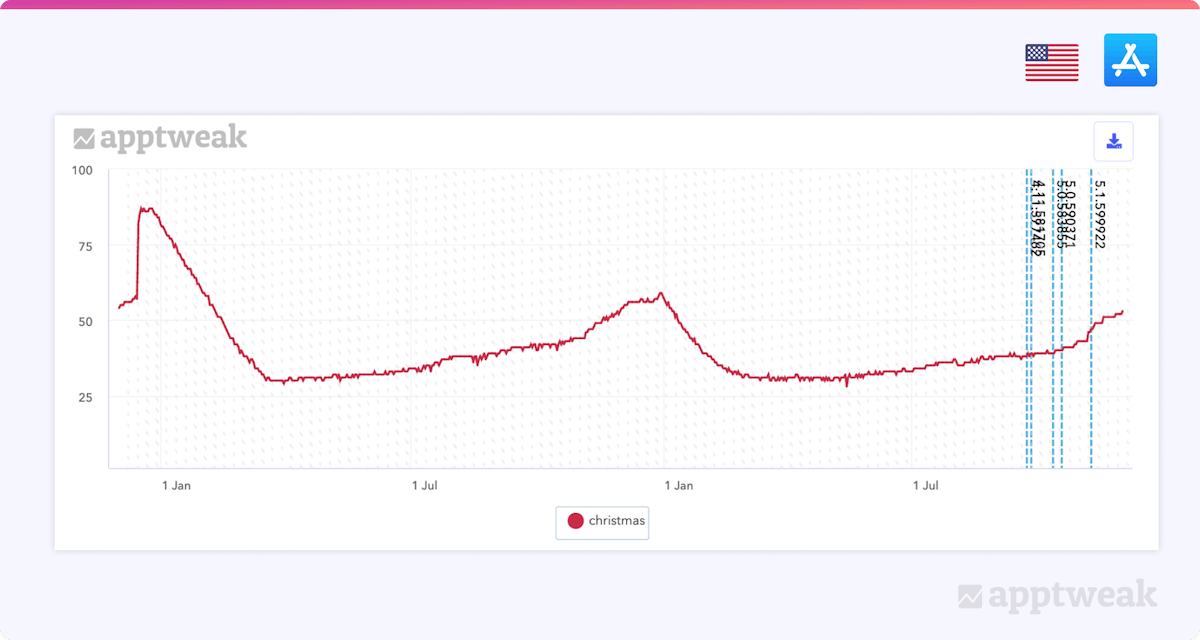
Sometimes an app or game loses search traffic for its brand due to a decrease in brand awareness within the market/store. By using an ASO tool like AppTweak, you can easily check the volume history of your brand name to determine whether there is a correlation between the search impression’s decline and your brand name volume.
- How to react
If your app is losing search volume on your brand, you may need to alert your Marketing and Brand teams about this decrease in brand awareness. Implementing different marketing strategies, such as running social media ads, could then help to boost your app’s brand awareness on different platforms.
A visibility decline on targeted keywords
If you are optimizing your app’s metadata by targeting generic keywords, you may lose visibility on the store due to one of the following reasons:
A loss in volume
If you see the generic keywords in your metadata losing popularity, this means there is less search traffic being driven to your app. This could be due to changes in market trends and seasonality. For example, a keyword like “boots” might lose popularity in summer as the weather gets warmer; at the same time, a keyword like “swimwear” might gain popularity. As a result, you should consider replacing your existing keywords with better keyword opportunities.
A loss in rank
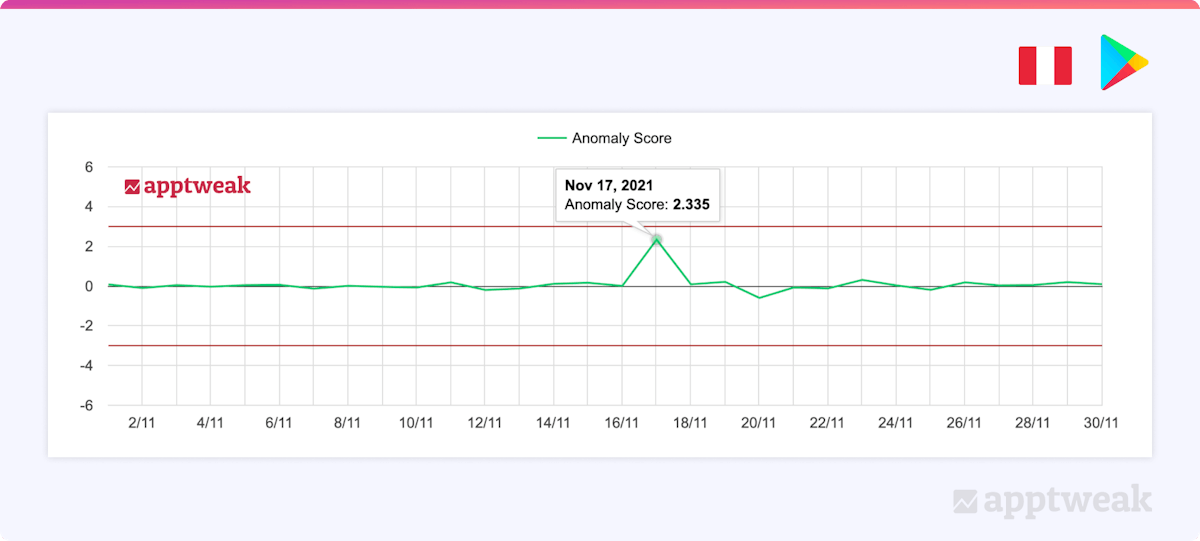
Your app may have lost rankings for high-volume keywords because you either stopped targeting these terms in your metadata or because the keyword(s) became more competitive. This may be due to emerging competitors or algorithm updates released by Apple or Google.
Ads and conversion rates also impact your app’s rankings for specific keywords. Therefore, try to identify whether your competitors are running ads for these keywords and converting users better than your app.
- How to react
If your visibility loss is due to a decrease in ranking, you can first use our free algorithm detector to identify any algorithm updates that may have happened in the store. If there were no algorithm changes, use AppTweak to identify the competitors that may be hijacking your ranking position.
For example, if you see that your competitor added one of your top keywords to its metadata and improved its rank for this term, you may also consider giving this keyword more weight (e.g. by adding it to your title instead of description) to gain a stronger competitive advantage.
Why is my app losing referrer traffic?
Losing referrer impressions means a loss in external traffic, coming from either the web or other apps.
On App Store Connect, Apple now provides a list of app referrers and web referrers, as well as campaign names (most likely campaigns in SKAdNetwork only). On the Google Play Developer Console, you can filter your Store Listing Visitors, acquisitions, and conversion rate by UTM campaign & UTM source. This means you can possibly identify performance decreases in campaigns that are tracked using UTMs.
- How to react
In many cases, a decrease in referrer traffic will be related to the end of a paid UA campaign or another marketing effort. When unsure why exactly your referrer traffic is decreasing, first check in with your marketing colleagues. Don’t forget to also measure the impact of your marketing work, determine whether the decrease in referrer traffic also impacts your organic visibility, and review your available options to mitigate it.








Comments