
 By
By 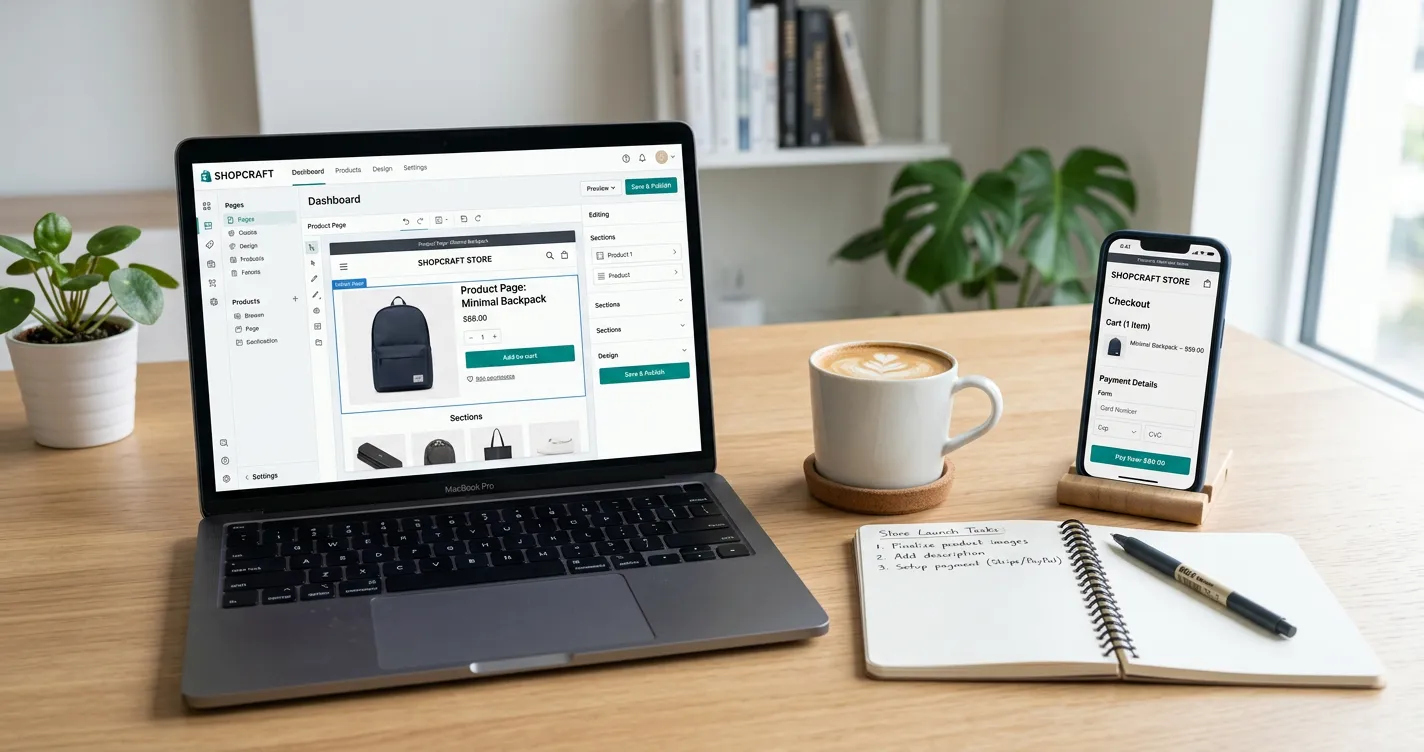
Learn how to build an online store from beginning to end. In this article, we’ll walk you through the main processes, compare different e-commerce platforms, provide real-world cost examples.
Thinking considering selling your things online but unsure where to begin? We get it. That’s why we’ve created this handy tutorial to help you start an e-commerce site, even if you’re not particularly tech-savvy. The good news is that starting an internet store today is easier than ever.
1. Define what you´re selling and to whom
Before you do anything else, ask yourself a simple but essential question: “What am I selling, and who needs it?” Your answers will shape everything – your unique selling point, the platform you choose, your delivery methods, and your marketing strategy.
Will you sell physical products (like clothing, home decor, or food), digital goods (such as e-books, design files, or online courses), or personalized items (engraved gifts, print-on-demand designs)? Each of these requires a different technical setup and customer service approach.
A well-defined product offering helps you stay focused and deliver real value to your customers.
2. Find your niche and unique value
To stand out in the crowded online marketplace, you need a clear focus – both in what you sell and why people should buy from you. A well-chosen niche helps you focus your message and attract the right customers.
Is your product rare, beautifully designed, or does it tell a story your audience can connect with? For instance, if you sell T-shirts, make them special with original illustrations or a theme that resonates with a specific group (parents, introverts, creatives, etc.)
A clear message and a strong identity build customer loyalty and help you save on marketing by targeting the right audience from the start.
3. Define your audience
Successful sales begin with understanding your ideal customer.
Who are they? How old are they? Where do they live? What do they expect from online shopping – speed, language options, low prices, or premium service?
Use real-world insights: browse Facebook groups, read competitor reviews, or run short surveys.
If you sell design items, your buyers might be city-dwellers who value originality. If you sell hobby goods, you’ll find your customers in niche forums or communities.
The better you know your audience, the more precisely you can tailor your products and online experience to their needs.
4. Choose the right e-commerce platform
Based on MakeCommerce data, Shopify and WooCommerce are the most popular e-commerce platform choices:
- Shopify: Fast setup, modern design, easy management
- WooCommerce (WordPress): more customization options, cheaper, but requires more technical skills.
- Verskis, Mozello, Voog: simple and easy-to-understand platforms, ideal for a first online store, available in local languages lt, lv, ee.
- Wix: Easy to set up, with many design options and various tools.
5. How much does an online store cost?
Your total cost depends on the platform, design, functionality, and whether you build it yourself or hire professionals. Here’s a breakdown:
Platform and hosting
- Shopify: from €22/month (includes hosting, SSL, support)
- WooCommerce: €15–20/month (hosting + domain)
- Wix: free plans with limits or paid from €15/month
Domain & SSL certificates
- Domain: ~€15/year
- SSL certificates: often included in the hosting package (Shopify, Wix, Mozello) or available separately from around €10 per year.
Design & functionality
- Themes: free to €150
- Custom designs by professionals: from €1,500-3,000+
- Plugins (subscriptions, calculators, multi-language, etc.): €50 to several hundred
Payments & shipping
- MakeCommerce payments modules: free
- Transaction fee: depends on the payment method, according to the price list
- Shipping+ delivery module: free plan or Pro for €5/month
Mārketing & maintenance
- Google Ads, Facebook Ads budget: from €300/month.
- SEO & content: €0 if you do it yourself, from €300/month via agency
- Maintenance and technical support if needed: from €20–100 per month or by agreement
Estimated initial costs:
- DIY (do it yourself) option: from €50 to €300
- Professional build: €5000+
The costs are flexible and with proper planning, you can get started without large investments.
6. Choose a name and register your domain
A good name makes you memorable. It should be easy to pronounce, relevant to your offer, and have an available domain.
Read Also: DIY vs Hiring: Building Your Website on a Budget
You can use tools like the Shopify Name Generator. Check domain availability via GoDaddy or Namecheap.
Also make sure your chosen name is available on social media platforms.
7. Prepare hosting and security
If you’re using Shopify, Mozello, Voog or Wix, hosting is included. For WooCommerce, you’ll need your own provider.
Look for:
- SSL certificates – for secure purchases and building trust with Google
- Regular backups – to avoid losing orders or content if something goes wrong
- Fast loading speed – every second counts
High-quality hosting equals a secure and reliable online store. It’s also important to keep your plugins and software up to date – this not only improves security but also ensures access to new features.
8. Build a clear store structure and design
Your store’s structure and design define your customer’s first impression. Good design isn’t just about looks – it helps people find, trust, and buy your products.
Must-have pages:
- Homepage: short intro, featured products, current offers.
- Product catalogs: clean layout, filters, clear prices.
- About us: tell your story.
- Contacts: easy access via email, phone, or social links.
- Terms & Privacy Policy: protect both you and your customers.
In the checkout step, be sure to include a checkbox stating: “I have read and agree to the terms and privacy policy.” To make it easier for you to get started, we have prepared free samples of privacy policy and terms and conditions – adjust them to your business and local requirements.
9. Add payment solutions
Payment options are crucial for conversion. If your customers don’t see their preferred payment method, they may abandon the purchase in its tracks. Offer a mix of local and international payment methods:
- Bank payments: Swedbank, SEB, Luminor, Citadele, and others – the most common payment methods used in the Baltics.
- Card payments: Visa and MasterCard – especially important for international customers, as well as mobile users who prefer one-click payments.
- Apple Pay and Google Pay: a very convenient option for mobile shoppers – payment is completed within seconds, without entering card details.
- Installments / pay later options: useful for higher-value purchases.
- Payment link: a simple solution when selling through social media, email, or chat. Send the link to the customer, and they can pay instantly.
MakeCommerce integration combines all of these payment methods into one simple setup.
10. Set up shipping
Most Baltic customers prefer parcel machines. Courier delivery is the best option for bulky or time-sensitive shipments.
We usually recommend offering 2–3 of the most popular delivery providers. This gives customers a sense of choice and trust. According to our customer survey, the most important factors are price, proximity, and preferred brand. Some customers prioritise Omniva, while others prefer DPD or Venipak – let them choose!
With MakeCommerce Shipping+, you can integrate shipping directly into your store: show pickup options during checkout, print labels, and track parcels right from your admin panel.
MakeCommerce offers Shipping+ and Shipping+ Pro for easy order management:
- Integrations with Omniva, DPD, SmartPosti, Venipak, and Unisend
- Smart parcel selection
- Label printing and tracking
11. Launch and start selling!
You’ve done the work – now it’s time to go live!
Before hitting Publish, test everything:
- Add a product to cart and complete checkout
- Try multiple payment methods
- Ensure confirmation e-mails work
- Check the mobile view
- Test with a friend or two for fresh feedback
Bottomline
Keep your first launch simple. The best e-commerce website builder for new sellers helps you publish fast, take payments, and ship orders without extra apps.
Follow the steps, use the checklist, and test on your phone. Focus on speed, mobile UX, and a clear checkout. These choices matter more than fancy designs at the start.
Pick a builder that removes friction, supports growth, and keeps costs clear. Launch now, learn from real orders, and improve each week.









Comments