
 By
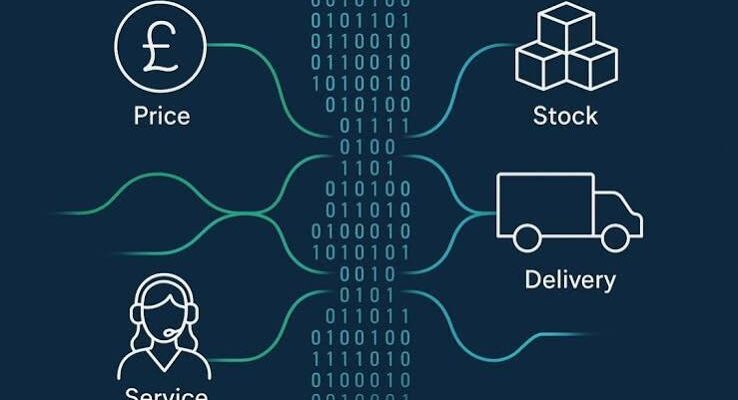
Integrating Shopify with AI-driven inventory and review management.
Can automating e-commerce operations create a mega income stream? Yes. Retailers can improve margins by reducing repetitive work and avoidable mistakes, while service providers can earn setup fees and recurring revenue for building and maintaining those systems. Success depends on measurable results, reliable delivery and sensible costs.
Imagine a store owner spending every evening copying orders, checking stock and answering delivery questions. More sales sound exciting until they bring more administration. Automation helps the business handle that growth without rebuilding its team every month.
Why E-commerce Automation Matters Now
Recent figures show the scale of online retail in developed markets.
| Market | Recent published statistic | Operational implication |
|---|---|---|
| United States | The August 2026 Census release initially put Q2 online retail sales at $340.2 billion, seasonally adjusted | Growing order volumes make reliable processing valuable |
| Great Britain | Online sales represented 28.8% of retail spending in August 2026 | Digital operations are central to everyday retail |
| Australia | Consumers spent A$82.6 billion online in 2025, up 14%, according to Australia Post’s 2026 report | Retailers need efficient fulfilment and repeat-purchase systems |
Definitions and reporting periods differ. The Census release flags pending revisions following its September update; treat its August estimate as provisional.
DHL’s 2026 research surveyed 29,000 shoppers and 5,800 businesses across 29 countries. It found 62% of shoppers said they would abandon a purchase if their preferred payment method was unavailable. This is reported intention, not a measured abandonment rate.
DHL eCommerce CEO Pablo Ciano says: “The ability to understand and respond to customer needs has always defined success”.
1. Start With an Operational Audit
Before buying software, follow one order from checkout to delivery, then follow a return back through the business. List every manual task, who performs it, how often it happens and what goes wrong.
Look for:
- Orders copied between disconnected systems.
- Stock quantities that disagree across channels.
- Repeated requests for tracking information.
- Refunds waiting in someone’s inbox.
- Sales reports assembled manually each week.
For example, a hypothetical US homeware shop could automate delivery updates before attempting personalised pricing. The first project is easier to validate and directly addresses a familiar customer frustration.
2. Build the Architecture Around Shared Records
A useful e-commerce automation architecture has five connected layers.
| Layer | Main responsibility | Example |
|---|---|---|
| Storefront | Capture purchases and customer requests | Online shop or marketplace |
| Operational records | Maintain authoritative order, stock and payment information | Commerce platform, inventory system or accounting ledger |
| Workflow engine | Apply rules and coordinate actions | Native automation or an integration platform |
| Service tools | Fulfil orders and support customers | Warehouse, carrier and helpdesk systems |
| Monitoring | Identify failures and measure business results | Alerts, logs and operational dashboards |
Choose one authoritative system for each record type. The warehouse might control physical stock, while the payment provider controls settlement status. Use consistent product codes, order identifiers and customer references. Otherwise, automation moves conflicting information around faster.
Start with the store’s existing tools. Add another application only when it solves a defined problem that current features cannot handle well.
3. Automate Order Processing and Inventory
An order should trigger a predictable sequence. Confirm payment status, check available stock, apply the merchant’s risk rules and route eligible orders to fulfilment.
Shopify describes its Flow approach as a “trigger, condition, and action” format. That provides a useful way to plan a workflow before building it. Shopify
For example:
- Trigger: Payment is confirmed for an order.
- Condition: Stock is available and the order passes agreed checks.
- Action: Release it to the correct warehouse.
- Exception: Send missing-stock or flagged orders for review.
Keep inventory reservations and adjustments coordinated across channels. Low-stock alerts should account for supplier lead times and demand, rather than relying on an arbitrary number.
For an illustrative British clothing retailer, that could mean warning the buying team before a popular size sells out. Large purchase orders should still require approval.
Read Also: Shopify vs Woocommerce: Best E-commerce Engine for Startups With Zero Coding Experience
4. Connect Shipping, Returns and Customer Support
Customers should not have to ask whether an order has shipped. Use confirmed fulfilment and carrier events to send appropriate updates.
A practical shipping workflow can:
- Choose an eligible delivery service using approved rules.
- Create a label after the order passes checks.
- Add tracking information to the order.
- Notify the customer when relevant events occur.
- Escalate delays beyond an agreed threshold.
For an illustrative Australian outdoor retailer, the workflow might offer supported collection options and flag remote-area delivery exceptions before promising a date.
Returns need the same discipline. Capture the reason, check the return window, issue instructions and track receipt. Restock only after the item meets the merchant’s condition checks.
Give support staff access to order and delivery records. An AI assistant can draft answers from verified information, while disputes, unusual refunds and uncertain answers go to a person.
5. Make Retention Useful Rather Than Noisy
Post-purchase communication can encourage repeat business when it helps the customer use what they bought. Examples include:
- Setup instructions after delivery.
- Care guidance for clothing or furniture.
- Replenishment reminders for suitable consumables.
- Relevant accessory suggestions.
- Review requests after enough time to try the product.
Stop abandoned-checkout reminders when the customer buys. Suppress promotions for refunded or cancelled orders where appropriate, and respect consent requirements and opt-outs.
Avoid sending discounts automatically whenever someone hesitates. A sale with a smaller margin is not always an improvement.
Test retention campaigns against a comparison group when practical. Measure additional contribution after discounts, returns and messaging costs, rather than accepting every attributed sale as new revenue.
6. Design for Failures Before Launching
A workflow that succeeds during a demonstration may still fail during a sale weekend.
Connections expire, suppliers go offline and the same event can arrive twice. Shopify’s developer guidance explicitly warns about duplicate webhook deliveries and recommends processing that avoids repeated effects. It also discusses queues and reconciliation for missed information.
Build in:
- Duplicate checks before consequential actions.
- Controlled retries for temporary failures.
- Alerts when a task cannot complete.
- A queue of exceptions assigned to someone.
- Daily checks between orders, shipments and payments.
- A pause switch and documented manual fallback.
Limit access to the information each tool needs. Keep credentials protected, separate client accounts and document who can approve refunds, spending or major changes.
7. Turn the System Into Recurring Service Revenue
For an automation business, the income opportunity extends beyond installing software. Offer a clear sequence:
- Paid audit: Identify bottlenecks and estimate their cost.
- Implementation: Build and test agreed workflows.
- Managed support: Monitor failures and maintain connections.
- Improvement: Review outcomes and optimise selected processes.
Define the number of workflows, supported systems, response hours and change allowance in the agreement. Separate third-party software costs from your service fee.
A focused offer is easier to explain than “we automate everything.” For instance: order routing, tracking updates and an exception dashboard for a particular kind of retailer.
Recurring fees should pay for real ongoing work. Clients are more likely to renew when they can see what you maintain and what improves.
8. Calculate Income and Customer Value Honestly
The following monthly business model is hypothetical. It illustrates the arithmetic, not typical pricing or guaranteed earnings.
| Item | Illustrative amount |
|---|---|
| Managed-service clients | 6 |
| Monthly fee per client | $1,500 |
| Recurring revenue | $9,000 |
| Software and infrastructure | $900 |
| Delivery and support labour | $3,000 |
| Remaining before tax and other overhead | $5,100 |
Assume all delivery labour, including the founder’s time, is included. Add sales costs, insurance, administration and any other expenses before estimating profit. Setup fees are separate one-off revenue.
Now consider customer value. Suppose a retailer saves 80 hours monthly at a loaded labour cost of $25 per hour. That represents $2,000 in released capacity.
If service and software cost $1,700, the capacity-value difference is $300 before other effects. It becomes cash savings only when payroll, overtime or outsourced spending actually falls. Otherwise, the benefit is time available for more valuable work.
Track reduced errors separately and avoid counting the same benefit twice.
9. Launch With a Focused Pilot
Choose one merchant, one workflow and a clear baseline.
During the first month:
- Week one: Map the process and record current performance.
- Week two: Build and test with representative scenarios.
- Week three: Launch with limited scope and daily review.
- Week four: Compare outcomes and fix exceptions.
Measure processing time, error rate, support volume, failed workflows and contribution after costs. Expand only when results justify the next step.
Document the process so another team member can operate it. Standardise the reusable parts, while adapting rules to each merchant’s products, delivery promises and policies.
Final Thoughts
Automating e-commerce operations can support a mega income stream when it solves expensive, recurring problems. The strongest architecture connects accurate records, dependable workflows and clear human responsibility.
Start small, measure the benefit and charge for a service you can maintain. Sustainable growth comes from merchants who trust the system during busy periods and can explain why it remains worth paying for.
FAQs
1. What is e-commerce automation?
E-commerce automation uses software to perform repeatable retail tasks when defined conditions are met. Examples include order routing, stock alerts, tracking updates and reporting. People still set policies, approve sensitive decisions and resolve exceptions.
2. How much can an e-commerce automation business earn?
Earnings depend on fees, client retention and delivery costs. Six clients paying $1,500 monthly would generate $9,000 in recurring revenue before expenses. That is an illustrative model, not an income guarantee.
3. Which e-commerce operations should I automate first?
Start with frequent tasks that have clear rules and costly manual effort. Order updates, stock alerts and reporting are possible candidates. Choose using the merchant’s actual bottlenecks, then measure whether the workflow improves them.
4. Can e-commerce automation become passive income?
It can create recurring income, but it is rarely passive. Integrations, policies and customer needs change. Monitoring, maintenance and support remain necessary even when most routine tasks run automatically.
Source: acrocommerce.com/article










Comments