
 By
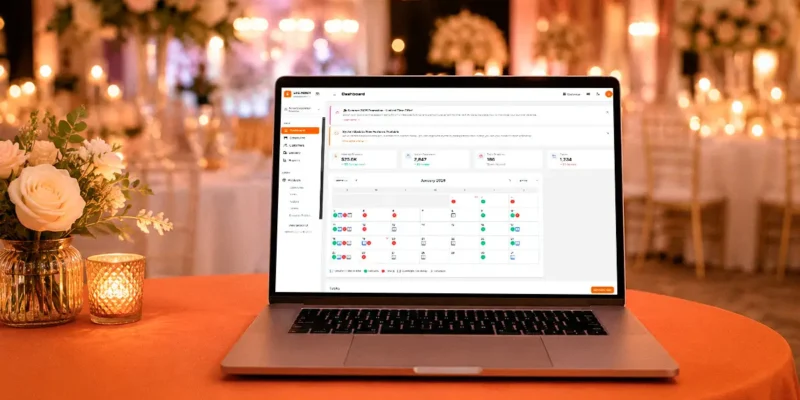
Selling customizable Canva invitation suites to a constant seasonal market.
A wedding and event template business can generate repeat sales and a mega income stream by turning one original design system into invitations, menus, signs, schedules, and other coordinated products. Automated checkout and delivery can reduce routine administration while customers adapt the files for their celebrations.
The commercial opportunity depends on more than attractive mockups. Buyers need clear editing instructions, suitable print files, dependable access, and confidence that their names, dates, and event details will appear correctly.
Start with a focused collection and a defined customer. Validate that people can use the product successfully, measure the support each sale requires, and expand when the numbers justify it. Large income is a goal, not a guaranteed result of uploading templates.
How Does a Wedding Template Business Work?
You create reusable designs that customers purchase and adapt for their own events. Products may be editable templates, finished print-ready files, or a combination of both.
The business has three common service levels:
- Self-service templates that customers edit independently.
- Personalised files that you prepare from supplied details.
- Coordinated packages combining templates with setup assistance.
These offers require different pricing and delivery promises. A self-service invitation can be delivered automatically, while a personalised seating chart needs accurate information and a defined approval process.
Keep the distinction visible on the product page. Customers should know whether they are buying an editable file, a completed digital design, or a physical printed item.
Is There Demand for Wedding and Event Templates?
There is a substantial wedding market, but overall spending does not establish demand for a specific template collection.
The Knot Worldwide’s 2026 Real Weddings Study drew on more than 10,000 US couples married in 2025. Its release described approximately two million US weddings that year. This provides market context rather than evidence of digital-template sales or likely earnings.
Investigate the purchases your intended audience actually makes. Read product reviews, note recurring complaints, and ask event planners which materials clients repeatedly need.
Look for practical gaps: confusing editing instructions, missing matching pieces, limited text space, or files that do not suit the customer’s printer.
Events beyond weddings can broaden the catalogue later. Begin with one customer journey before adding birthdays, showers, corporate gatherings, and unrelated styles.
Which Niche Should You Choose First?
Choose a recognisable combination of audience, event type, and design approach. A focused collection is easier to explain and maintain than a shop containing unrelated designs.
Examples include:
| Market | Customer occasion | Possible collection |
|---|---|---|
| United States | Small garden wedding | Invitations, menus, place cards, welcome sign |
| United Kingdom | Country-house celebration | Ceremony programme, table plan, matching stationery |
| Canada | Bilingual family event | Coordinated layouts with flexible text space |
| Australia | Outdoor wedding | Digital invitation, signage, event schedule |
These examples are product ideas, not documented sales successes. Validate language, wording, size, and production needs with the intended buyers.
Avoid treating cultural events as interchangeable themes. Research the sequence of events, names, languages, and family preferences involved, and give customers room to adapt the wording appropriately.
How Do You Build a Coordinated Template Collection?
Create a small design system before producing individual items. Establish typography, colour choices, spacing, decorative elements, and a consistent approach to hierarchy.
Design the invitation first, then adapt the visual language to the other pieces. Each item still needs its own layout: a large welcome sign and a small place card cannot simply use the same composition at different sizes.
Prepare:
- A clear inventory of included products and sizes.
- Editable areas with realistic space for longer names.
- Matching colours and typography across the suite.
- Appropriate exports for the advertised production method.
- A concise editing and printing guide.
- Clearly labelled demonstration files and mockups.
Check every asset’s licence before selling. Canva’s licensing guidance distinguishes Free and Pro content and restricts redistribution of its content. Review the current terms for your particular editable-template use rather than assuming a subscription permits every resale arrangement.
Read Also: The “Template Hub” Model: How to Build a Notion-Based Mega Income Stream
Create original layouts and confirm rights for fonts, illustrations, photographs, and decorative elements. Keep a record of the relevant licences and purchase receipts.
How Do You Make Templates Easy to Use?
Test the complete customer experience using a separate account where possible. Follow your own instructions without relying on creator access or premium features the customer may not have.
Check:
- Whether the customer receives an editable copy rather than your master.
- Which text, colours, and images can be changed.
- Whether any assets require an additional subscription or payment.
- How the design behaves with longer text and different names.
- Whether links, downloads, and exports work as described.
For printed products, explain final size, file format, and any bleed or trimming requirements that apply. Confirm specifications with the intended print provider and inspect a physical proof before advertising a print-ready result.
Describe previews honestly. A styled mockup helps buyers understand the design, but it should not imply that paper, frames, flowers, or printing are included when the purchase is digital.
Which Parts of the Business Can You Automate?
Automate predictable steps while keeping personalisation and exceptions visible. The strongest starting point is reliable payment-to-delivery processing.
| Workflow | Useful automation | Review point |
|---|---|---|
| Digital purchase | Release the correct file after confirmed payment | Missing access or wrong product |
| Order information | Collect required personalisation details | Incomplete or contradictory entries |
| Production | Populate approved fields in a design | Overflow, spelling, layout changes |
| Customer guidance | Send editing instructions and common answers | Unusual technical issue |
| Reporting | Summarise sales, fees, and support workload | Missing costs or refunds |
Etsy distinguishes instant downloads from made-to-order digital files. Its guidance describes instant downloads as “Ready-made files that the buyer can access immediately upon purchase.” Custom work belongs in a clearly defined completion process.
Test the workflow with a complete order before launch. Record delivery failures, prevent duplicate processing, and keep a manual fallback for customers who cannot access their purchase.
Do not describe a personalised service as instant unless the promised result works without manual intervention.
How Should You Handle Personalisation and Proof Approval?
Use a structured form rather than collecting critical details across scattered messages. Request names, dates, venue information, required wording, and the customer’s deadline in clearly labelled fields.
For personalised files, define:
- When the production clock starts.
- What counts as complete information.
- How customers review their proof.
- How many revision rounds are included.
- What happens when approval arrives late.
Automated data insertion can save time, but inspect the result. Long surnames, unexpected punctuation, and additional ceremony details can break a layout that worked with sample text.
Ask customers to approve spelling and event details before final delivery. Store only the information needed for the order and restrict access to guest names, addresses, and seating information.
Charge separately for changes that exceed the agreed scope. Clear boundaries make service quality easier to maintain as order volume grows.
Where Should You Sell Your Templates?
Choose channels according to buyer behaviour, seller eligibility, and delivery requirements. Options include a digital-product checkout, your own website, suitable marketplaces, and partnerships with event professionals.
Etsy currently lists a $0.20 listing fee and a 6.5% transaction fee. Payment processing and other applicable charges can add to the total, so the transaction percentage alone is not your complete selling cost.
Check country eligibility before building around a marketplace. Nigeria is not on Etsy’s current Etsy Payments country list. Nigerian creators should assess a checkout that supports their business location and payout arrangements.
For Etsy digital delivery, the platform permits up to five uploaded files, each no larger than 20MB. Plan the download package accordingly and explain any editing links it contains.
Make your listing answer practical questions: what is included, what the buyer edits, required software, final sizes, delivery method, and support limits.
What Does a Realistic Profit Calculation Look Like?
Calculate contribution per sale before forecasting income. A reusable design can still incur substantial advertising, support, and maintenance costs.
The following example is uses US dollars, and applies invented allowances rather than a quotation from any platform:
| Item | Illustrative amount |
|---|---|
| Template bundle price | $29.00 |
| Selling-cost allowance: 12% plus $0.50 | $3.98 |
| Customer support allowance | $3.00 |
| Refund allowance | $1.50 |
| Advertising per acquired order | $5.00 |
| Contribution per sale | $15.52 |
| Initial design and launch cost | $400.00 |
Ten sales leave a $244.80 shortfall against the initial cost. Thirty sales produce $65.60; 60 sales produce $531.20 after that cost, before tax and additional expenses.
Break-even requires 26 sales under these assumptions. Include your working time in the development cost. Personalised orders need their own calculation because preparation and revisions can consume much more time than self-service delivery.
Replace allowances with actual fees, refunds, and support minutes. Revenue alone does not show whether the catalogue is producing worthwhile income.

How Do You Market and Scale the Catalogue?
Show the complete customer outcome through demonstrations. Display matching pieces together, explain editing steps, and show how the files translate into a finished event setup.
Useful content includes printing guides, wording examples, colour coordination ideas, and videos demonstrating a real editing task with fictional details.
Keep seasonal launches early enough for customers to plan, edit, and print. Base your publishing calendar on the buying patterns you observe rather than assuming every market shares the same wedding season.
Track product conversion, contribution, support time, refunds, and personalisation workload. Expand the best-performing design families before adding unrelated collections.
Keep a release checklist for every collection. Record file names, tested links, included sizes, licence checks, and sample orders so future updates remain consistent as your catalogue grows.
Final Thoughts
An automated wedding and event template business combines original design with reliable delivery and practical customer guidance. Start with a focused collection, test the whole experience, price the support involved, and you can create a mega income stream.
Scale when customers can use the products successfully and actual margins support further investment. Automation helps the operation grow, while careful design and service give buyers a reason to choose it.
FAQ
Do You Need Professional Design Experience?
No, but you need the skills to produce and test the designs you advertise. Begin with a small collection and seek useful feedback.
Can Delivery Be Fully Automated?
Self-service files can often be delivered automatically. Personalised products still need reliable data collection, quality checks, and a clear approval process.
Can You Sell Templates Made With Canva?
Potentially, if your designs and included assets comply with the applicable licences. Check the specific resale arrangement and disclose any buyer subscription requirements.
How Much Can the Business Earn?
Earnings depend on sales volume and costs. Include fees, advertising, refunds, support, revisions, and your time before evaluating profit.
Sources: The Knot Worldwide, Canva, Etsy









Comments