
 By
The question of how to sell Notion templates came up before Notion sold a single one. Users published public workspaces on their own, early power users started charging for templates through Gumroad and similar platforms around 2019 and 2020, and the official template gallery only appeared in 2020, with an affiliate program following in 2021 (Real Growth Matters case study on the Notion template marketplace). The marketplace formalized a trade that already existed. It didn't create the demand, and it doesn't hand it to you.
If you want to sell Notion templates, the starting point is a repeatable problem: a buyer needs a usable workflow, not another attractive dashboard. Notion is the workspace in which you build and share the template. A buyer typically receives a link, duplicates the workspace into their own account, and adapts it to their work. Selling the link is straightforward; making the template easy to choose and set up is harder.
That sequence explains where sellers go wrong. Design is rarely the failure point. Distribution and pricing arithmetic are. A seller who lists a $19 template and makes 100 sales has collected $1,900 on paper. What reaches the bank depends on the channel, the refund rate, the payout schedule and the tax position, and those four things get decided before the first screenshot is uploaded.
The constraints that shape a template business are unglamorous. A per-transaction fee punishes low prices. A payout cycle delays cash. A merchant-of-record arrangement covers sales tax and stops there. Platform analytics stop at the platform's own front door. None of that protects a $5 product that surrenders 16% of every sale to a fixed fee.
I'd rather see one template priced where the fee schedule works than ten priced at $5 with a hope that volume covers the gap. The sections below take that approach from the first price calculation through a four-week launch test.
Table of Contents
- How much will I earn from each Notion template sale?
- How to sell Notion templates buyers will pay for
- How do I get paid for international Notion template sales?
- Where should I sell my Notion template?
- How do I get traffic to my Notion template listing?
- How do I tell which sales channel is profitable?
- How do I launch and test my first template?
- What else should first-time Notion template sellers know?
- Do I need an audience before I sell a Notion template?
- Can I sell a template I built in a free Notion account?
- How much should I charge for my first template?
- What should the buyer receive after paying?
- What if my first listing gets no sales?
- Should I offer refunds on a Notion template?
- What should my template license say?
How much will I earn from each Notion template sale?
A $5 template is the most expensive product you can list. Under the reported Notion Marketplace structure of 8% plus $0.40 per transaction, a $5 sale returns $0.80 in fees, so 16% of the price is gone before a refund, a tax question or a single support email (Checkout Page's breakdown of selling Notion templates). Notion's selling guidance confirms the fee. The same structure on a $50 sale takes $4.40, or 8.8%. The percentage is identical in every row. The fixed 40 cents is what changes the shape of the business.
| Sale price | Platform fees (8% + $0.40) | Fees as share of price |
|---|---|---|
| $5 | $0.80 (leaves $4.20) | 16% |
| $15 | $1.60 (leaves $13.40) | 10.7% |
| $25 | $2.40 (leaves $22.60) | 9.6% |
| $50 | $4.40 (leaves $45.60) | 8.8% |
Read the last column before the first. The table shows that a $5 template keeps 84% of each sale after the stated fee, while a $50 template keeps 91.2%. Those are fee-only proceeds, not take-home profit. Refunds, promotion and support still have to come out. The gap is small in percentage terms and brutal in volume terms: to collect roughly $42 after platform fees, you need ten $5 sales, versus one $50 sale that leaves $45.60. The ten small orders create ten opportunities for setup questions.
For example, suppose both products take four hours to build. If the $5 version needs 30 sales to earn back your build time but the $25 version needs six, the cheaper listing is only better if it reliably reaches far more buyers without increasing your workload. A lower price is a distribution bet, not automatically a customer-friendly choice.
The fixed-fee rule: a price under about $15 often requires a volume strategy. Test whether you can actually reach that volume before you make low price the entire plan.
How do I calculate net contribution per sale?
Net contribution per sale is what remains after the direct costs of obtaining and serving an order. It is not the list price, and it isn't the list price minus the marketplace cut either. Calculate it in a consistent order:
- Percentage fees. The platform cut plus payment processing, if processing isn't already included. Check whether a published fee is all-in before subtracting processing again.
- Fixed fees. Per-transaction charges, which hit small prices hardest and are the reason a $5 product is structurally expensive.
- Refunds. Track refunded revenue and any fees not returned. Do not assume that refunding a buyer reverses every charge.
- Taxes. Set aside a separate income-tax reserve based on local advice. That reserve affects cash available to spend, even if you report profit differently for accounting purposes.
- Support time. Convert setup questions to minutes and multiply by a realistic hourly rate. Count the follow-up email, not just the first reply.
- Acquisition cost. Include ads and any measurable campaign costs. Track content-production time separately if you want to know the full cost of a channel.
Here is a simple illustration for a $15 template, using the table's $1.60 fee. Suppose 5% of orders are refunded, refunded revenue averages $0.75 per initial order, and support takes one hour per 20 orders at $30 an hour. That support is $1.50 per order. On a deliberately conservative assumption that no fee is recovered on refunded orders, $15 minus $1.60 minus $0.75 minus $1.50 leaves $11.15 before acquisition cost and income-tax reserve. Your actual result depends on how the channel handles refunded fees, so replace the assumption with your payout records.
The practical lesson isn't that $11.15 is a universal margin. It is that a price can look comfortable until support and returns are assigned to each order. A template with a confusing duplicate link or missing setup instructions may cost more to serve than a technically more complex template with good onboarding.
How many sales will it take to break even?
Break-even sales are the number of paid orders needed to recover your upfront build cost. Divide that cost by your estimated contribution per sale, then round up. If a template takes 30 hours to build and you value that time at $30 an hour, the upfront cost is $900. Using the approximately $11 contribution in the example above, you need about 82 sales to recover that time, before counting marketing spend. Run the same math with the accounting break-even formula and the number usually settles the argument about pricing faster than a competitor scan does.
Make the check more useful by testing three outcomes. At 20 sales, how much of the build cost remains unrecovered? At 80, have you paid for the build and the initial promotion? At 200, will support still fit into your week? If the product only works at the optimistic volume, simplify the build, raise the price, or choose a buyer with a more urgent problem.
Channels don't share a fee schedule, so rerun the arithmetic with each one's own numbers before committing to a price. If your energy and attention swing week to week, structure the offer catalog around that reality rather than fighting it; this resource on revenue systems built for neurodivergent wiring covers how to build offers that survive the low-capacity weeks, which is exactly when support tickets pile up.
How to sell Notion templates buyers will pay for
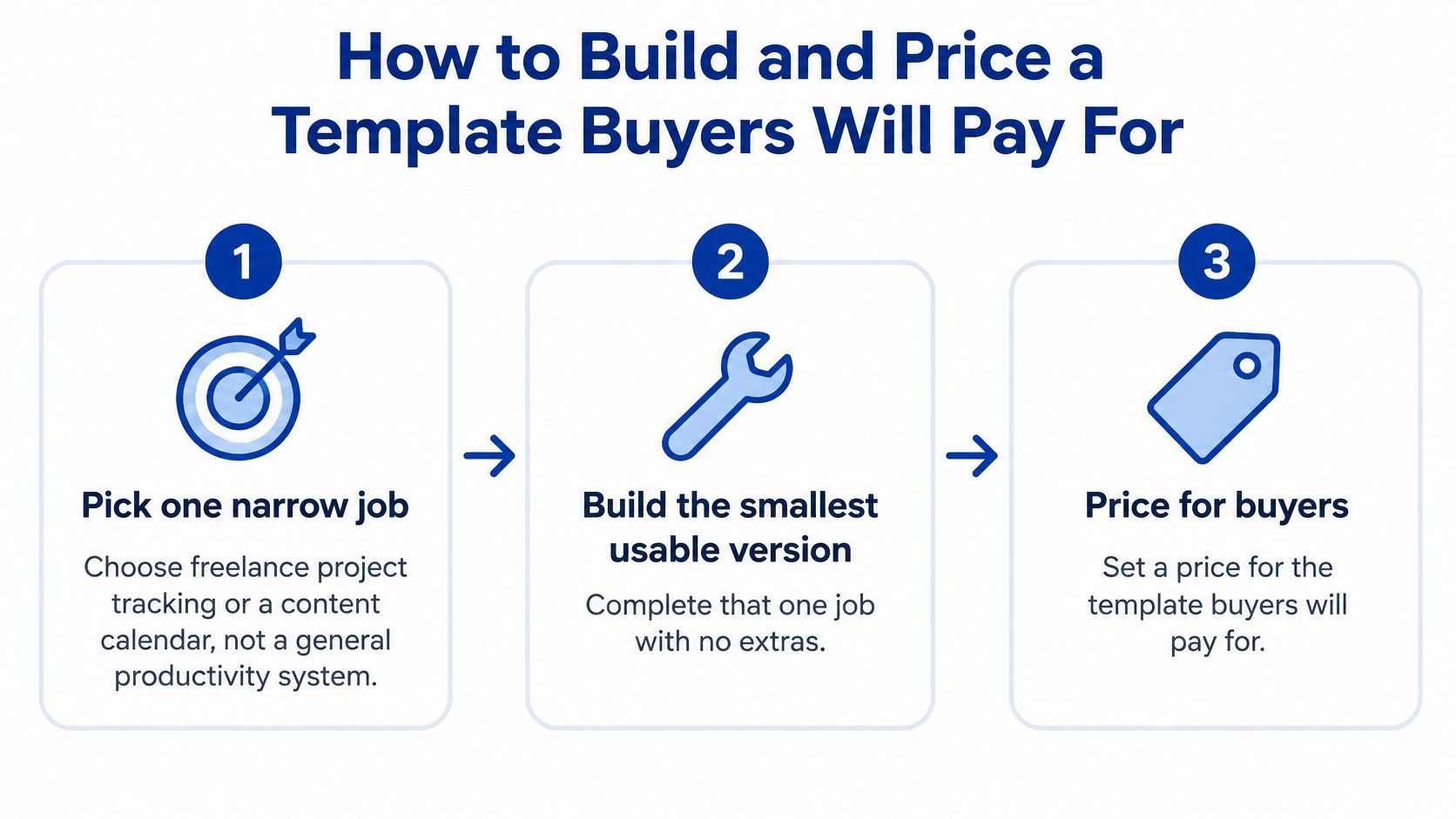
The fastest way to a template nobody buys is to build a general productivity system. The faster route is to solve one named job for one named buyer, then charge for the outcome rather than the page count. Compare “all-in-one life dashboard” with “client handoff tracker for freelance designers.” The second tells a buyer when to use it and what work it removes.
- Pick one narrow job. Freelance project tracking or a content calendar for a single publishing workflow beats a second brain. Write the promise as “This helps [buyer] complete [job] without [specific obstacle].” If you cannot finish that sentence, the scope is still too broad.
- Build the smallest usable version. One or two databases, no decorative extra pages, no abandoned sections. For a client tracker, start with clients, projects and the next action. Only add an invoice view if testers actually need it to finish the job.
- Validate with five to ten people before you price it. Watch whether they can duplicate the template, finish the main task and set it up without your help. Ask them to narrate where they hesitate, but resist explaining the answer. If three testers cannot find the first task, change the page, not the buyers. For Marketplace submission, Notion requires a publicly viewable page with duplication enabled; test both settings from an account that does not own the template.
- Split the offer into tiers, but wait for the data. A free lite version can earn email signups, a single-purpose paid template earns revenue, and a premium bundle earns margin. Add the bundle only after you have watched which workflows buyers use, because you cannot support what you have not seen.
- Set the price from the channel out. Start with the fee the storefront takes, subtract refund drag, support minutes and acquisition cost, then ask whether the remaining margin still funds the gap between a sale and cash landing in your account.
- Package the support files with the product. Include a setup checklist, five-minute quick start, changelog, troubleshooting notes, license terms and a refund policy. Tell buyers what they receive and what they do not, particularly whether customization or one-to-one setup is included.
Give testers a real scenario rather than a tour. For example: “A new client asks for two design revisions due Friday. Add the client, mark both requests, and find the next action.” If they succeed without coaching, you have evidence that the workflow works. If they praise the colors but cannot finish the task, you do not.
How can I test what buyers will pay?
Market-size guesses matter less than the fee stack on each order. The useful point from a teardown of the Notion template category is that marketplace revenue shares reduce what creators keep from each sale (AICoFounders teardown of the Notion templates marketplace). But a margin calculation cannot tell you whether a buyer values your template. For that, compare the task it completes, the alternatives available, and the time saved during setup.
A narrow workflow gives you a practical pricing test. Show prospective buyers the result, not just the database schema. Ask whether they would use the template for a task they currently do manually and what would stop them from buying it. Then test a real listing at a price that clears your cost floor. Compliments and “I'd probably buy this” are weaker signals than paid orders, so treat feedback as guidance and sales as validation.
Read marketplace revenue shares as a pricing constraint. The listed price has to cover the channel cut, the support files that keep refunds down, and enough margin to survive paid promotion. A narrow template with a clear outcome can carry that stack. A broad file usually cannot, because buyers compare it with free dashboards and still ask for more help.
Which template tiers should I offer?
| Tier | Typical price | What it includes | Support load |
|---|---|---|---|
| Free lite version | $0 | One core database and a quick start | Low; used to earn email signups |
| Core template | $15 to $25 | Full single-purpose workflow, setup checklist and changelog | Moderate; mostly setup questions |
| Premium bundle | $40 to $100 | Linked templates plus onboarding notes or a short walkthrough | High; the price must justify any live help |
These are example planning ranges, not a promise that buyers will accept any given price. Imagine a content-planning product: the lite version offers a single calendar; the core version adds a status workflow and publishing checklist; the premium bundle adds a reusable campaign-planning system. Each tier should solve a distinguishable problem, rather than placing essential setup instructions behind a higher price.
The premium tier is where sellers lose money. A $60 bundle that includes a 30-minute call is a $60 product priced against an hour of your calendar plus scheduling and follow-up. Price live help as a separate line or leave it out entirely. A recorded walkthrough scales; a personal setup call does not.
A working rule: if a tier adds your time rather than your files, it is a service, and it should be priced like one.
Building the free tier first also gives you a product page you can test before the paid one exists, which is cheaper than testing with something you have charged for. For a wider set of formats that follow the same tier logic, these digital product examples for 2026 show how other creators structure entry offers against paid ones. If you want the production side in more depth, this walkthrough of digital products creation covers how to move from a working file to a packaged, sellable product.
How do I get paid for international Notion template sales?

Selling outside the United States changes the cash-flow question more than it changes the pricing question. Notion Marketplace direct sales reportedly run 8% plus $0.40 per transaction, add a 1% foreign-exchange fee for creators outside the US, require Stripe onboarding, hold funds for 14 days, pay biweekly, and generally require a $20 balance before a payout goes out (Money Pulsar's guide to selling Notion templates). Notion's current selling guidance confirms these basic terms and notes that local payout thresholds can vary. Stripe is the payment service used for seller onboarding and payouts. Check that the onboarding and payout route work for you before building your launch calendar around them.
Two $25 sales put $45.20 into the pending balance once the stated per-sale fees come off: $25 minus $2.40 per sale, twice, before any applicable conversion charge. That clears a $20 minimum, if it applies to your account, but the constraint isn't only the threshold. Notion says it holds proceeds for 14 days and initiates eligible payouts every two weeks, on Thursdays at 9:00 a.m. Pacific Time. It also notes that some countries have higher minimum payout thresholds. A launch that produces $400 of sales in a week can therefore leave a seller short of cash for the tools and ad spend the second week needs.
For planning, keep three dates on your spreadsheet: order date, date funds become payout-eligible, and expected bank arrival. Do not enter a sale as spendable cash on the order date. If you are buying ads, set a separate test budget that you can afford to carry through the hold, rather than relying on early orders to replenish it.
Does the marketplace handle my income tax?
Merchant of record means the business responsible for processing the transaction and handling applicable checkout-tax obligations for that sale. Notion says it acts as merchant of record for payments it processes and handles applicable sales tax and VAT. It does not file your income tax. You're still responsible for reporting earnings in your own jurisdiction, and the marketplace statement is a revenue record, not a tax return.
Keep the two ideas separate, because conflating them is the expensive mistake. Sales tax collection is a checkout problem the platform handles for eligible transactions. Income tax is an obligation that follows you home. If you also sell through your own checkout, do not assume Notion's tax handling extends to those separate orders. Confirm the tax treatment for each sales channel with a qualified local professional.
Practical framing: the marketplace removed one administrative job, not all of them. Budget for an accountant before you budget for a course on marketing.
What should I check before publishing?
- Confirm Stripe onboarding works in your country before you spend a weekend on the listing. Finish the account checks early enough to fix a failed verification.
- Forecast cash from the payout date, not the sale date. Account for the 14-day hold, biweekly payout cycle and applicable minimum balance. The same guidance says buyers can request a refund within 14 days of purchase, so keep enough cash available to cover reversals.
- Set a tax reserve percentage on day one using local advice, and move the reserved money out of the operating account so it doesn't become working capital.
- Record every sale, refund and currency conversion in one spreadsheet or accounting tool, with the payout statement reconciled monthly. Keep the original sale amount and the eventual bank deposit as separate entries.
- Get local advice on income tax for digital sales. Rules differ by country, and general guidance isn't a substitute for a professional in yours.
As an example, a seller who expects $300 in gross first-week orders should plan a campaign they can finance even if none of that $300 reaches the bank during week two. This is particularly important if software renewals or advertising charges are due immediately. The comparison that matters isn't marketplace versus Gumroad on headline commission. It's which route pays out in a country where you can receive money, on a schedule you can plan around. For a freelancer or a side-hustle seller outside the US, payment availability may outrank a nominal fee difference.
Where should I sell my Notion template?
A sales channel is where the buyer discovers and pays for your template. A checkout provider processes the payment; the two may be bundled together or separate. Choose by looking at discovery, fees, customer access, reporting and payout eligibility, not by comparing commission alone.
| Channel | Fee structure | Best for | Built-in reporting |
|---|---|---|---|
| Notion Marketplace | 8% + $0.40 per sale | Reaching people already using Notion | Marketplace activity and sales processed through Notion |
| Gumroad or similar platform | Gumroad direct sales: 10% + $0.50; Discover sales: 30%, under its published pricing | Sellers who want a separate storefront; assess discovery separately | Store dashboard; Notion-processed sales not included |
| Own site with checkout | Processor fees plus any tool subscription; check current rates | Repeat buyers, email lists and control over the buying experience | Your own analytics; attribution requires setup |
Gumroad's published pricing distinguishes sales you send through your profile or a direct link (10% plus $0.50 per transaction) from sales a new customer makes through its Discover marketplace (30% per transaction). At a $20 list price, those published fees leave $17.50 or $14, respectively, before refunds or other costs. Gumroad is a digital-product storefront and checkout platform; do not assume every sale through it gets the same fee. Payhip is another digital-product storefront option. Etsy is a broader marketplace with its own seller terms, not a Notion-specific storefront. Compare each provider's current fees, supported payouts and delivery method before you copy a price from one listing to another. Checkout Page, whose fee discussion appears earlier, is a checkout tool, not the Notion Marketplace. Tool categories matter because a checkout service does not automatically provide the same discovery as a marketplace.
The marketplace row wins on access to people already looking for Notion templates, but its dashboard cannot tell you everything about visitors arriving from your other marketing. A third-party storefront trades some of that built-in context for a page you control more directly. Your own checkout gives you more control over the customer relationship and order records, while handing you the discovery problem and additional setup work.
For a seller with no audience, a reasonable first test is one Marketplace listing and one clearly tagged tutorial that leads to it. For a seller with an email list, compare that route against a separate storefront using the same product and a channel-specific link. Before offering both checkout routes, follow Notion's guidance for third-party sales: duplicate the template and publish the copy at a different Notion Site URL. A paid Marketplace template's published URL redirects to Marketplace checkout, so reusing that URL could prevent a third-party buyer from duplicating the template. Do not assume that appearing on two storefronts doubles demand; it can just divide your data.
Sequencing judgment: list where discovery is cheapest first, then build a channel you own if repeat buyers justify the work. The first sale is a marketing problem; the second sale is a relationship problem.
The usual failure is listing everywhere at once with no way to tell which listing produced the buyer. Two channels with clean tracking beat five with none. If you're building the owned-channel side at the same time, this guide to monetizing a website covers the page and offer structure that makes an owned checkout worth the setup work.
How do I get traffic to my Notion template listing?
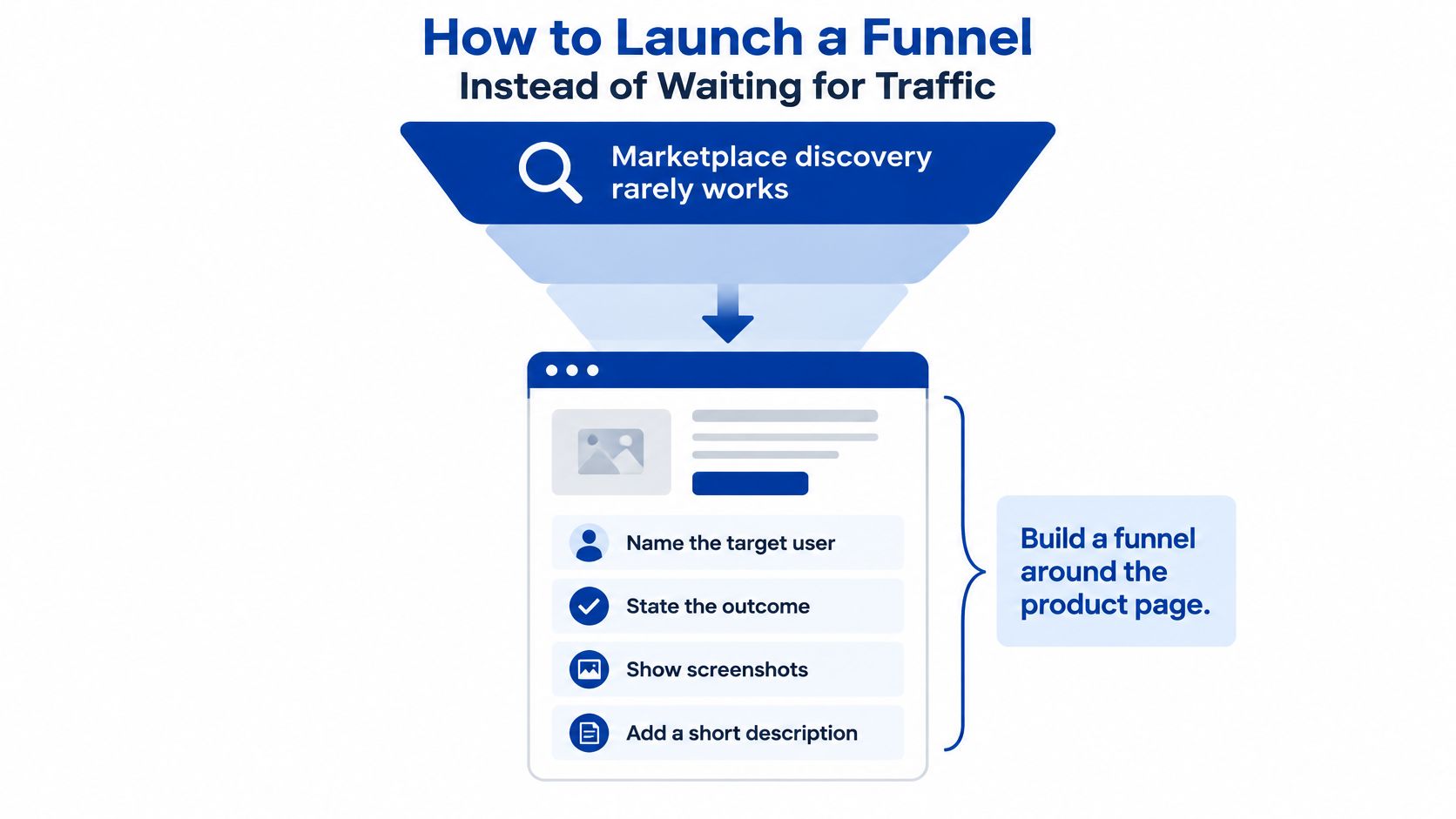
Publishing a template and waiting for the marketplace to notice it is a plan with exactly one step. A sales funnel is the path from discovering the problem to evaluating your template to purchasing and using it. The product page does the selling, and the content around it exists to deliver people who recognize the problem.
Write the listing fields before anything else, because they force the clarity the rest of the funnel depends on. A title that names the user and the job. A cover image plus two or three screenshots of the template in use, since a buyer can't flip through a Notion page the way they'd sample an ebook. A one-sentence outcome line. Search tags in the buyer's language rather than yours. A feature-limits note next to the price. For a Marketplace submission, Notion asks for a public template link, category, language, brief and full descriptions, and a custom Marketplace URL. You can also add a YouTube or Vimeo preview of up to 60 seconds, so show the working view rather than another static cover.
For a freelancer template, a generic title such as “Ultimate Client OS” leaves the work vague. “Client Project Tracker for Freelance Designers” names both the buyer and the task. Show one screenshot with an active project, one with the next-action view, and one with the setup instructions. In the description, say what the buyer will enter first and which steps are not automated. Specificity does more selling than a long feature list.
Then drive traffic from three places:
- Search-oriented tutorials. Answer the workflow question the template solves. A walkthrough of how to track revision requests can lead naturally to a ready-made tracker.
- An email capture offer. Let a visitor try a genuinely useful lite version and explain the paid upgrade in the follow-up. Record whether downloads actually become buyers.
- Relevant communities. Respond to a real workflow problem before mentioning your product, and follow each community's rules. A helpful answer may bring fewer clicks but better-fit buyers.
Measure visitor-to-email, visitor-to-checkout, purchase conversion, refund rate and activation. Activation means the buyer has duplicated and begun using the template for its intended job. You may need a voluntary follow-up question or a usage proxy to estimate it; checkout data alone cannot tell you whether the template worked. Page views without downstream behavior are a poor guide to what to improve.
How many visitors might I need to make a sale?
At a $19 price, 10,000 qualified visitors converting at 2% produces 200 sales, or $3,800 gross before refunds and fees (Leadpages benchmark on product page conversion rates). That math sets a ceiling, not a safe ad bid: $3,800 across 10,000 visitors is $0.38 gross per visitor. Fees, refunds and support reduce what you can afford to pay for each visit. A 2% conversion rate also means approximately 50 qualified visitors for one order, so even a modest click price can consume your margin.
The same cited benchmark reports a 6.26% median product-page conversion rate for ecommerce, with the top quarter above 24%. Those figures are not a forecast for a Notion template. They illustrate why you should measure your own page and traffic mix rather than importing a general ecommerce number into a launch budget.
Improve the rate one variable at a time against a stable traffic source: headline, preview images, onboarding clarity, proof, or traffic intent. For example, if visitors reach the page but rarely click toward checkout, test a clearer outcome line or a screenshot that shows the working view. If buyers purchase but request refunds because they expected automation, correct the limits note instead of buying more traffic. Changing four things at once tells you nothing, and adding features to fix a conversion problem usually makes the page harder to read.
Free-tier test: only release a genuinely useful lite template if it feeds email capture and has a defined upgrade path. A free template with no next step is a giveaway with extra admin.
The video below walks through the same funnel logic from the buyer's side, which is worth watching with your own page open beside it.
Email is the part of the funnel that keeps working after launch week ends, and these practical steps for lead nurturing cover the follow-up sequence that turns a free download into a paid buyer.
How do I tell which sales channel is profitable?
Revenue is the least reliable number on a multi-channel dashboard. Creator guidance indicates the Notion Marketplace dashboard covers templates sold directly through the Marketplace and excludes sales made through third-party platforms, so a seller distributing through Gumroad, Etsy or their own checkout can see revenue without seeing where it came from (Brillay's resource on how Notion creators make money). Notion's creator guidance also distinguishes the tools available through its own payment integration from a third-party payment setup.
That blind spot turns a simple question into a guessing game. Listing everywhere produces a total with no reliable shared attribution, and a channel with a lower fee can still be less profitable once you count the work of feeding it. Attribution means connecting a visit or order to the channel that generated it. Contribution is what that channel leaves after its direct costs, not just what its dashboard reports as sales.
How do I track sales by channel?
- Use one landing page or campaign-tagged link per channel, set up before launch. Give each link a clear source name, such as
newsletterortutorial, and test that it reaches the correct listing. - Keep product names consistent across channels, so a refund or support email can be matched to an order without detective work. If titles differ for search reasons, keep a stable product code in your own sheet.
- Track refunds by channel, recording the reason as well as the amount. A buyer expecting a finished app has a different problem from one who cannot duplicate the template.
- Build a contribution-margin sheet monthly, subtracting platform fees, refunded revenue, acquisition cost and support. Track an income-tax reserve separately so you can plan cash without confusing tax set-asides with channel operating costs.
A basic sheet needs columns for order date, product, source, listed price, fees, refund amount, ad spend allocation and support minutes. Add a notes column for cases where the source is unknown. Do not assign every unattributed order to the channel you like best; label it unknown and improve the tracking.
What does channel contribution look like in practice?
| Channel | Sales | Refunds | Ad spend | Net contribution |
|---|---|---|---|---|
| Marketplace (8% + $0.40, $15 template) | 30 | 6 | $180 | $132 |
| Own site (illustrative 5% fee, $15 template) | 20 | 0 | $0 | $285 |
This deliberately simplified example counts each marketplace refund as a full $15 of returned revenue and assumes the original transaction fees are not recovered. Thirty sales at $15 gross $450. Fees on 30 sales are $48, six refunded purchases return $90, and $180 in ads leaves $132. The own-site row grosses $300; the illustrative 5% fee is $15, leaving $285. The example excludes support, taxes and any own-site software subscription, and your processor's refund treatment may differ.
The marketplace channel sold 50% more units and finished with less than half the contribution in this example. Which channel looks busy? The first one. Which one earns its keep under these assumptions? The second. That gap is invisible on a gross-sales report and obvious on a contribution sheet.
Contrarian point: built-in marketplace discovery, analytics and tax handling may be worth more than a transaction-fee saving elsewhere. The trade-off only becomes visible when you measure contribution and the work required to earn it.
Review the numbers monthly and move effort toward channels whose contribution holds after acquisition cost. If a channel loses money, diagnose the specific cause before abandoning it: expensive traffic, low conversion, frequent refunds or heavy support call for different fixes. Change one thing and give it another four weeks before deciding.
How do I launch and test my first template?
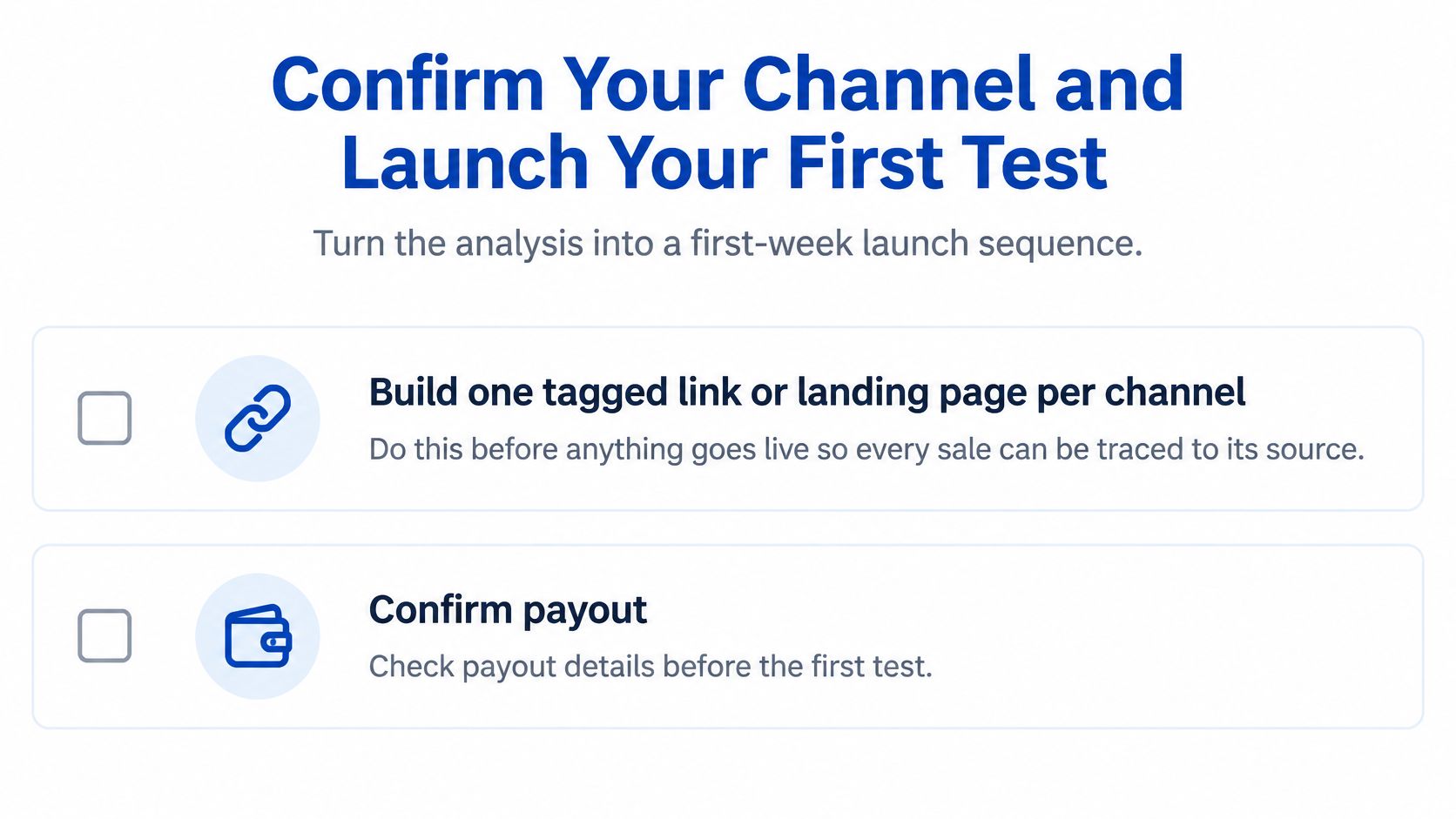
Launch is a measurement problem before it is a marketing push. Put tracking and payout checks ahead of promotion, because a channel that cannot be attributed or paid out cleanly will distort every later decision. Your first four weeks should answer one question, such as “Can a tutorial bring buyers to this $19 template at a cost the margin supports?”
- Build one tagged link or landing page per channel before anything goes live, named by source so no first-week sale is anonymous. Click every link yourself on a phone and desktop.
- Confirm payout access for your country before listing: Stripe onboarding where relevant, hold period, minimum payout balance and the tax reserve you will skim from each payment. Record the first expected payout date.
- Publish the product page only after the listing fields are written, with price back-solved from net revenue rather than the sticker price that felt fair. Ask one tester to duplicate the purchased version from the actual delivery instructions.
- Run one variable for four weeks against a stable traffic source, and log refunds by channel while the test runs. Note the dates you changed screenshots, copy or traffic so your results remain interpretable.
- At week four, compare contribution and customer experience. Keep a channel that produces sustainable orders after fees, refunds and acquisition cost. If it does not, change one variable and repeat the test.
For a first test, define success before promotion. For example, decide the maximum amount you can spend to acquire one order, the number of support minutes you can afford, and what kind of refund complaint means the listing is misleading. A launch with only a few sales can still give you useful evidence about setup friction, but it cannot prove that a conversion rate will hold at scale.
Two failure modes hide in that checklist. The first is custom work disguised as feedback: when a buyer asks for a bespoke view, treat it as scope and price it like freelance work. Mega Income Stream's “The Freelancers Guide to Raising Rates Without Losing Clients” covers that same boundary. The second is confusing activity with yield, where a dashboard full of clicks still leaves less cash after refunds and ads.
If you want reading that matches the arithmetic above, Mega Income Stream publishes guides across online income, digital products and freelance rates. Compare your channel choice, payout checks and first test against that material at Mega Income Stream before you scale spend.
What else should first-time Notion template sellers know?
Do I need an audience before I sell a Notion template?
No, but you do need a way to reach a specific buyer. Start with one listing and one tutorial or community-appropriate answer that demonstrates the problem your template solves. Track visits and orders from that source before adding more channels.
Can I sell a template I built in a free Notion account?
Start by checking whether your workspace can be shared and duplicated as intended. Then test the delivery link from a separate account or ask a tester to do it. Check Notion's current seller eligibility and listing requirements before promising a Marketplace launch; building a duplicable page and qualifying to sell through a particular channel are separate steps.
How much should I charge for my first template?
Choose a price that leaves room for fees, refunds and support, then test it with real buyers. For example, the fee-only proceeds on a $15 Marketplace sale are $13.40 under the fee schedule used above. That is not profit, so estimate your remaining costs before treating $15 as a workable price.
What should the buyer receive after paying?
Provide a working duplication link, a short setup checklist, an example showing the main workflow, and clear license and refund terms. For a Marketplace purchase, Notion says the buyer can duplicate the purchased template multiple times within the chosen workspace, while the creator may restrict sharing or moving it to another workspace. Notion's submission guidance includes an access-locking setting; selecting Restricted prevents customers from redistributing the purchased template to other workspaces. Make any such restriction clear in your license. Ask someone unfamiliar with the template to complete the first task using only those materials. Their questions reveal what to fix before launch.
What if my first listing gets no sales?
Look at the earliest point where buyers drop off. No relevant visitors suggests a distribution problem; visits without checkout interest suggest the promise or preview needs work; purchases followed by refunds suggest an expectation or onboarding problem. Change one thing, then give the revised listing a defined test period.
Should I offer refunds on a Notion template?
State your refund terms on the product page before checkout, including when a buyer can request one and how to contact you. Explain what the template does and does not include so buyers know what they are purchasing. Check your sales channel's current refund rules before publishing; your policy must work with those rules. Track refund reasons so you can fix unclear listings or setup instructions.
What should my template license say?
A template license tells buyers how they may use the copy they receive. Say plainly whether they can use it for personal or client work, share it with teammates, or redistribute or resell it. If a team needs a different license, explain that before purchase. Keep the terms with the delivery instructions so buyers can find them after checkout.











Comments