
 By
By 
FAQ schema is a form of structured data markup that helps search engines determine whether your material contains questions and answers. Consider it a means to communicate directly with Google, emphasizing the most valuable aspects of your material.

When Google recognises your FAQ schema, it can display your content as rich snippets – those expanded search results that take up more real estate on the search page. This increased visibility often translates to higher click-through rates and more qualified traffic.
The beauty of FAQ schema lies in its simplicity. You’re not trying to trick search engines or game the system – you’re genuinely helping users find answers to their questions more efficiently.
Finding the Right Questions for Your FAQ Schema
The key to creating a good FAQ architecture is not to add random questions, but to find the topics that your audience actually wants answered.
We recommend three to five well-targeted questions for most pages, but larger pillar material can go up to six to eight if each FAQ offers actual value. Here are four tried-and-true strategies for identifying the best FAQ opportunities:
Check the search results first
This method guarantees you’re targeting questions that already appear in Google. Search for your target keyword and scroll to the ‘People also ask’ section. Click each dropdown to reveal more questions – Google will keep generating new ones as you explore.

For a page targeting “home insurance,” you might find questions like:
- How to find the best deal on home insurance
- How much does it cost to insure a three-bedroom house
- Are bigger houses more expensive to insure
The position of the ‘People also ask’ section varies depending on the search term, but it’s consistently one of the most valuable sources for FAQ content.
Explore community platforms
Reddit, Quora, and similar platforms contain genuine questions from real users. These communities reveal the language people actually use when seeking information, often uncovering concerns that don’t appear in traditional keyword research.

Search your topic on these platforms and scan through discussions. You’ll often discover questions that address specific pain points or misconceptions in your industry.
Use Google Search Console data
If you already have organic traffic, Search Console can reveal what questions users are searching for when they find your site. Export your query data and filter for keywords starting with “how,” “what,” “which,” “when,” and “why.”
This approach is particularly valuable because you can see your current visibility for these queries, helping you prioritise which questions to tackle first.
Leverage keyword research tools
Tools like Ahrefs and SEMrush provide additional insights beyond what free methods offer. In Ahrefs Keywords Explorer, you can view question-based keywords along with their search volume, difficulty scores, and rich snippet opportunities.

Look for the “Questions” section when researching your target keywords. This data helps you understand not just what people are asking, but how competitive those questions are and what rich snippet opportunities exist.
Implementing FAQ Schema on Your Pages
Once you’ve selected your target queries, it’s time to incorporate them strategically within your content. Place FAQs where users are likely to ask them, rather than at the bottom of the page.
Most website builders and SEO plugins, such as RankMath and Schema Pro, make inserting FAQ schema simple. You simply enter your questions and answers, and the plugin will manage the structured data. markup

When crafting your answers, keep them concise – ideally one to two sentences for the initial response. Google prefers quick, easy-to-read answers in rich snippets. If you need to provide more detail, you can expand after your summarised answer.
Remember to prioritise your questions in order of importance. If you’re targeting multiple related queries, lead with the most valuable or commonly searched questions.
Testing your FAQ Schema Implementation
Before celebrating your new FAQ schema, you need to verify it’s working correctly. Here’s the simple process:
- Navigate to your updated page, right-click, and select “View page source.”
- Copy all the code, then paste it into Google’s Rich Results Test tool.
This free tool will show you whether Google can read your FAQ schema properly.

Look for a green tick next to “FAQ” in the results. Click on it to see which questions Google has identified – make sure they all appear correctly.

How to Get a Google Answer Box
Google answer boxes, also known as featured snippets, are boxes that appear at the top of search results pages (SERPs) and display the most relevant answer to the searcher’s question. They can take the form of text paragraphs, bullet points, how-to instructions, and other formats.
Read Also: The Role of Schema Markup in AEO Success
When you rank on the first page of results, your result may appear in an answer box apart from the other results on the page.
Whether you’re looking for a specific response box or want to win as many featured snippets as possible, use these techniques to improve your chances.
1. Answer Common Questions
Many Google answer boxes are answers to questions. In fact, a study by Semrush found that nearly 78% of queries starting with “why” have an answer box! So, one of the best ways to get Google answer boxes is to list out questions and answers in your post that are related to your topic. This can be in a FAQ section or integrated with your content.
For example, look at the featured snippet shown if you search “What’s the best way to paint a door?”:
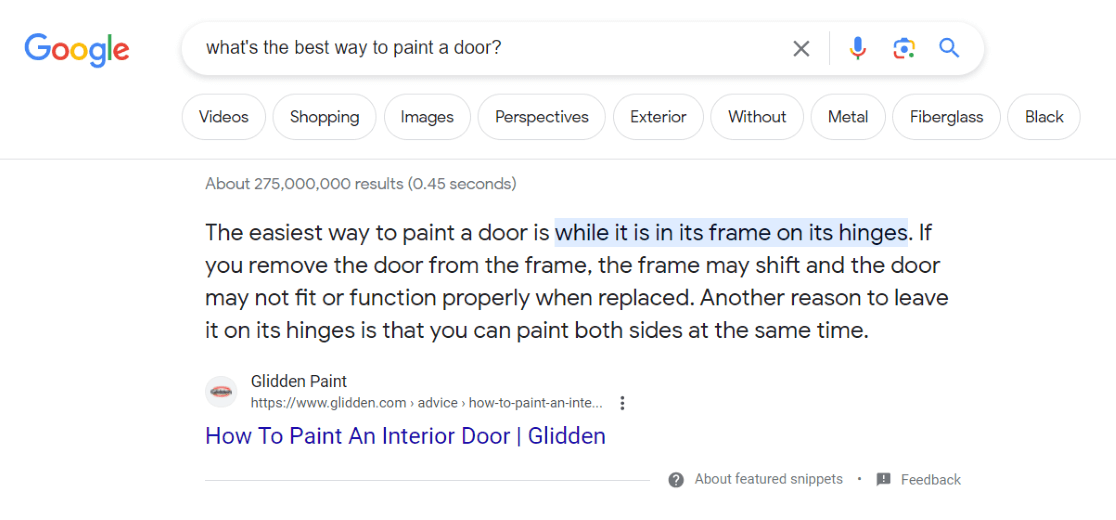
Although they’ve switched out “best” for “easiest,” the answer is verbatim. What’s the best way to paint a door? The easiest way to paint a door is [answer]. You can try phrasing questions and answers this way in your content.
Also, note that the answer is direct and concise. If you draw out an answer into three paragraphs, Google is less likely to choose your answer to feature.
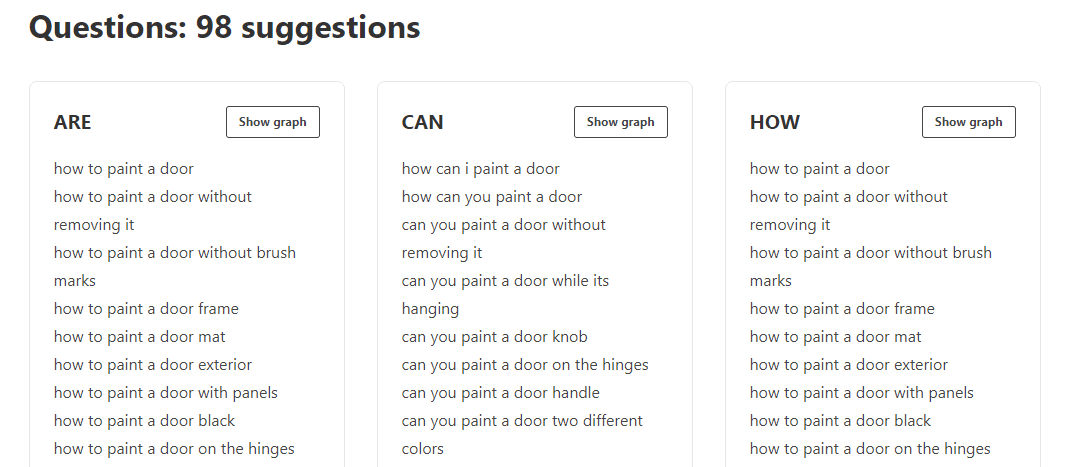
For ideas about which questions to answer, run a few different searches related to your topic and look at the People also ask section in search results. Or, use a free tool like the WPBeginner Keyword Generator to extract a lot of those questions into one handy report:
2. Try to Win Answer Boxes That Already Exist
Not every search query brings up an answer box. In 2020, Semrush found that about 19% of queries had a featured snippet. So, if you’re trying to win that coveted first spot at the top of search results, your best bet is to shoot for an existing answer box.
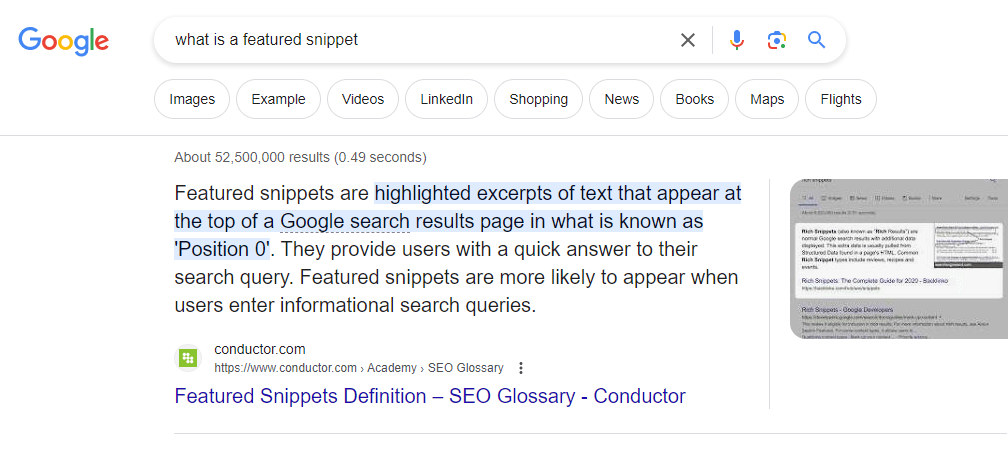
For example, the term “what is a featured snippet” brings up an answer box (a.k.a. a featured snippet):
However, searching for “featured snippet examples” doesn’t bring up an answer box:
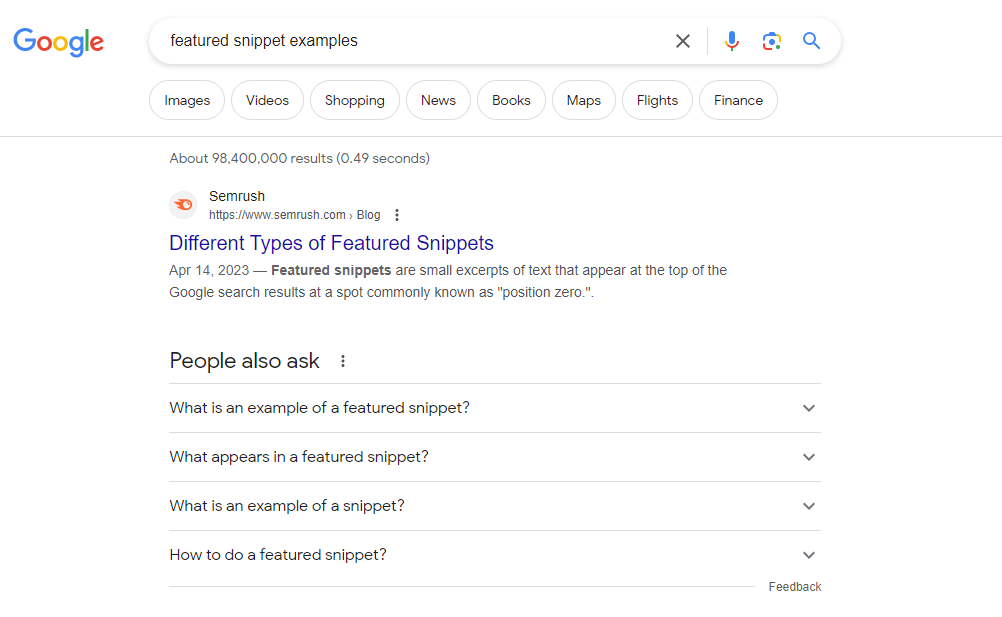
So, if you have an article about featured snippets, you’d want to try to get the “what is featured snippets” answer box.
3. Use Structure
Google likes to use lists in their answer boxes, especially if the answer includes steps for how to do something, a list of tips, or other kind of list. Here, you can see one for the query “how to train your dog not to bark.”
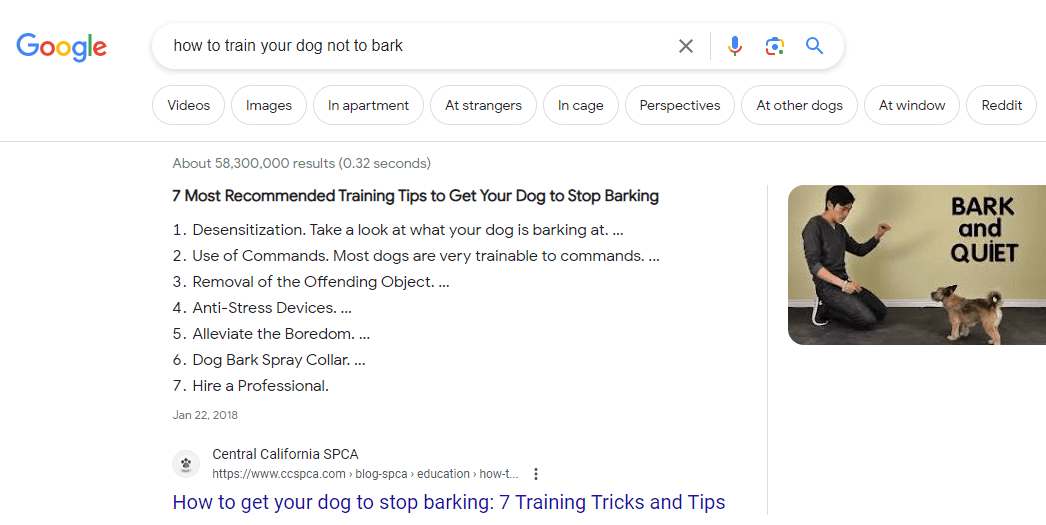
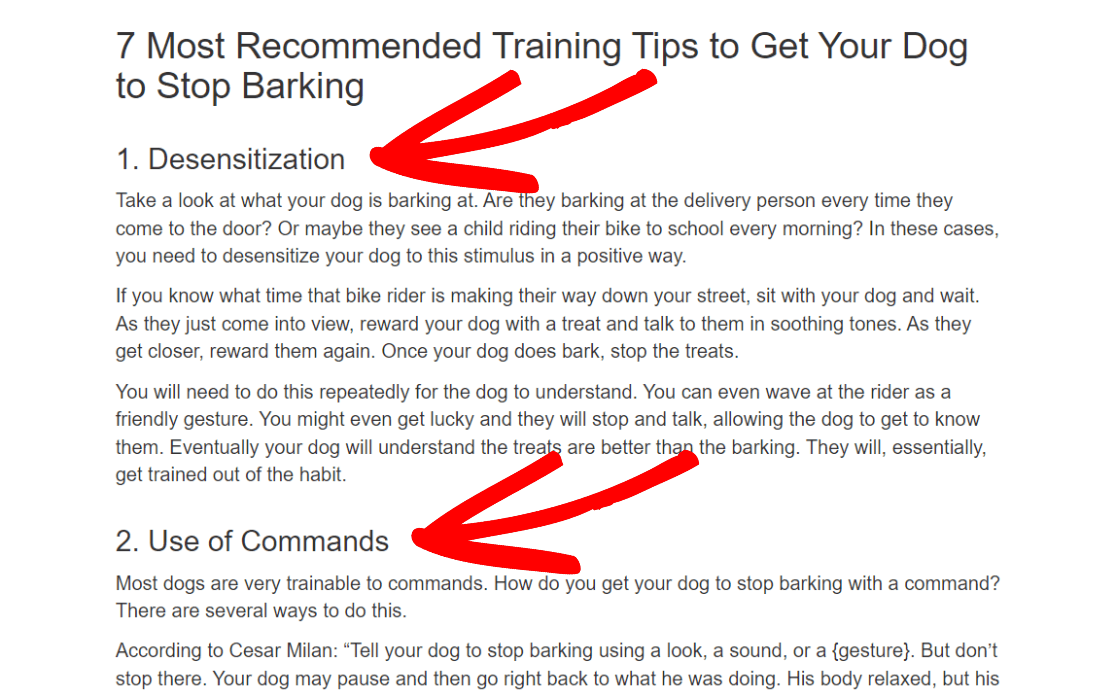
Note that, to be shown in a featured snippet as a list, you don’t have to use bullet points or a numbered list without paragraphs in between. In the example above, for instance, the page uses headings that are spaced apart by paragraphs:
We’re going to let you steal our tactic for this one! To write more lists that rank in featured snippets into your posts, try adding recaps, tables of contents, and FAQs to your posts.
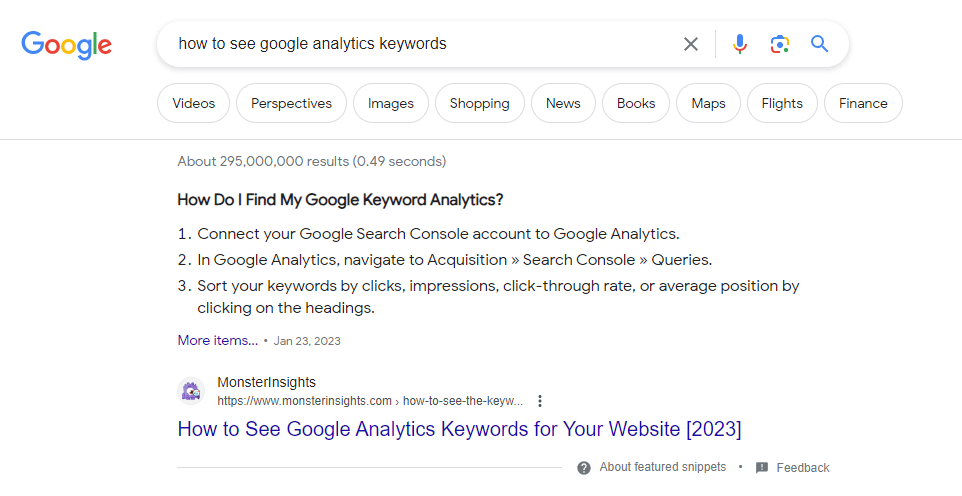
For example, in the tutorial for How to See Google Analytics Keywords for Your Website, they added a recap/FAQ section at the end that listed the steps in a super simplified way. That recap started ranking as a Google answer box:
4. Include Optimized Images
Answer boxes aren’t only for text. Many of them include images, too! The interesting thing about images in featured snippets is that Google will often grab them from several different results on the first page.
For example, take a look at this answer box with three images:
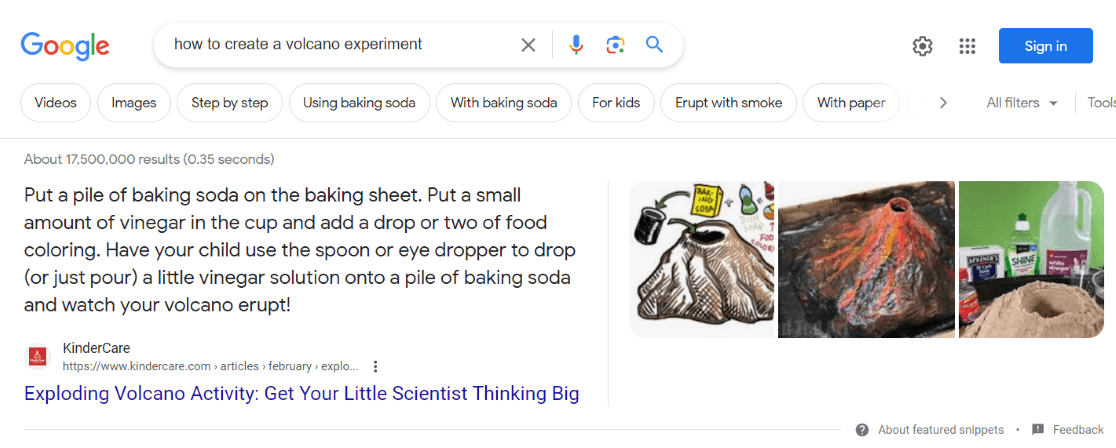
You would think those images get pulled from the primary featured snippet source, but they don’t! All three of them are from different results on the first page. So, there are actually four websites in the answer box!
Therefore, adding optimized images to your pages can increase your chance of appearing in the answer box, even if you’re not the primary result. Ensure every image you use has an optimized file name, title, and meta description.
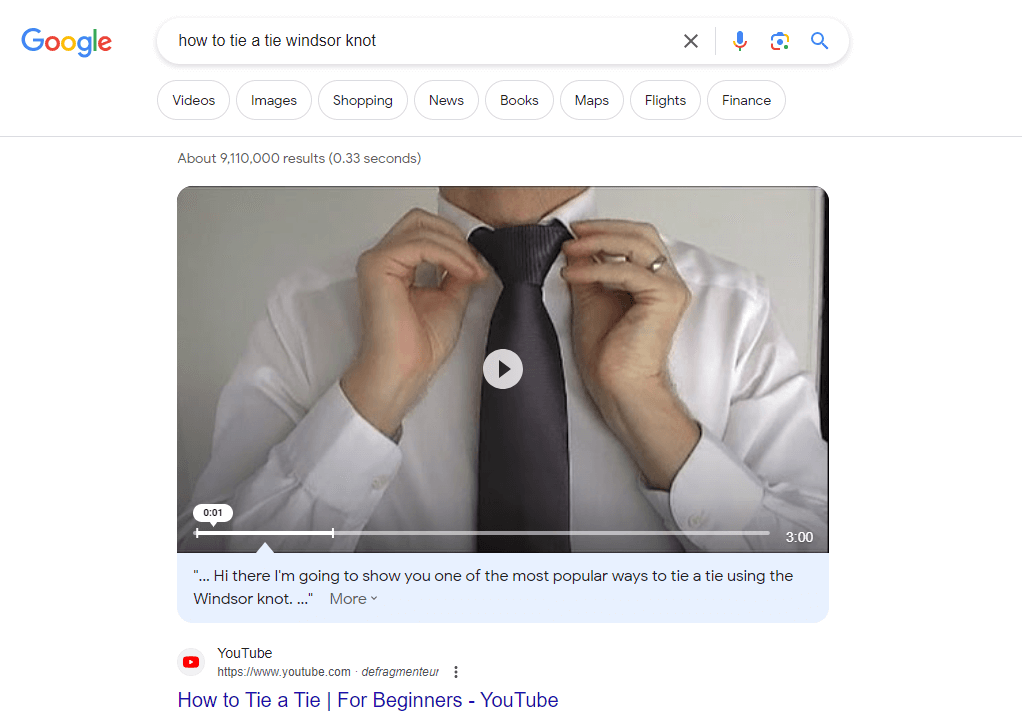
5. Create Videos
Although the percentage of video Google answer boxes is small, a video is sometimes just the right way to answer a question. For queries best explained with a video, Google will pull in a video result from YouTube.
For example, here’s what you get if you search “how to tie a Windsor knot:”
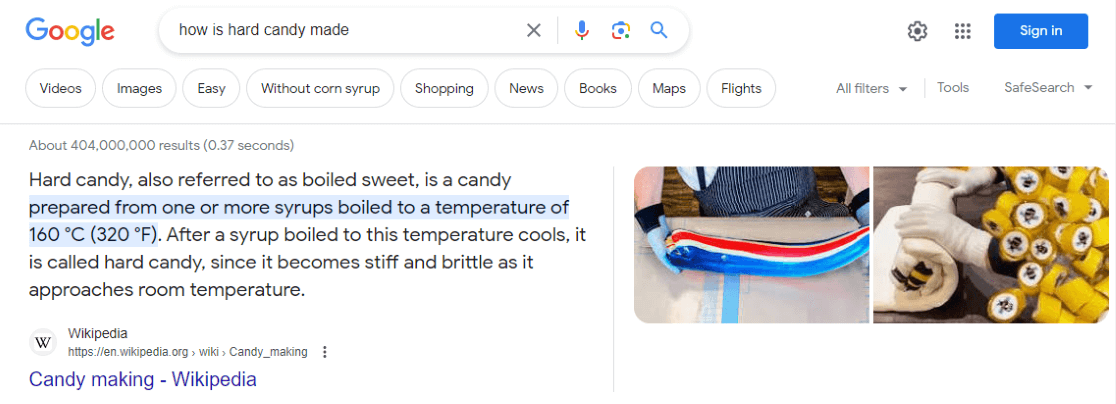
It’s also possible for videos to appear on the side among the pictures. In this example, both of the images on the right side are actually videos:
Now that you know the best ways to try to get a Google answer box, you can think about them any time you’re writing new content and lay it out so that Google might pull it into an answer box.
Finally
Google rewards websites that really assist people in finding information, and structured data is one of the most obvious methods to demonstrate this.
When used correctly, FAQ schema can help you appear in AI overviews and ‘People also ask’ sections, as well as score higher for informational, question-related searches.










Comments