
 By
By 
In today’s competitive online landscape, it’s not enough for your blog posts to rank on search engine results pages. You must aim for rich snippets to stand out and attract more clicks. These attention-grabbing pieces of information appear at the top of search results, providing users with instant, relevant answers to their queries. For any business, leveraging rich snippets can significantly enhance visibility, credibility, and click-through rates.
In this article, we’ll walk you through some easy steps to earn rich snippets from social media and effectively use them with your blog posts.
What is a Rich Snippet and Why It Matters
A rich snippet is a search result that goes beyond the standard “blue link” snippet. It can include star ratings, product pricing, author images, event dates, and more. Unlike normal snippets, rich snippets give users more context about your content at a glance, which makes your listing more visually appealing and trustworthy.For example, a recipe with a rich snippet can display cooking time, ingredients, and a photo directly in the SERP. A product page can show availability, price, and reviews without users even visiting the page.
While Google doesn’t consider rich results as a direct ranking factor, the increased engagement they drive can influence ranking indirectly over time.
Today, users want answers fast. When they type in a question, they want to see the correct answer right away. That’s where rich snippets shine. They give users the answer without needing to scroll or click through sites. A business or company wants to be in these featured snippets because users will be likelier to click on their website and learn more than go to another competitor.
6 Easy Steps to Target Rich Snippets
So, how do you out-compete your competitors and have your text featured? Follow these six steps.
1. Understand Your Audience
Before you start creating content, it’s crucial to understand your target audience. Research their pain points, frequently asked questions and interests. Knowing your audience’s intent will help you tailor your content to provide the most valuable and relevant information.
2. Keyword Research and Optimization
Conduct thorough keyword research to identify relevant terms and phrases your audience uses to search for information related to your industry. Incorporate these keywords naturally into your blog posts. Long-tail keywords often work best for rich snippets, so focus on specific, detailed queries.
3. Create Structured Content
Rich snippets often feature structured data, such as lists, tables, and step-by-step guides. Use clear headings, bullet points, and numbered lists to organize your content. Schema markup is essential for providing search engines with context about your content. Implement schema markup relevant to your blog post, such as How-to, FAQs, or Reviews, to increase the chances of your content being selected for a rich snippet.
4. Provide Clear and Concise Answers
Rich snippets usually display concise answers to users’ questions. Make sure your content directly addresses the query your audience is likely to ask. Craft clear and concise answers within your blog post, making it easy for search engines to extract relevant information. Don’t make your answer too long. The sweet spot to feature on Google is around 300 characters or 40 to 50 words. Also, don’t be afraid to use bullet points to keep your content short!
5. Enhance User Experience
Improve your website’s user experience by optimizing page speed, ensuring mobile responsiveness, and enhancing readability. Google ranks websites that offer a seamless experience higher to users. A positive user experience will positively impact your chances of securing a rich snippet.
6. Promote and Monitor
Once your blog post is live, promote it through email newsletters, social media, and any other marketing channels. Encourage user engagement and social shares, as these activities signal the quality and relevance of your content. Additionally, monitor your blog post’s performance using analytics tools. Keep an eye on the click-through rates, user behavior, and any changes in search rankings. Use this data to refine your strategies for future blog posts.
The Difference Between Snippets, Rich Results, and SERP Features
Snippet
- The standard search result shows the page title, URL, and a short description.
- It provides basic information to users but doesn’t visually stand out in search results.
Rich snippet / Rich result
- This is an enhanced listing that includes extra details like star ratings, images, prices, or FAQs.
- These added elements make your result more eye-catching and informative, encouraging more users to click through to your site.
SERP features
- These are special elements like carousels, knowledge panels, or “people also ask” boxes that provide additional context or related information directly in the search results.
- While not all can be controlled, structured data can influence some features and increase your page’s visibility.
- Understanding and optimising for these different result types helps your content attract attention, drive clicks, and improve overall search visibility.
Types of Rich Snippets You Can Implement
There are multiple types of rich results, each serving different purposes and suitable for different kinds of content:
Product Snippets
Display product price, availability, and user ratings. Perfect for e-commerce sites to provide instant info to potential buyers.
Review Snippets
Showcase star ratings and reviews for products, services, or even courses. These snippets build credibility and trust.
FAQ Snippets
Highlight questions and answers directly in the search results, improving the user experience and answering queries without extra clicks.
Event Snippets
Show details about concerts, workshops, or conferences, including dates, locations, and ticket availability.
Organisation Snippets
Provide company information like name, logo, contact details, and social profiles to enhance brand recognition.
Recipe Snippets
Display ingredients, cooking time, ratings, and calorie info for food content.
Each snippet type is implemented using structured data, and your choice depends on the type of content your page contains.
Best Practices for Optimising Rich Snippets
To maximise the effectiveness of rich snippets, follow these best practices:
- Include accurate pricing, stock status, and high-quality images for products. Each product page should focus on a single item to avoid confusing search engines and users, and detailed, precise information increases the chances of your snippet being displayed.
- Encourage genuine customer reviews and ensure they are regularly updated. Using aggregate ratings can provide a quick snapshot of overall satisfaction, building trust with potential buyers and improving click-through rates.
- Update your FAQs frequently to reflect the questions your audience is actually asking. Keep answers clear and directly relevant, providing helpful information that users can quickly consume without leaving the search results.
- Include only relevant events and ensure every detail, including date, location, and ticket information, is correct. Accurate event markup helps search engines display your listings prominently and ensures users can take immediate action.
- Provide complete and correct organisation information, including your logo, official social profiles, and contact details. This helps search engines verify your business and increases brand credibility in search results.
Consistency, accuracy, and clarity are key across all snippet types. Misleading or outdated information can reduce trust, harm user experience, and even lead to penalties from search engines.
How to Optimize Your Website for Rich Snippets: 4 Best Practices
1. Choose a Rich Snippet Type
Your first step is to identify the type of rich snippet you want to get. That way, you can use structured markup that’s specifically designed to get that type of rich snippet in the SERPs.
There are dozens of rich snippet types out there. But a good chunk of them (like flight info and books) only apply to a very specific type of site.
That’s why we’re going to focus on the eight most common types of rich snippets.
- Reviews
Displays a star rating (out of 5). It can be an individual reviewer or aggregate reviews from users.

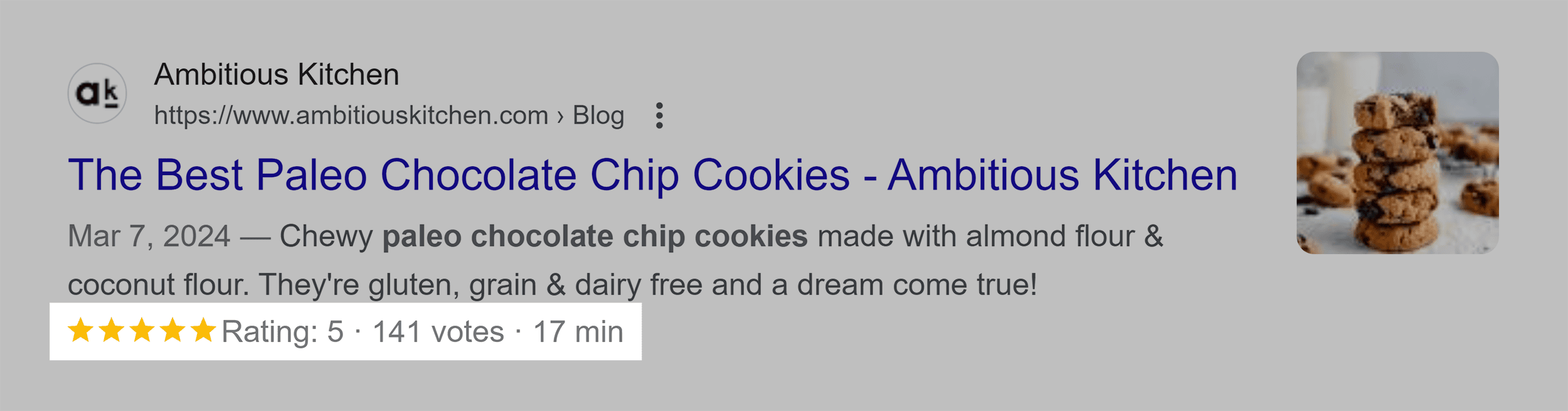
- Recipe
A special type of structured data that only applies to recipes. Recipe markup includes data like time to prepare the dish, reviews, and recipe images.
- Music-Related
Includes schema types like MusicAlbum, MusicRecording, MusicEvent, and MusicGroup.
Provides Google with additional information about music content, such as album release dates, track lists, and artist details.

- Product
Gives search engines information about a specific product (including price and product images).

- Organization
Helps Google understand key information on an organization (like a business), including address, logo, and other extra information.

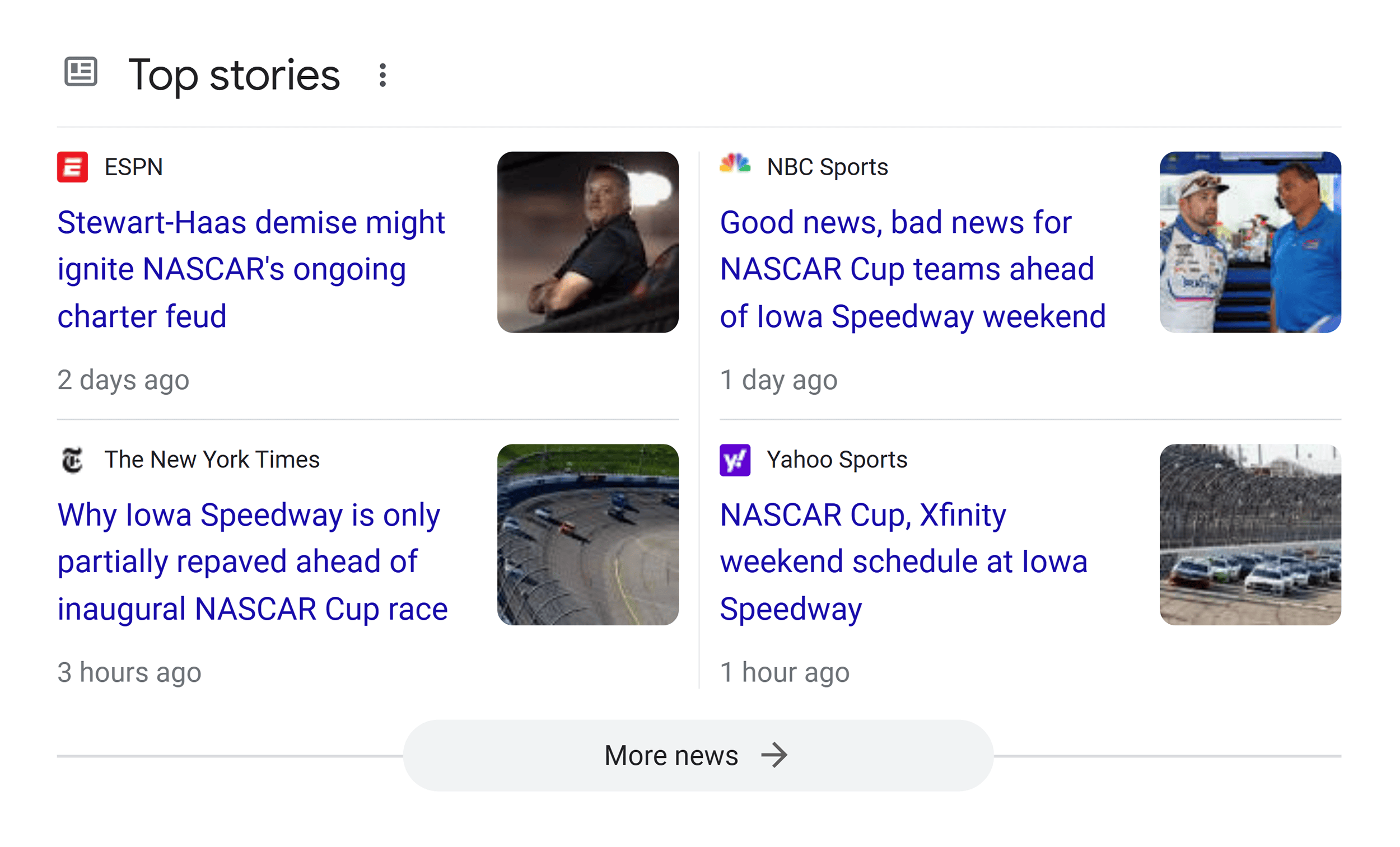
- NewsArticle and BlogPosting
Helps news articles and blog posts appear in the “Top Stories” carousel in the search results, which requires adherence to Google News content policies.
- VideoObject
Search engines can’t “watch” videos on your page. So, video markup helps search engines understand what your video content is all about.

- Event
Includes information on dates, times, location, and more.

So, once you’ve picked a rich snippet type that makes sense for your content, it’s time to make it happen.
2. Understand the Basics of Structured Data
Structured data helps search engines better understand your content.
Read Also: The Role of Social Profile in Local SEO
For example, let’s say you just published a blog post that featured a chili recipe:
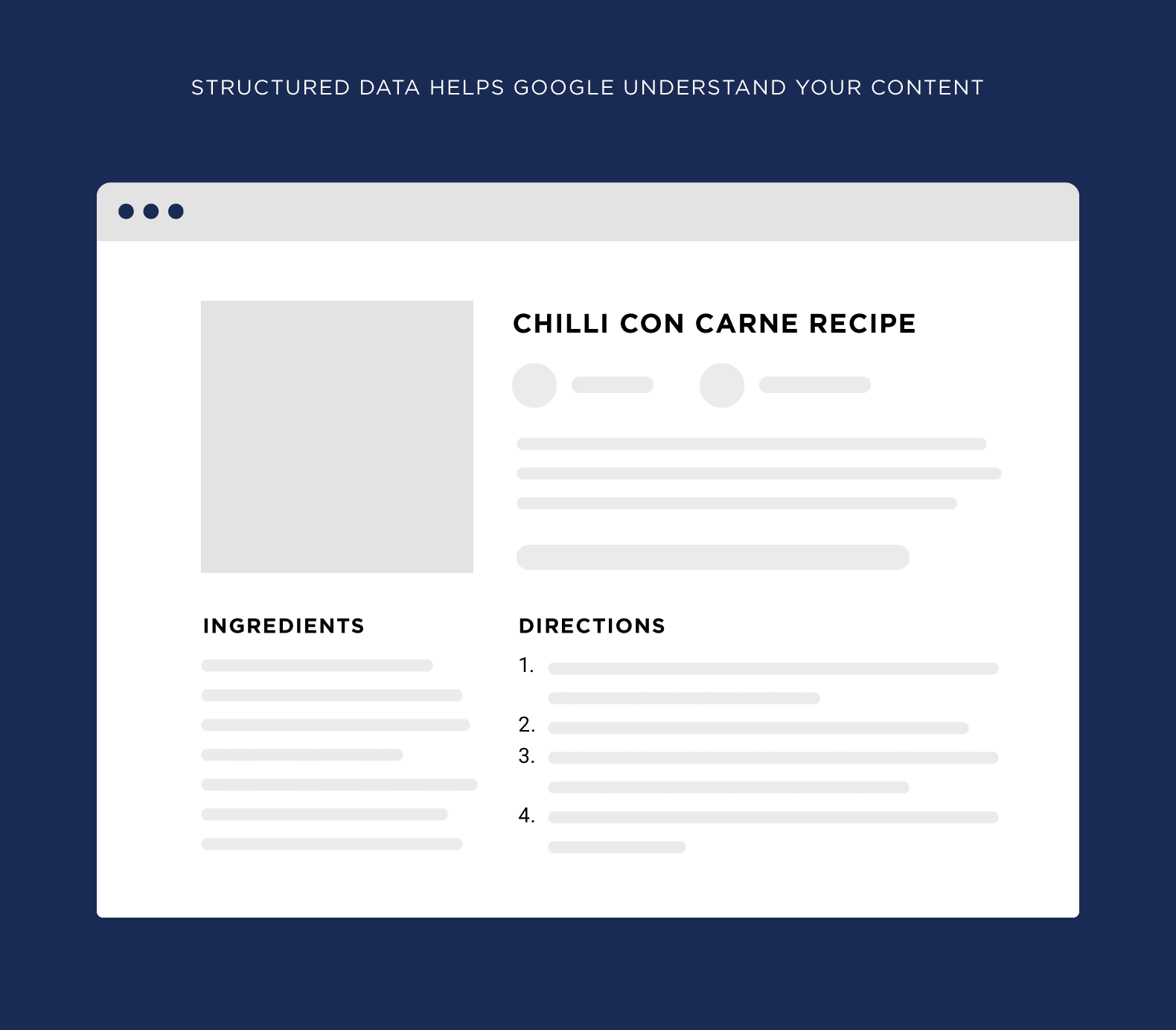
Without structured data, Google and other search engines have a hard time understanding:
- How long the recipe takes
- Which images are of the recipe itself
- The list of ingredients
- Steps
Enter: structured data.
When you add Recipe markup to your page, you tell search engines:
- “The recipe takes 45 minutes”
- “This is the list of ingredients”
- “Here’s a picture of the dish”
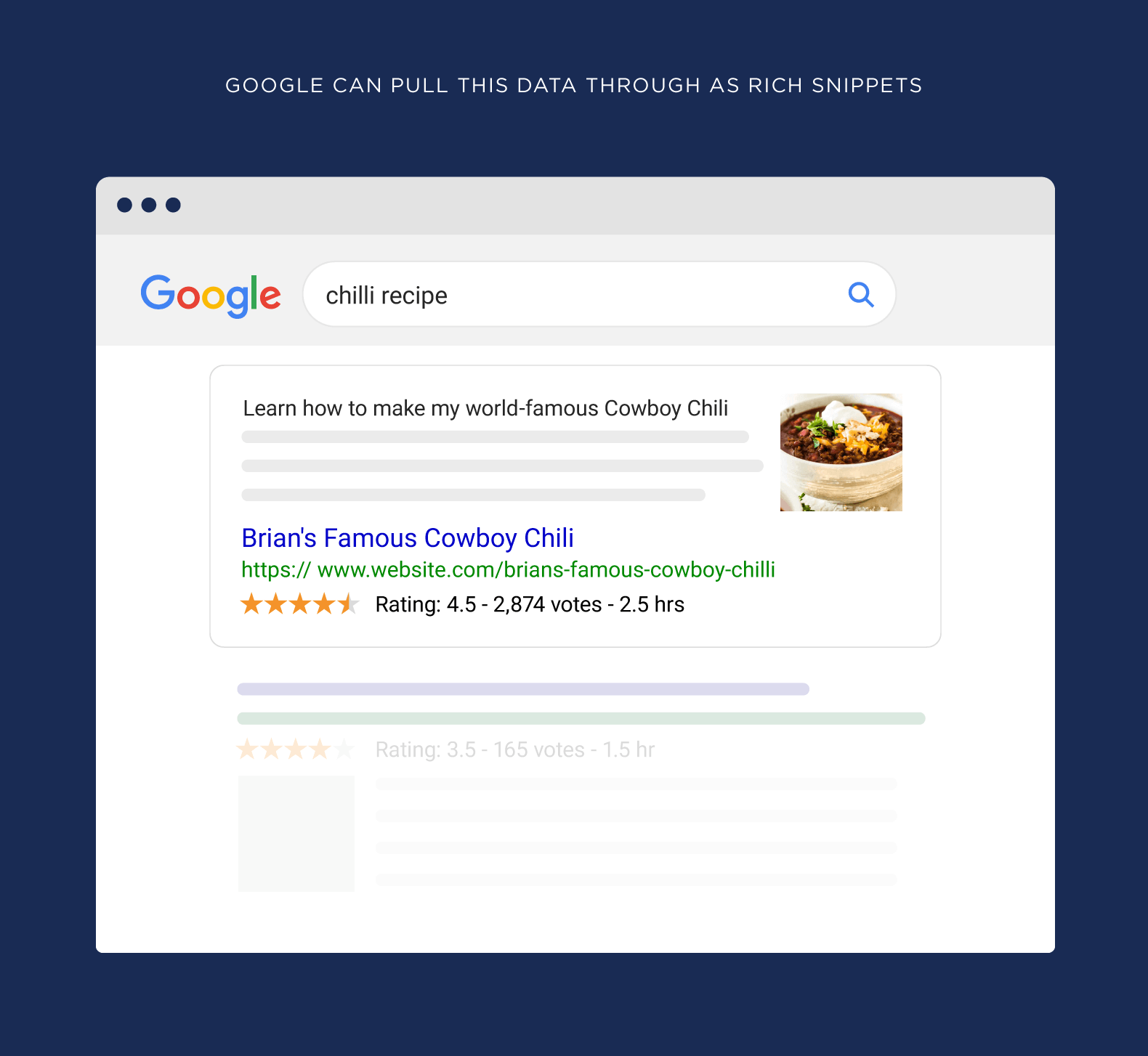
And if you play your cards right, Google will show this data in the search results as a rich snippet:
Pretty cool.
3. Implement Structured Data with Schema
When it comes to structured data, most websites use Schema.org markup.

That’s because Schema is supported by all the major search engines (including Bing). And as you’ll see in a minute, it’s pretty darn easy to set up.
All you need to do is find the type of markup that you want to use on Schema.org.

And markup your content using the guidelines on that page.

Google also has solid documentation on structured data.

In my opinion, Google’s stuff is a lot easier to understand for people who aren’t pro developers.
How you actually add structured data code to your website is completely up to you.
If you use WordPress, there are plenty of plugins to choose from:
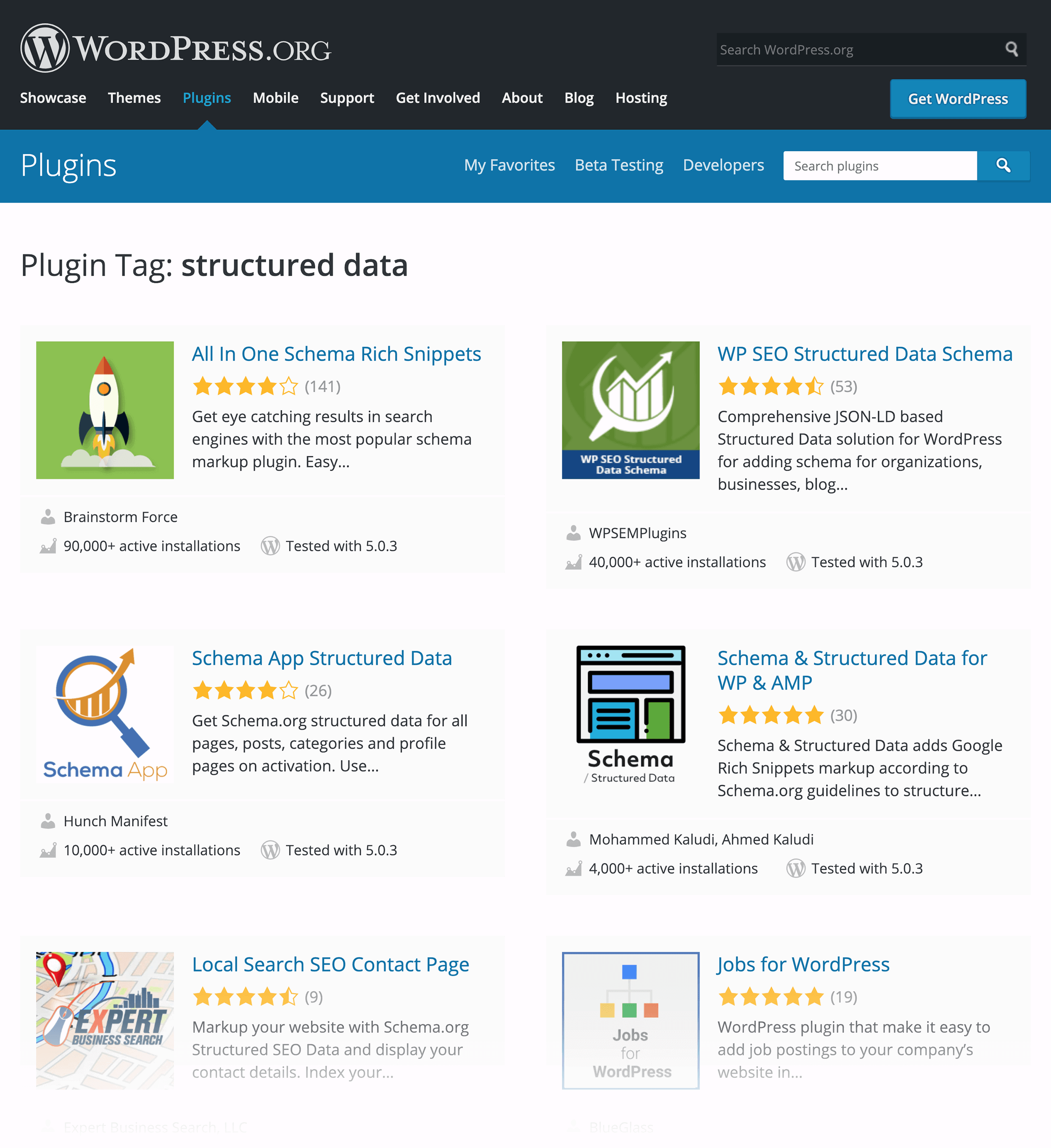
And if you want to add your structured data markup without the help of a plugin, you can use Microdata or RDFa. But I highly recommend using JSON-LD.
That’s because JSON-LD is the easiest way to add structured markup to your page in most cases. And Google agrees:

Without JSON-LD, you need to manually add structured data to the HTML of your page:
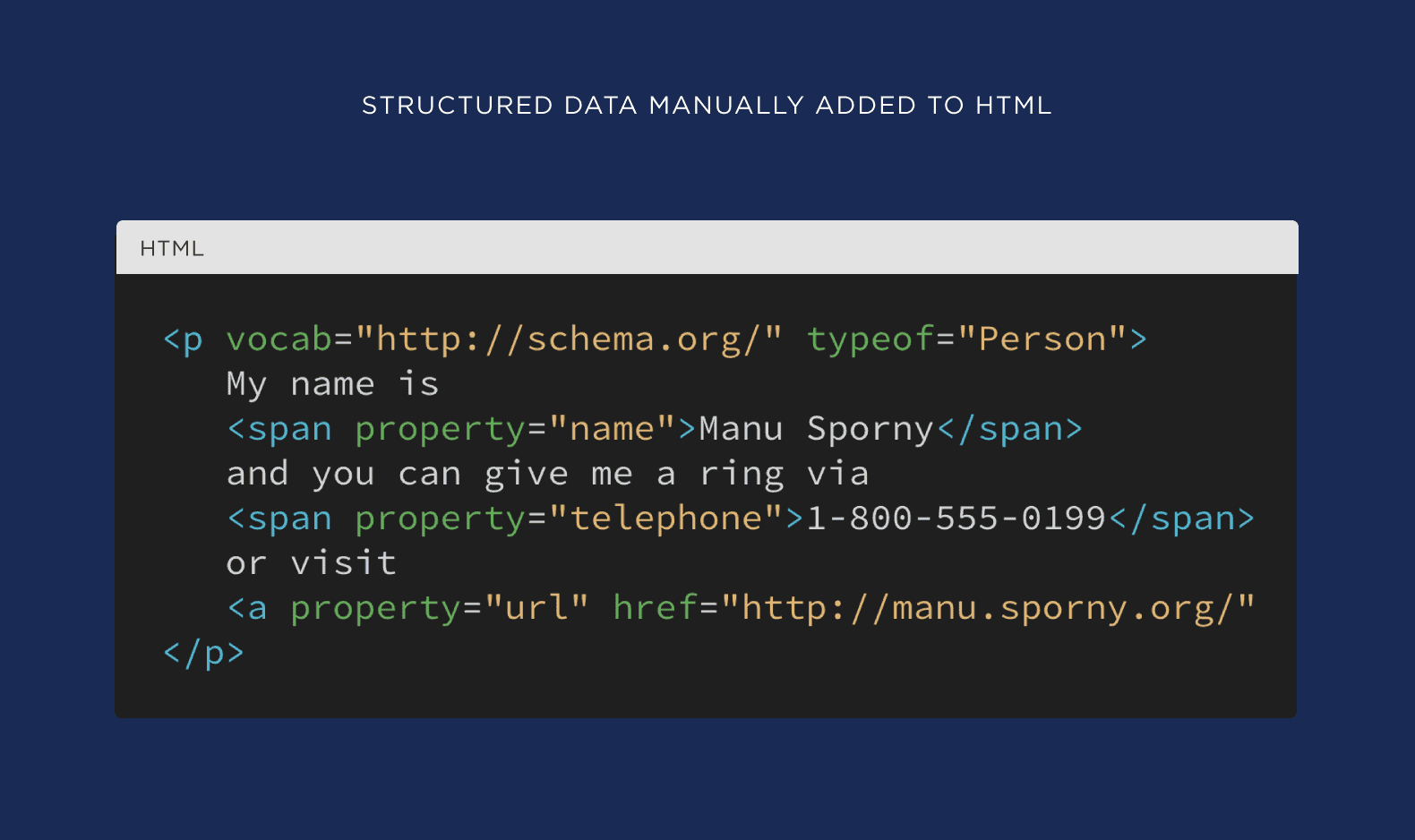
This is a huge pain. Plus, adding new code to your existing HTML increases the odds that something will go wrong.
But with JSON-LD, all of your structured data is packed into a little piece of JavaScript code that goes into thesection of your webpage:
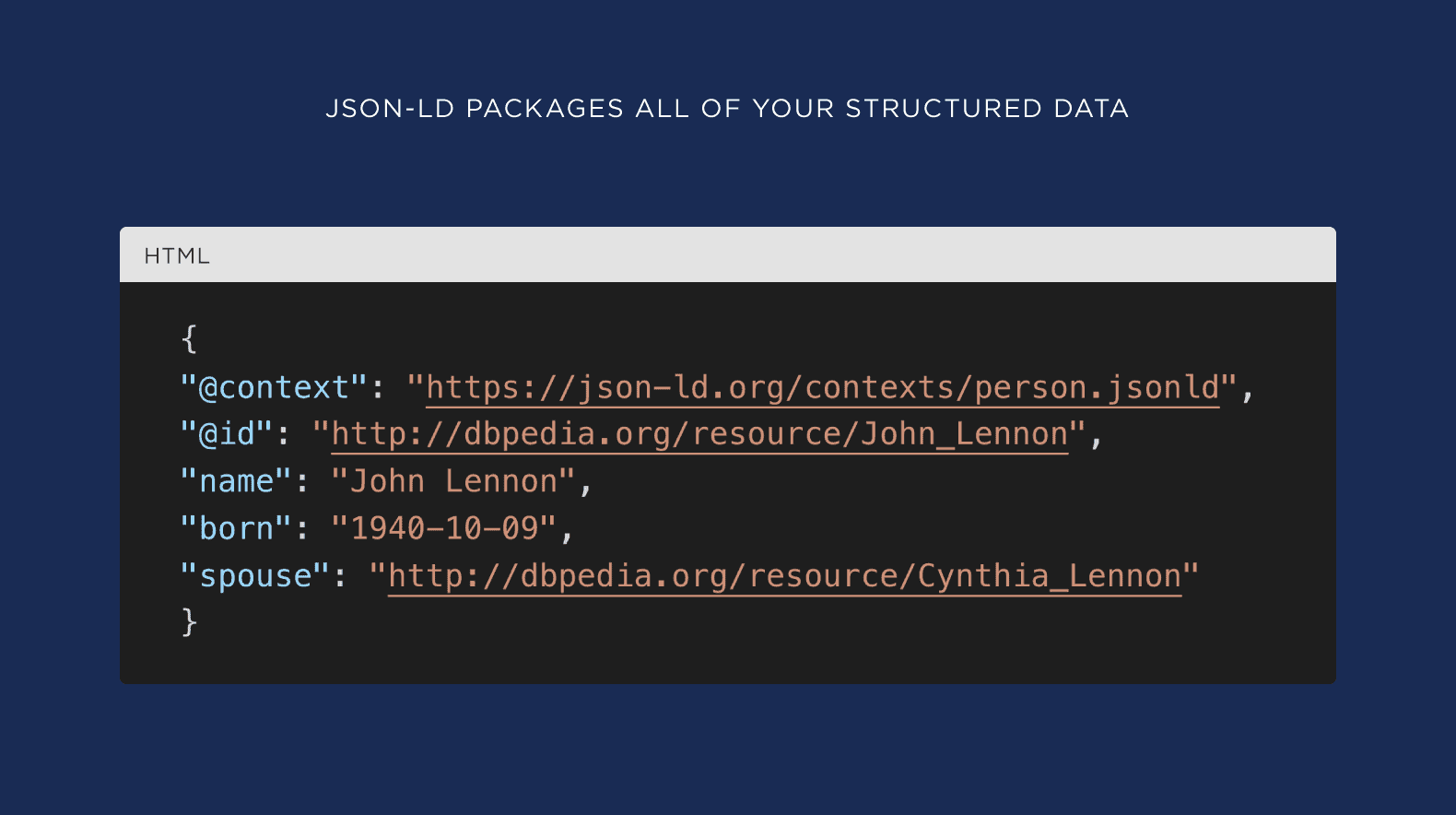
4. Verify with the Rich Results Test Tool
Your last step is to make sure your structured data is set up correctly.
Fortunately, Google launched an AWESOME tool that makes this step an absolute cinch: the Rich Results Test.

To use it, either pop in a live page URL from your site:

Or copy and paste the HTML:

And hit “Test Code”.
Google will then show you any structured data that it finds on your page.

And if the tool finds anything funky, they’ll let you know:

One thing I should point out:
There’s no guarantee that structured data will result in a rich snippet. Even if you have everything set up here PERFECTLY.
In fact, Google makes this super clear in their documentation:

In other words:
Using structured data correctly maximizes the odds of getting rich snippets. But it doesn’t always work.








Comments