
 By
By 
In order to increase visibility on Facebook and external search engines like Google, optimizing Facebook posts for search engines entails using descriptive hashtags, naturally inserting pertinent keywords into captions, and producing high-quality, interesting material. Adding unique alt text to photos, geotagging locations, sticking to a regular posting schedule, and including links to other websites are important tactics.
Key Tactics for Optimizing Facebook Posts
- Keyword-Rich Captions: Integrate target keywords and phrases naturally into post descriptions rather than keyword stuffing.
- Use Descriptive Hashtags: Use relevant, specific hashtags to help users discover your content in searches.
- Optimize Visuals (Alt Text): Add custom, descriptive alt text to images and videos, as search engines cannot “see” images but can read the text describing them.
- Geotagging: Add location tags to posts, which is essential for local SEO and helps you appear in geographically relevant searches.
- Encourage Engagement: Ask open-ended questions to foster comments and shares, as high engagement signals quality content to search algorithms.
- Link Strategically: Include direct links to your website or blog in posts, but ensure the accompanying text is descriptive and relevant.
- Consistency: Maintain a regular posting schedule to keep your page active and relevant in the eyes of search algorithms.
Optimizing the Broader Facebook Page
- Keyword in Page Name/URL: Ensure the Page name and vanity URL reflect the brand and include key search terms.
- Optimize “About” Section: Treat the “About” section as a mini-landing page, filling it with relevant keywords, contact information, and a clear description.
- Leverage Reviews: Actively encourage and respond to reviews, as they provide social proof and improve, and add to the, searchability of your page.
In our digital age, Facebook SEO is incredibly important. With over 2.41 billion monthly active users, Facebook is a powerful platform for businesses to connect with their audience. The competition on social media is growing, with more businesses using these platforms as key marketing tools.
To stand out, optimizing your Facebook page for SEO is essential. Use relevant keywords, complete your profile, and create high-quality content to improve your visibility and reach your target audience effectively.
Facebook SEO also affects your overall search engine rankings. A well-optimized Facebook page can appear in Google search results, driving more traffic to your page and website. This cross-platform visibility strengthens your brand’s online presence and can lead to higher rankings on Google SERPs.
For local businesses, Facebook SEO is especially beneficial. By updating your Facebook page with your business address and local information, you can improve your visibility in local search results. Google indexes Facebook pages as part of its local SEO, making it easier for local customers to find you.
Engagement on Facebook, like likes, comments, and shares, is important for both the platform’s algorithm and broader SEO metrics.
High engagement rates show that your content is valuable and relevant, which can lead to higher rankings and more visibility. This creates a positive cycle where increased engagement drives more visibility, and more visibility drives higher engagement.
With most users accessing social media via mobile devices and the rise of voice search, optimizing your Facebook content for these trends is essential. Ensure your content is mobile-friendly and tailored for voice queries to stay ahead in the digital landscape.
Optimizing your Facebook presence now can drive real results for your business.
Mastering Facebook Page Optimization
Choosing the Perfect Page Name
Your Facebook page name is more than just an identifier; it’s a key SEO element. Choose a unique, descriptive name that includes relevant keywords. For example, “John Smith Plumbing – Los Angeles Plumber” helps people find you easily. Remember, you can only change your page name once, so choose wisely. Ensure it doesn’t conflict with other brands and accurately describes your services.
Optimizing Your Page URL
Facebook’s default URL is often a random string of characters, which isn’t memorable or SEO-friendly. Create a custom username, like “facebook.com/yourcompanyname,” to make your page easier to find and improve branding and searchability.
Enhancing Your About Section
The About section of your Facebook page is essential for SEO. Provide a clear, concise description of your business using relevant keywords naturally. This section is one of the first things users see, so make it informative and keyword-rich. Include how your page benefits customers and place keywords in the description, headline, and photo captions. Avoid keyword stuffing; use keywords where they fit naturally.
Regular Updates and Information Accuracy
Keep your Facebook page updated with fresh, relevant content for better user engagement and SEO. Regularly post high-quality, keyword-rich content to help Facebook’s algorithms understand your page and improve its visibility in search results. Ensure all details, like business hours and contact information, are accurate and up-to-date. Regular updates reflect your credibility and relevance, leading to higher engagement and better search rankings.
Content Strategies for 2026
Crafting Share-Worthy Posts
Creating share-worthy posts is key to a successful Facebook SEO strategy. Understand what resonates with your audience to make your content highly shareable:
- Know Your Audience: Tailor your content to address their needs and interests. This makes your content more relatable and engaging.
- Use Eye-Catching Visuals: Incorporate high-quality images, graphics, and videos to capture attention. Ensure visuals are relevant and appealing.
- Craft Compelling Headlines: Make your headlines attention-grabbing and concise. Use powerful words and emotions to encourage sharing.
- Tell a Story: Use storytelling to convey your message. Share personal stories or customer success stories to make your content memorable.
- Evoke Emotion: Create emotional content, whether it’s humor, inspiration, or another emotion, to trigger strong responses and shares.
Keyword Optimization in Posts
Optimizing your Facebook posts with keywords improves visibility on both Facebook and search engines:
- Natural Integration: Use relevant keywords naturally within your post content. Avoid keyword stuffing.
- Meta Descriptions and Captions: Include target keywords in meta descriptions and captions when posting links, images, or videos.
- Consistency: Consistently use your brand’s keywords across all posts to reinforce your brand identity and enhance SEO.
Local SEO and Geographic Targeting
For local SEO and geographic targeting can boost your visibility and engagement on Facebook:
- Geo-Targeting: Use Facebook’s geo-targeting to reach specific locations, from countries to zip codes, making your content more relevant.
- Local Content: Create locally relevant content with localized language, references, and imagery to connect with your local audience.
- Accurate Information: Ensure your Facebook page has accurate local information like your address, phone number, and hours of operation.
Implementing these strategies helps you create engaging, share-worthy content optimized for Facebook’s algorithm and search engines.
Building Your Facebook SEO Toolbox
Utilizing AI for SEO
Incorporating AI tools into your Facebook SEO strategy can enhance your optimization efforts:
- Content Optimization: Tools like Surfer SEO, ContentShake AI, and Clearscope analyze and optimize your content for better SEO performance.
- Keyword Research and Analysis: AI tools such as Semrush Copilot and SERP Gap Analyzer help identify high-ranking keywords and analyze competitors.
- Content Generation and Auditing: AI can automate content generation, auditing, and plagiarism checking with tools like Surfer SEO and Copy.ai.
- Data Analysis and Brainstorming: AI chatbots like ChatGPT aid in brainstorming ideas and optimizing content for target keywords.
Leveraging these AI tools makes your SEO efforts more efficient and effective.
Engagement as a Ranking Signal
Engagement is important for Facebook’s algorithm and your overall SEO strategy:
- Meaningful Interactions: Facebook values active signals like comments, shares, and reactions, indicating valuable content.
- User Behavior: The algorithm prioritizes posts likely to engage users, so create content that inspires emotions and encourages shares.
- Timing and Recency: Post at times when your audience is most active to increase visibility and engagement.
Focusing on meaningful interactions improves your page’s visibility and positively impacts your SEO efforts.
Backlink Strategy for Facebook
Building backlinks from Facebook can enhance your website’s search engine ranking and brand exposure:
- Profile and Page Links: Include your website links in your personal profile and business page’s “About” section.
- Content Sharing: Share your website or blog content on your Facebook timeline or business page to drive traffic and create backlinks.
- Photo Captions and Comments: Use captions and comments to add backlinks, especially in groups with larger audiences.
- Facebook Ads and Influencer Collaborations: Use targeted ads and collaborate with influencers to drive traffic and gain valuable backlinks.
Implementing these backlink strategies leverages Facebook to improve your website’s SEO and online presence.
15 Ways to Boost Your Facebook Visibility
The steps you take to increase the organic (unpaid) visibility of your Facebook Business Page and its postings in Facebook and search engines are referred to as Facebook SEO (search engine optimization).
In particular, you can show up in the News Feed and search results on Facebook.
Reaching a wider audience and increasing traffic to your Facebook page, posts, and possibly your website—where you may turn them into customers—are two benefits of Facebook SEO.
Additionally, social signals like Facebook “likes” might indirectly improve the search engine optimization of your website.
Social signals complement Google’s emphasis on experience, expertise, authoritativeness, and trustworthiness (E-E-A-T), even though they are not ranking considerations. It could affect how people see your power in general.
Follow these tips to improve SEO for your page and its posts.
1. Allow Search Engines to Rank Your Page
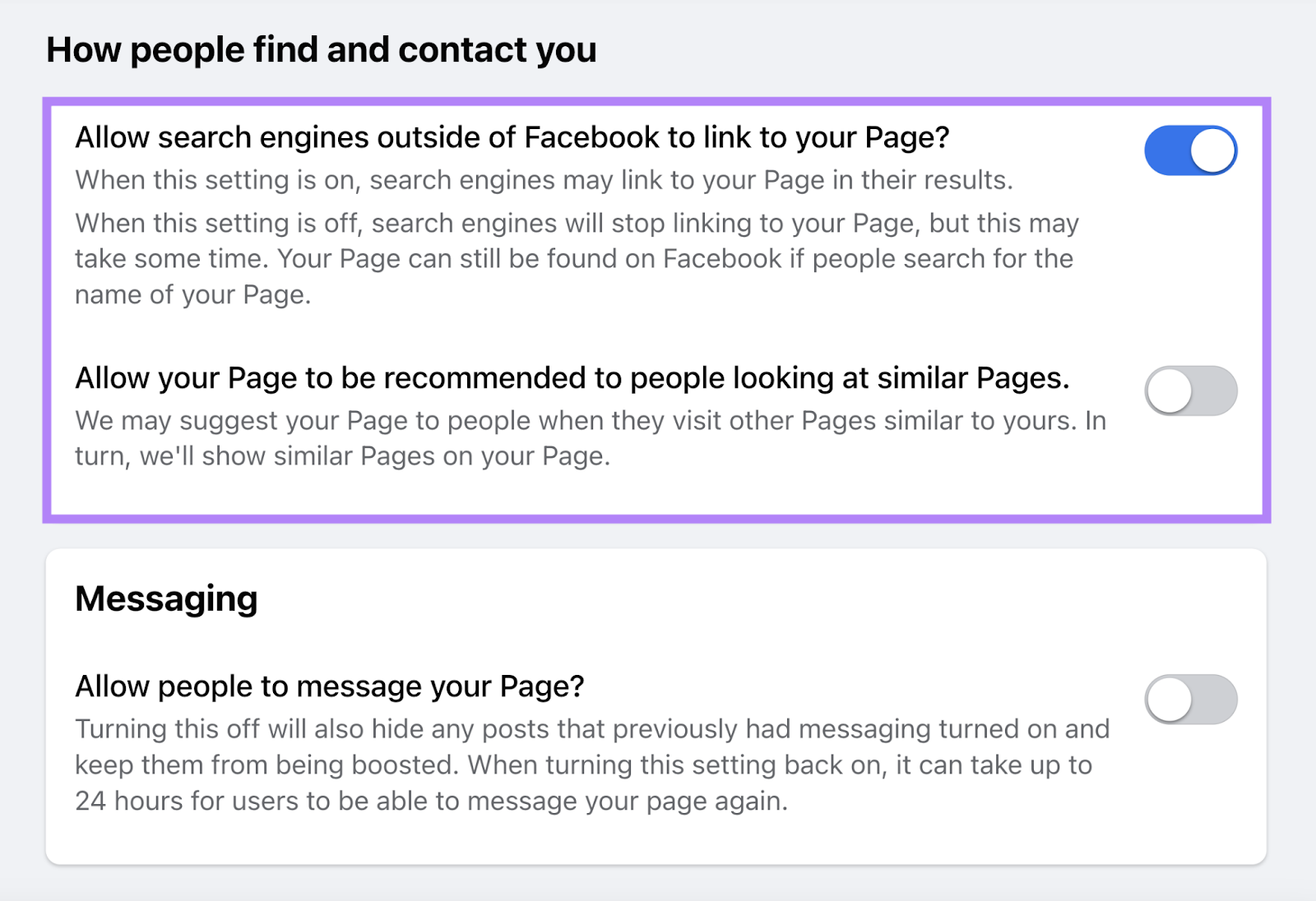
Allowing search engines like Google to display your page in search results helps you appear outside of Facebook. This setting is enabled by default. But it’s worth double-checking that it’s enabled. Otherwise, your page won’t show up in Google.
Head into your page’s settings and click “How people find and contact you.” And make sure the first option is enabled.
2. Name Your Page Wisely
Your Facebook page’s name is what users will see when they find you in search results, so you want to include keywords that are relevant to your business.
For example, if someone searches “flower shop nyc,” they might see Armando Ramirez’s shop as the first result. This business also has “NYC Flower Shop” in the page name. To help them rank for that term and to help searchers understand what this business does as well as where they’re located.
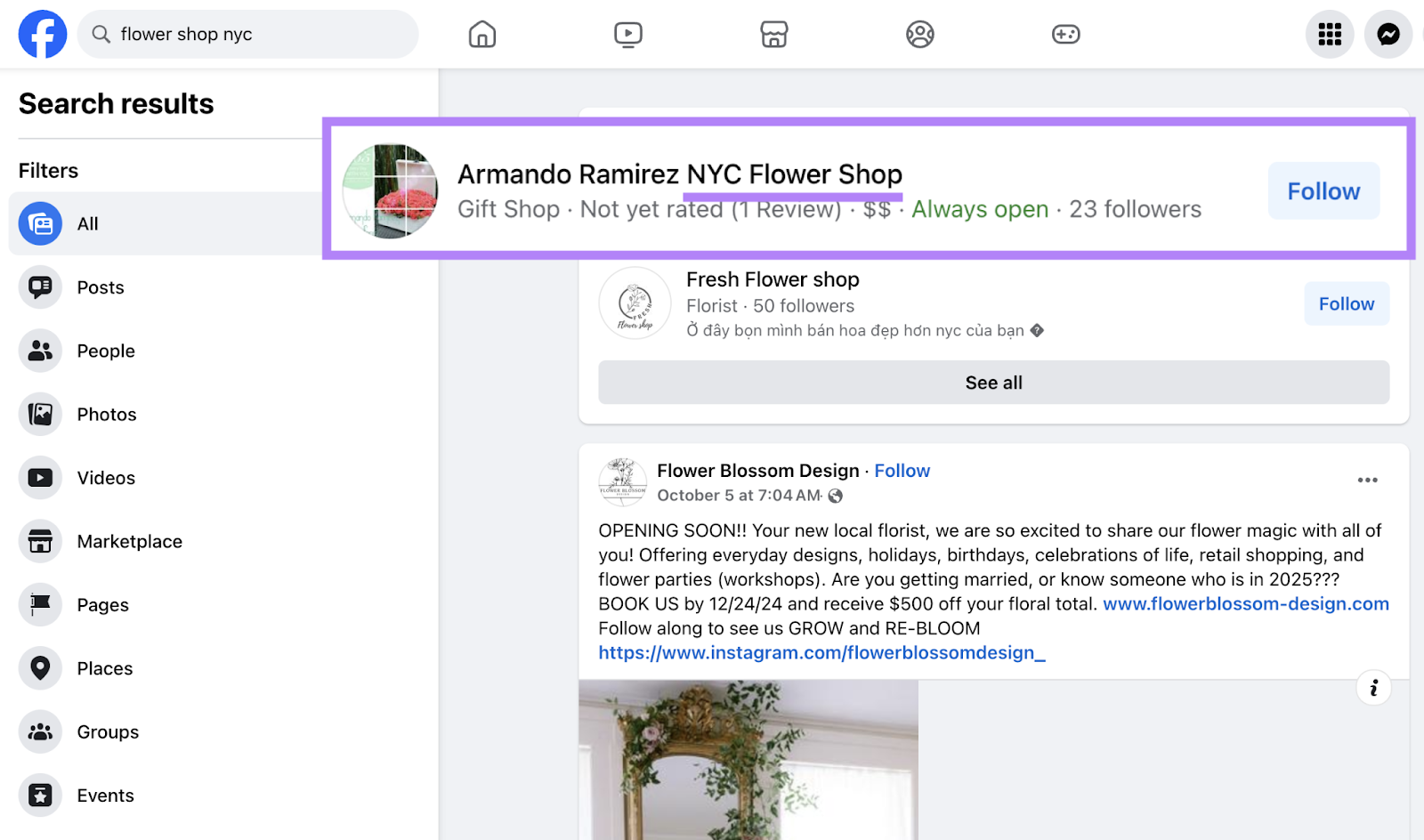
So, add a keyword to your page name (if possible) to give searchers more context.
Just don’t keyword stuff (unnaturally force keywords into text). Something like “Armando Ramirez NYC Flower Shop/Gift Baskets/Anniversary Gift/Wedding Flowers” contains too many keywords. And feels spammy.
Read Also: How Social Signals Influence Google Rankings
Follow these steps to change your Facebook page’s name and follow Facebook’s page name guidelines when choosing a name. Those recommendations include avoiding symbols or slogans in page names.
3. Optimize Your Bio
Your bio can also help you rank in Facebook’s search results. By including keywords related to your business that users are likely to search for.
For example, After-Words Bookstore might rank for the query “bookstore chicago” for some searchers despite not having “Chicago” in their page’s name. But that term does appear (though not exactly) in their bio.
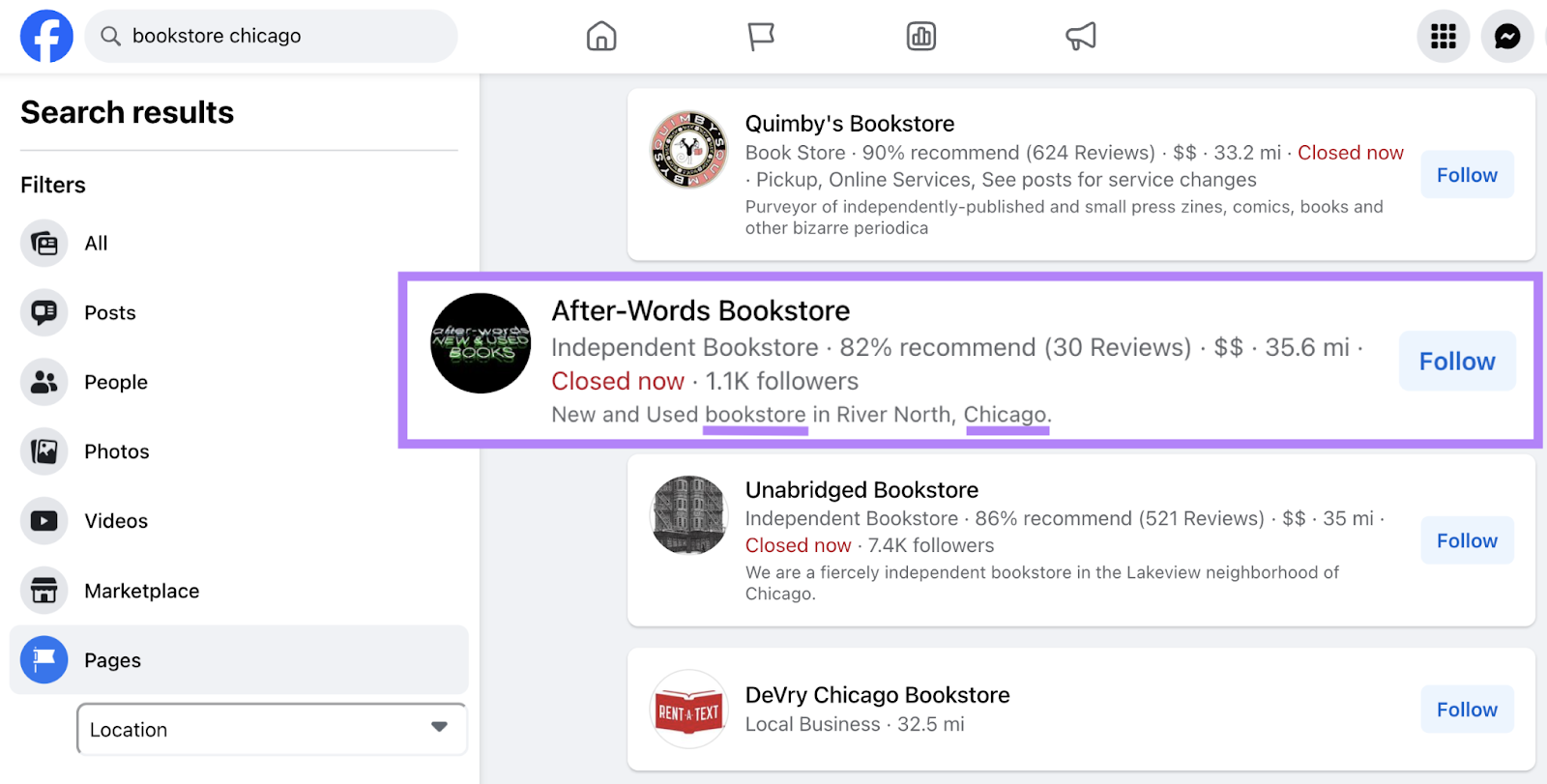
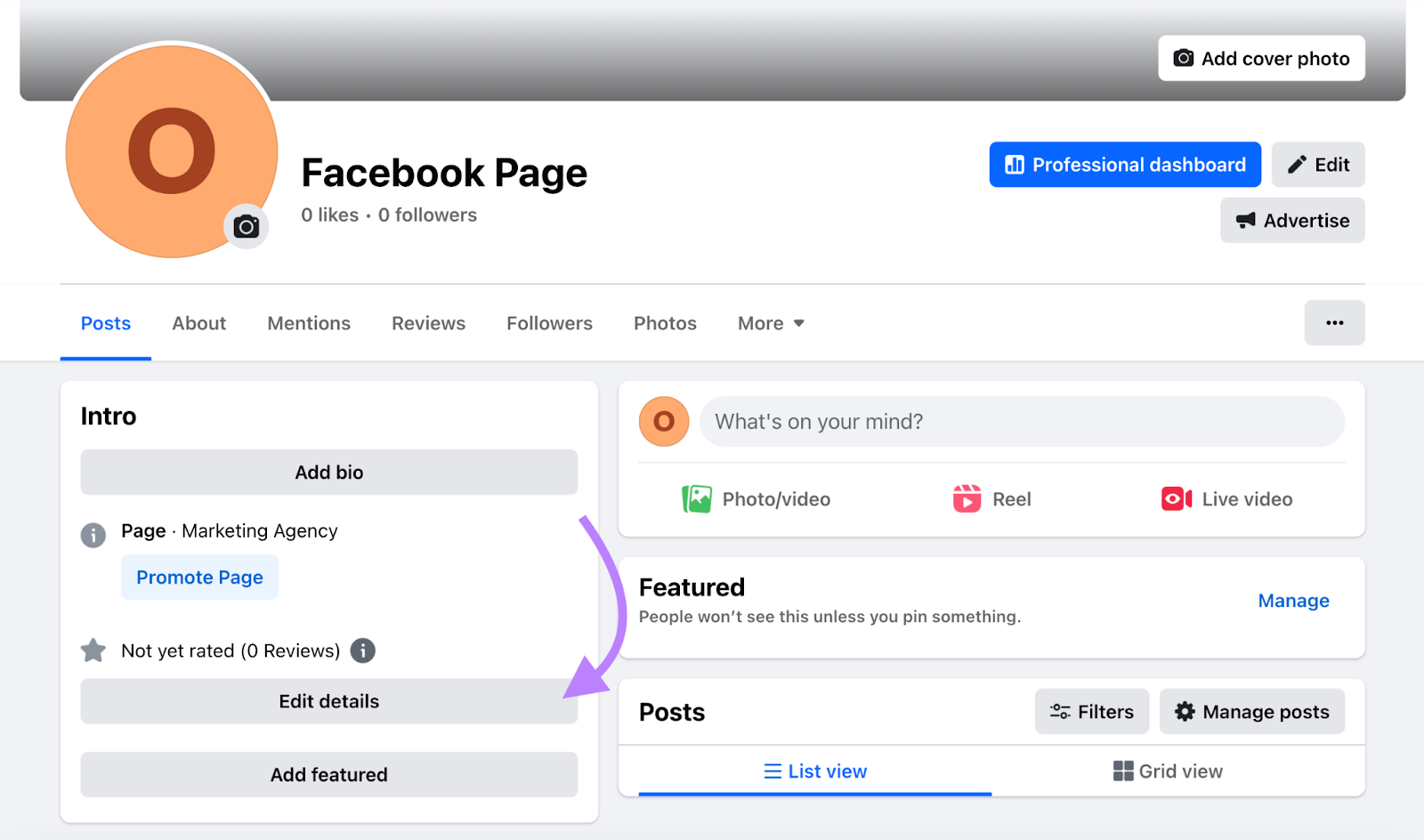
Edit your bio under your Page’s Intro by clicking “Add bio.”
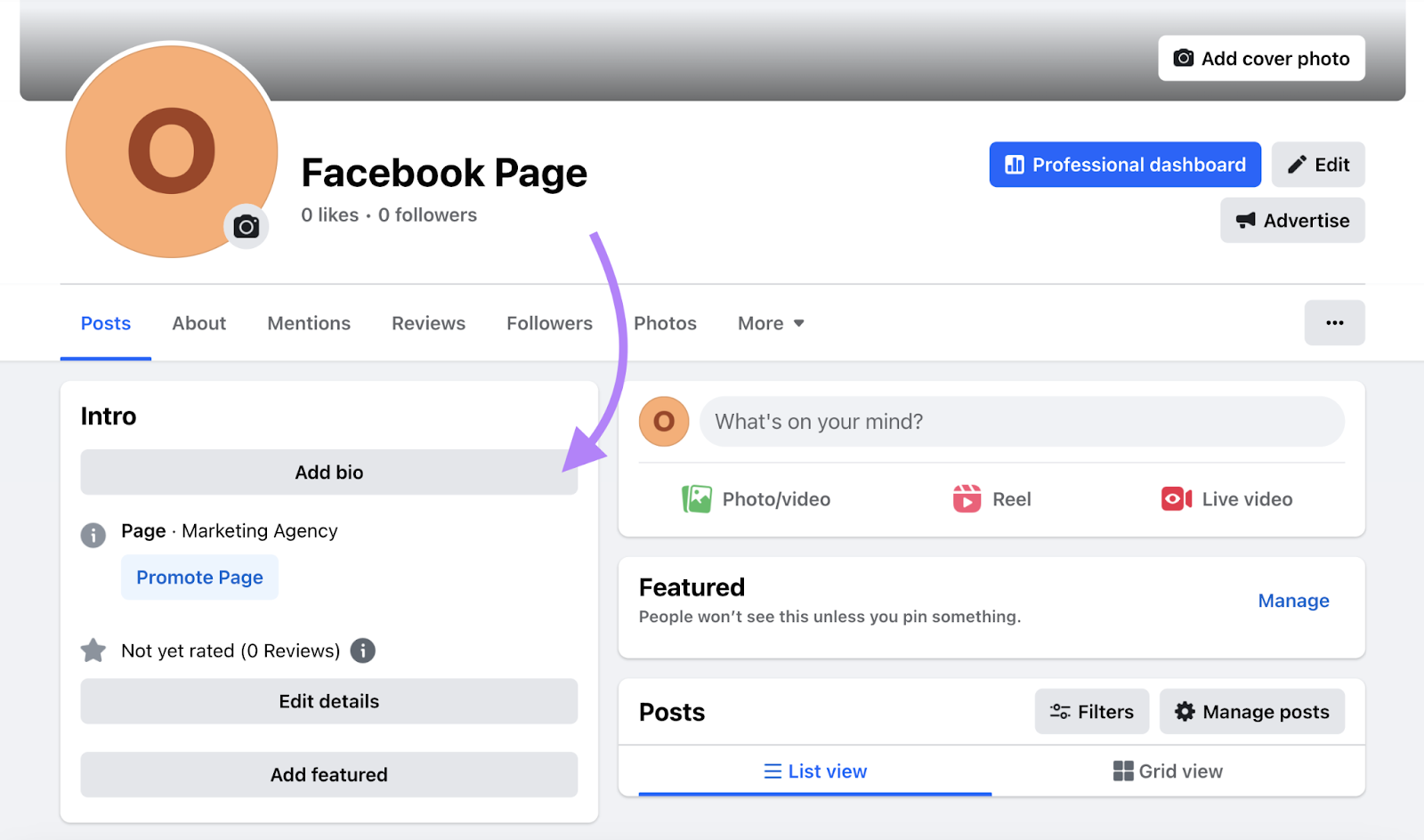
You typically have 101 characters for your bio, but some pages may allow up to 255 characters. So, make the most of it by using the right keywords.
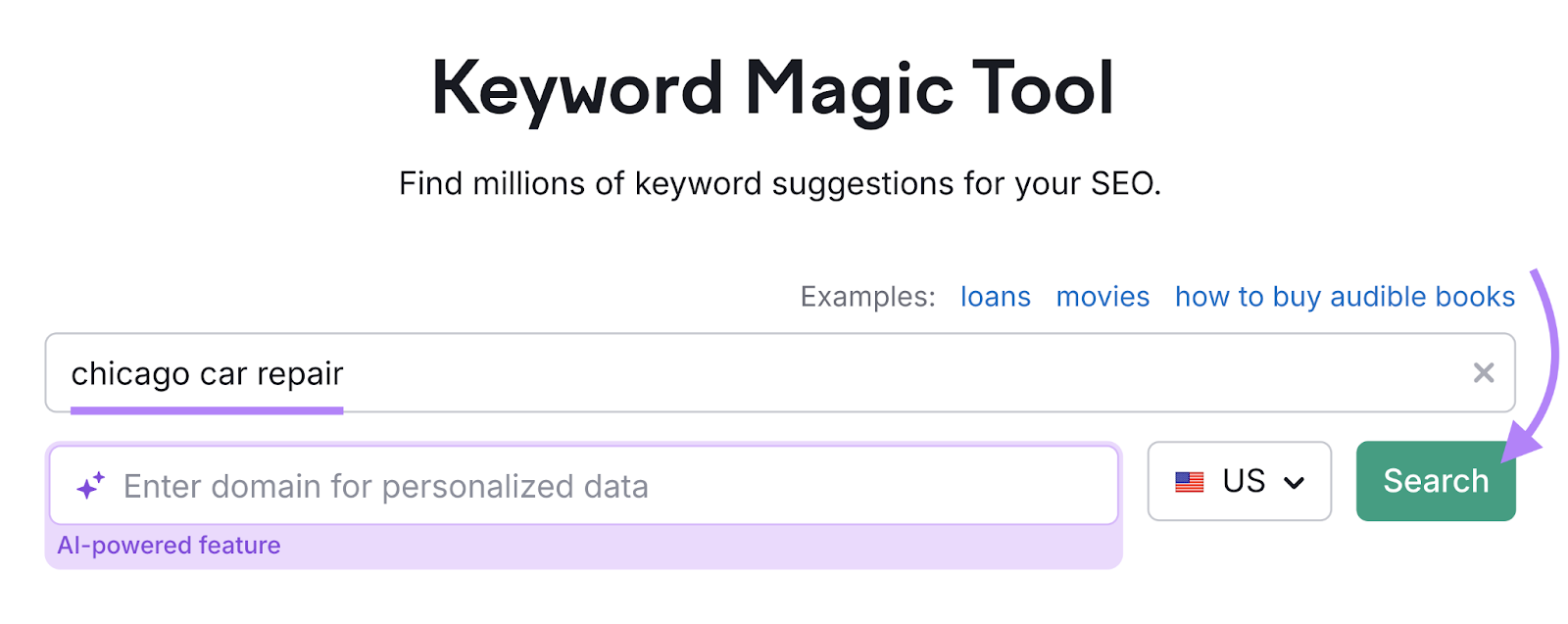
You can find keywords to incorporate into your bio with Semrush’s Keyword Magic Tool.
Open the tool, enter a broad keyword related to your business, adjust the country (optional), and click “Search.”
Go through the resulting list of keywords and pick ones that are especially relevant to you.
For our “car repair chicago” example, we might pick “car repair shops in chicago.”
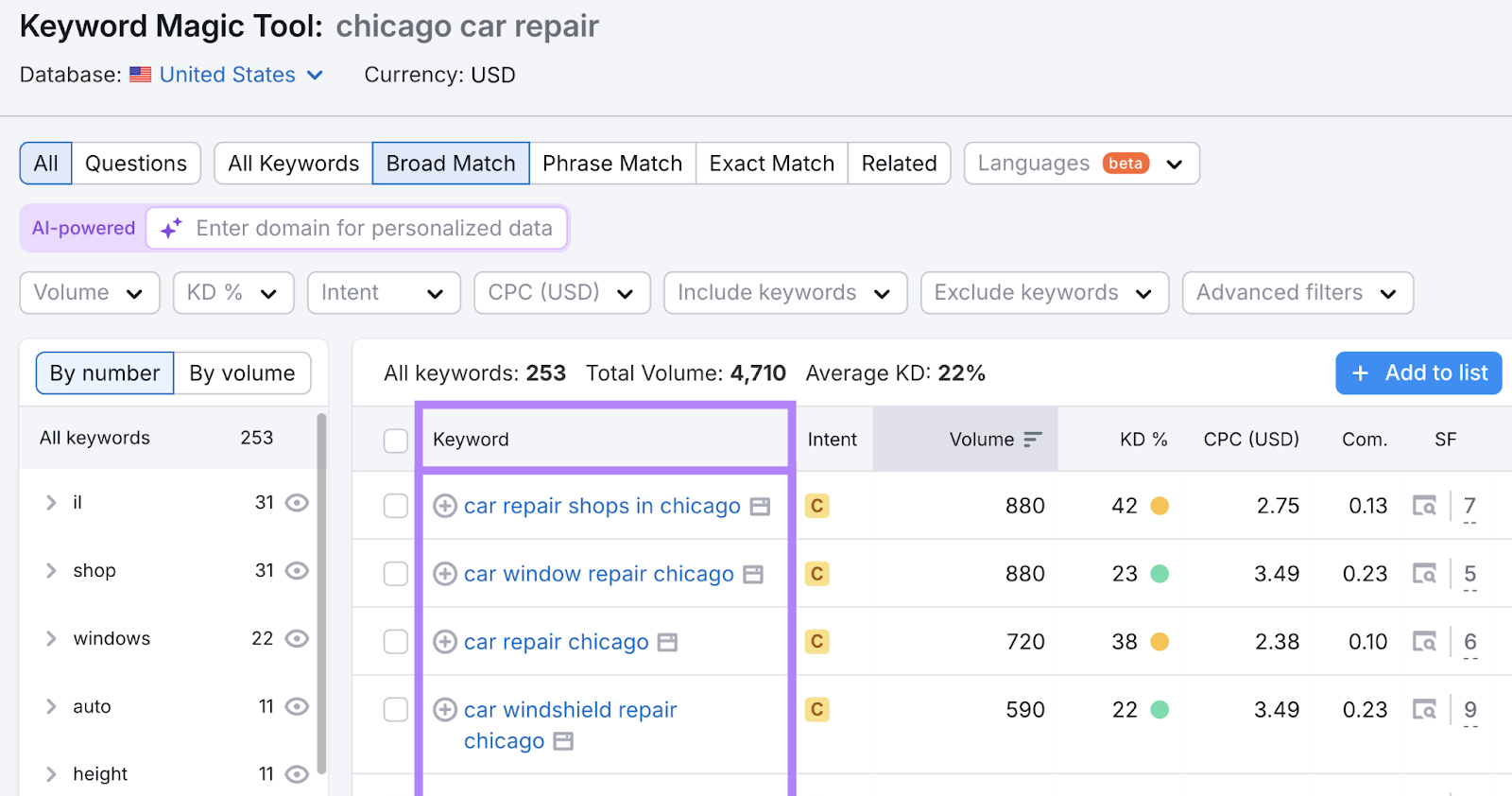
Then, craft your bio using each keyword—or fragments from each keyword. Like this:
“ABC is one of the best car repair shops in Chicago, Illinois. We repair car windshields, A/C, and more.”
4. Optimize Your Business Page Details
Having consistent business details (hours, location, website, etc.) can improve your visibility for local search results because Google cross-references information across the web to verify trustworthiness.
So, make sure your Facebook Business Page’s details also match the details in other online directories.
Add as many relevant details as you can, including your:
- Hours
- Address (if you have one)
- Service area (if you have one)
- Phone number
- Website
- Other social media links
- Language
- Services you provide
- Price range
- Categories (you can choose up to three categories, which can help your page appear in relevant search results)
Add details by clicking the “Edit details” button on your page:
5. Post Engaging, Quality Content
Facebook prefers to show content that people like and find relevant, which means relevant and well-received posts may rank higher in search results and News Feeds.
Social Tracker details how your competitors’ content performs to give you ideas for potentially high-performing posts.
Add the Semrush Social Media toolkit to your account to access Social Tracker. Then, configure Social Tracker by connecting your social accounts and adding your competitors’ accounts to track.
Once the tool is configured, you’ll see an overview of your rivals’ top-performing content.
Identify which topics performed the best. And draft your posts around similar ones.
Here are some additional tips to create engaging Facebook posts:
- Experiment with different post types like text, images, videos, live videos, and reels to see which your audience prefers
- Publish consistently so your Facebook page appears active
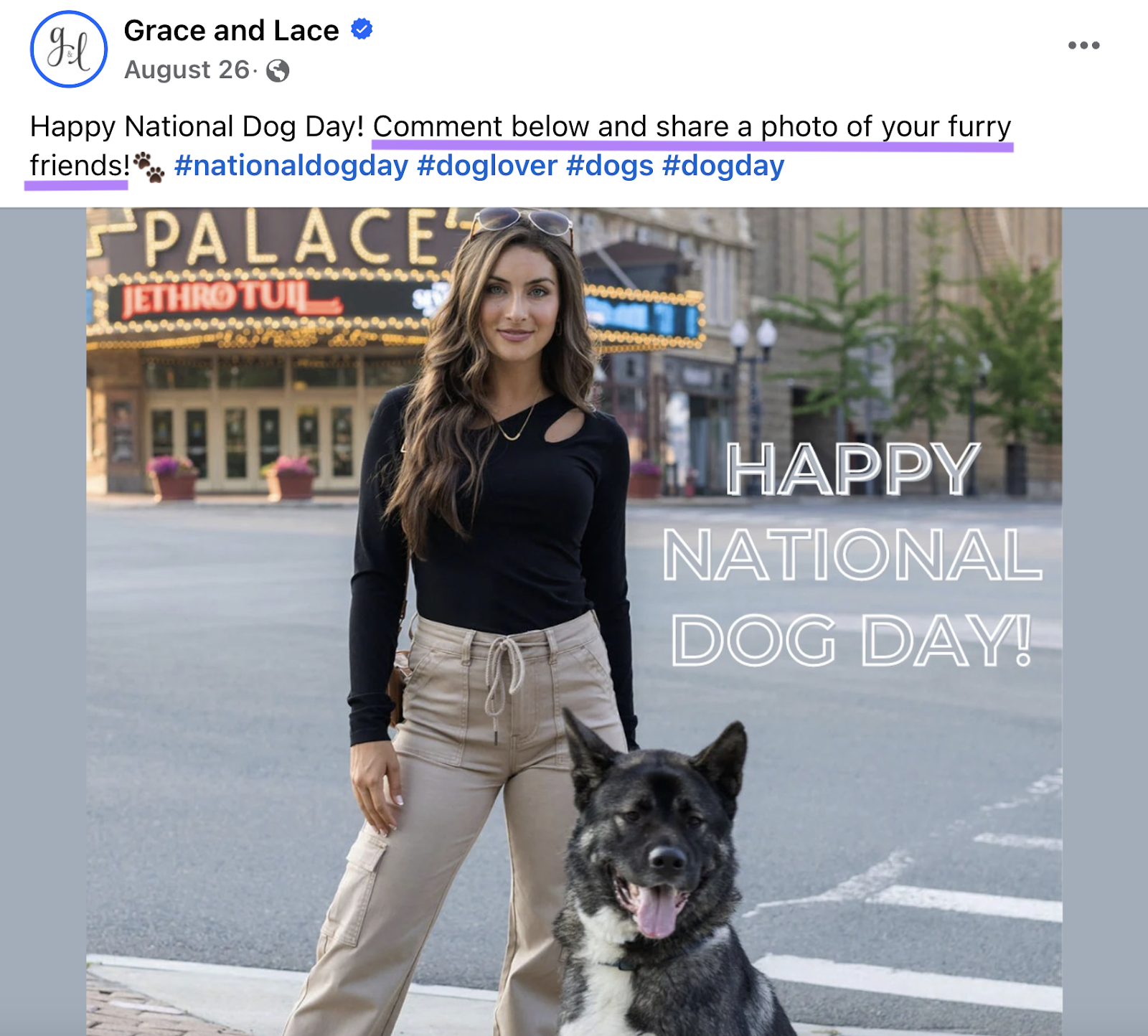
- Use calls to action in your post that encourage engagement. For example, ask people to tag a friend. Or to leave a comment like this Facebook post does:
Just avoid asking people to “like” your post. Facebook views this as gaming the system and may not rank your content as highly. Plus, it comes across as spammy to users.
And remember to respond to everyone who leaves a comment. This shows others that you take a genuine interest in what people have to say and may lead to more engagement.
6. Optimize Images
Two ways to optimize Facebook images are through:
- Captions: Text (with keywords) that complements your image to help it appear in the search results
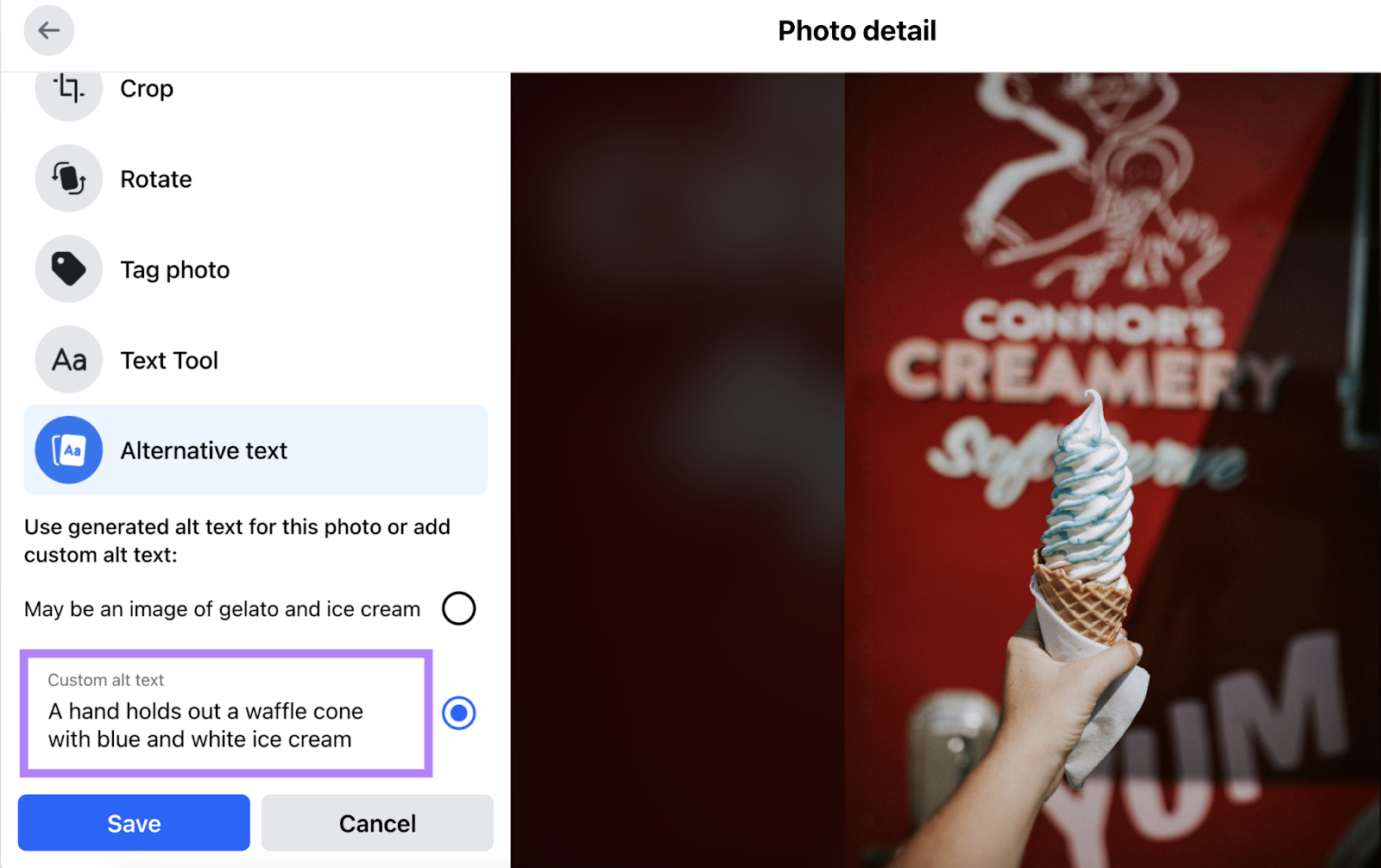
- Alt text: Text used to describe an image for people who use screen readers. Adding alt text can help your image appear in Google for relevant queries.
Add alt text to photos by clicking “Edit” and “Alternative Text” before you complete your post.
7. Add Geographic Tags to Posts
Adding geographic locations to your posts helps people find your business when they search specific areas.
For example, this photographer tagged Whitefish Lake. And people might see this post when they search this location.
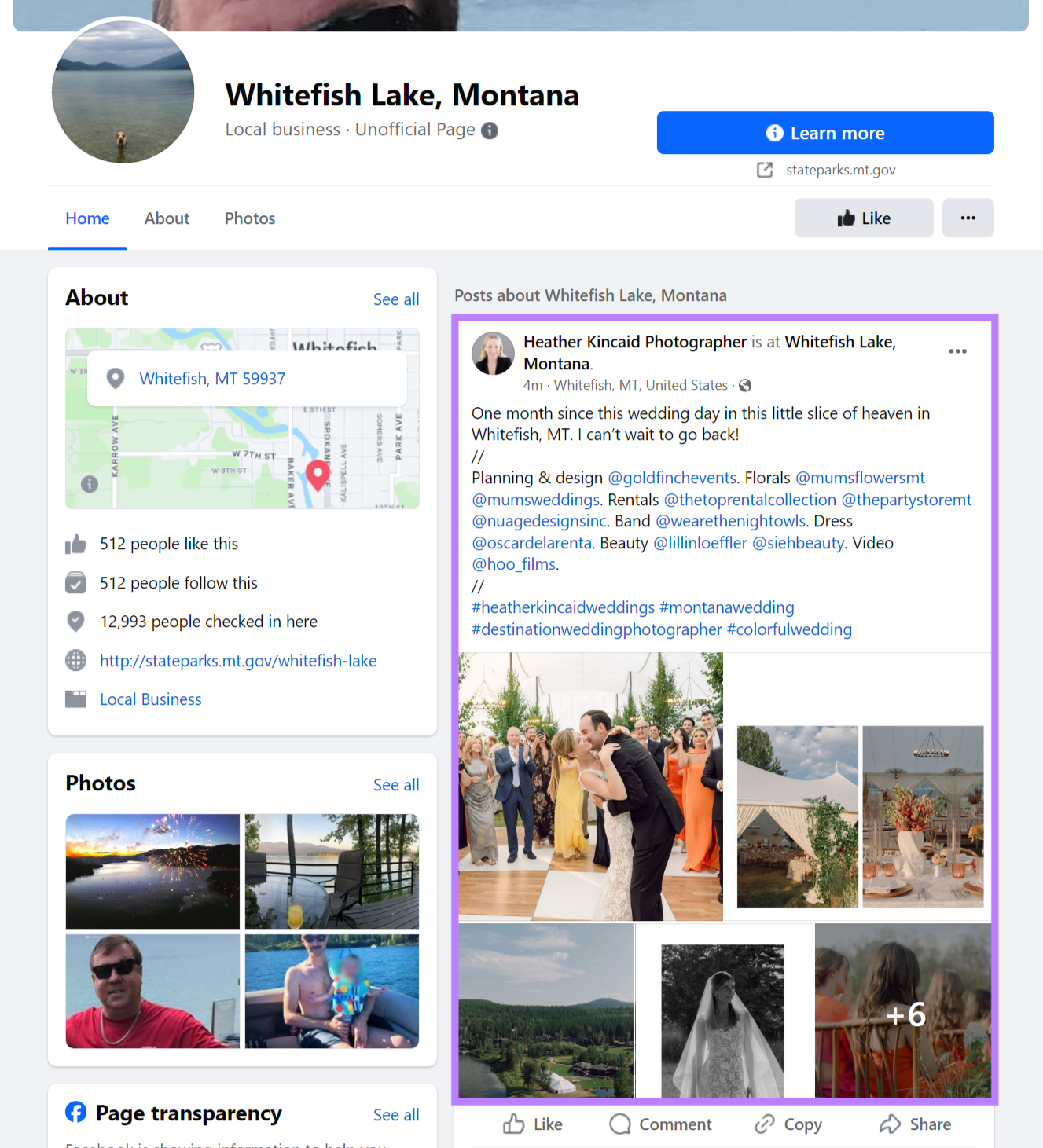
From there, users can click the photographer’s page to learn about the business.
8. Publish Consistently
Recency is an important ranking signal when Facebook decides what to show in someone’s News Feed, and fresh content may have a better chance of appearing higher compared to older posts. That means it’s a good idea to create a consistent publishing schedule.
We recommend three to five posts per week if you’re starting out. And you can adjust from there. Plus, steady posting lets people know your business is active. This may make users more likely to engage, which can further improve your visibility.
Semrush’s Social Poster helps you plan and schedule your social media content.
Start by configuring the tool and connecting it to your Facebook page.
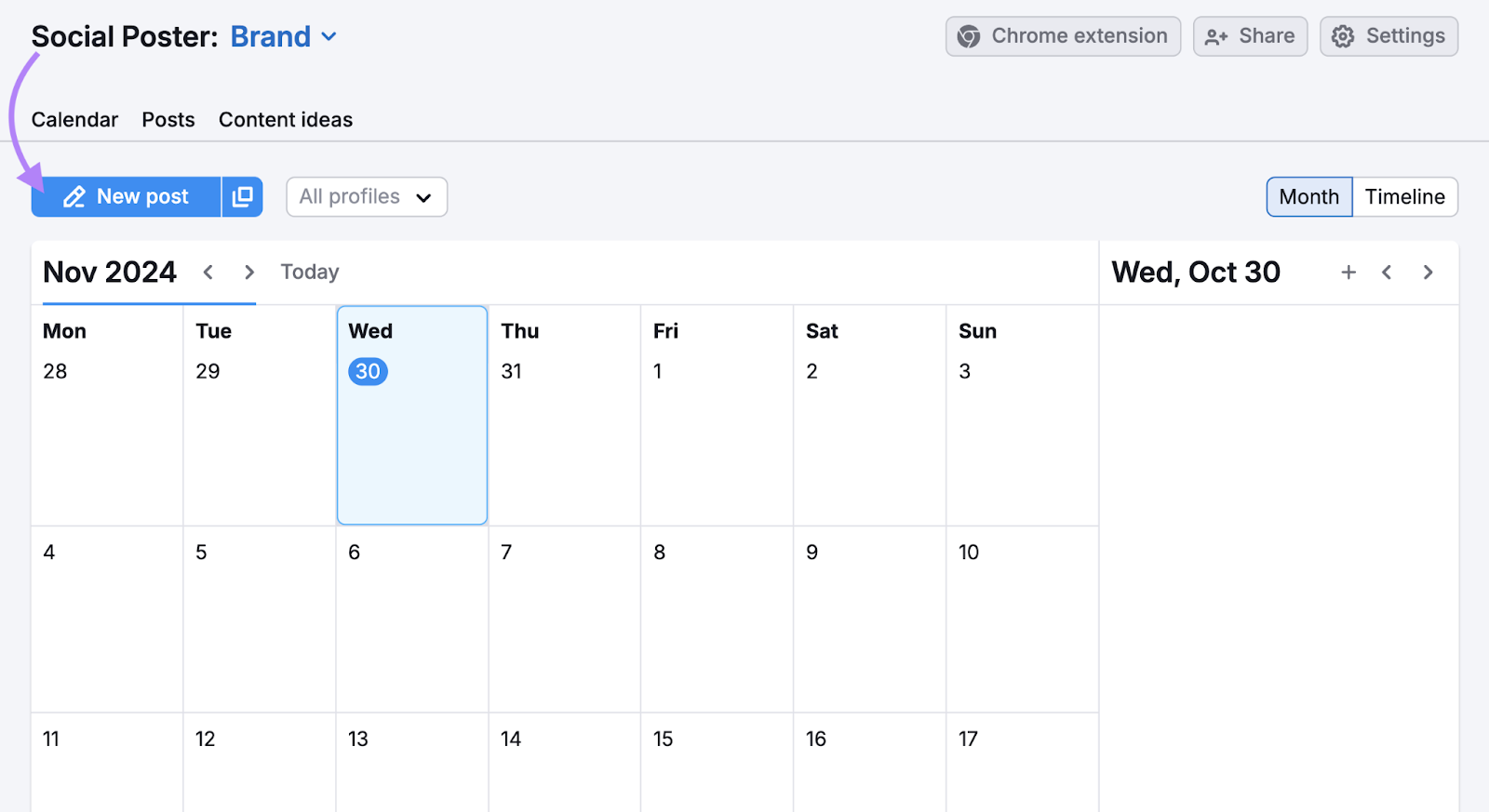
Once configured, head back into Social Poster and click “New post.”
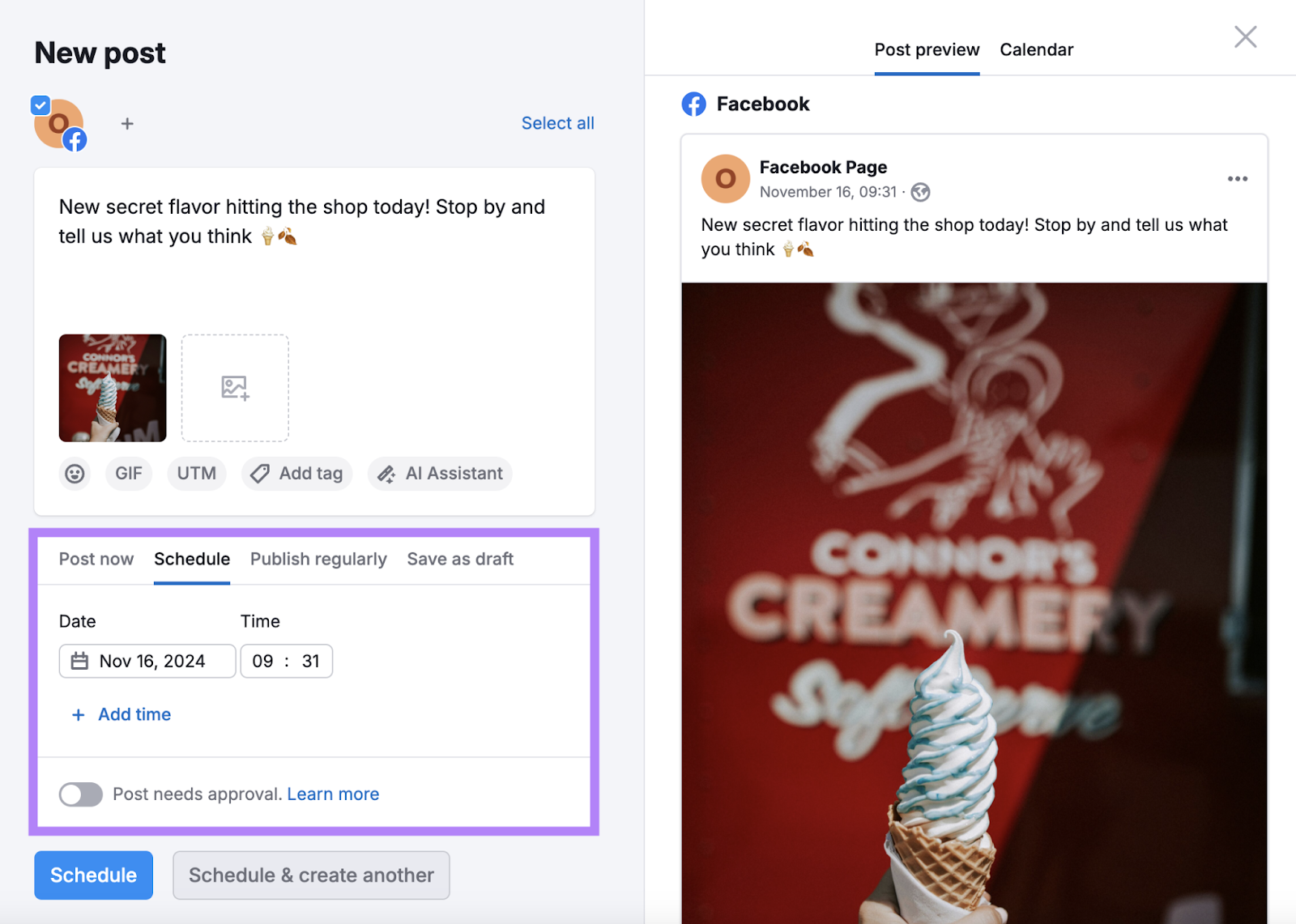
Craft your post and select where you’d like to publish it. (Select multiple accounts to potentially improve your social media SEO across a range of platforms.)
Lastly, choose the date and time when you’d like your post to go live and click “Schedule.”
Then, use Social Analytics to monitor your content’s performance. Because knowing which pieces perform best helps you replicate successes for future posts.
9. Add Hashtags to Your Posts
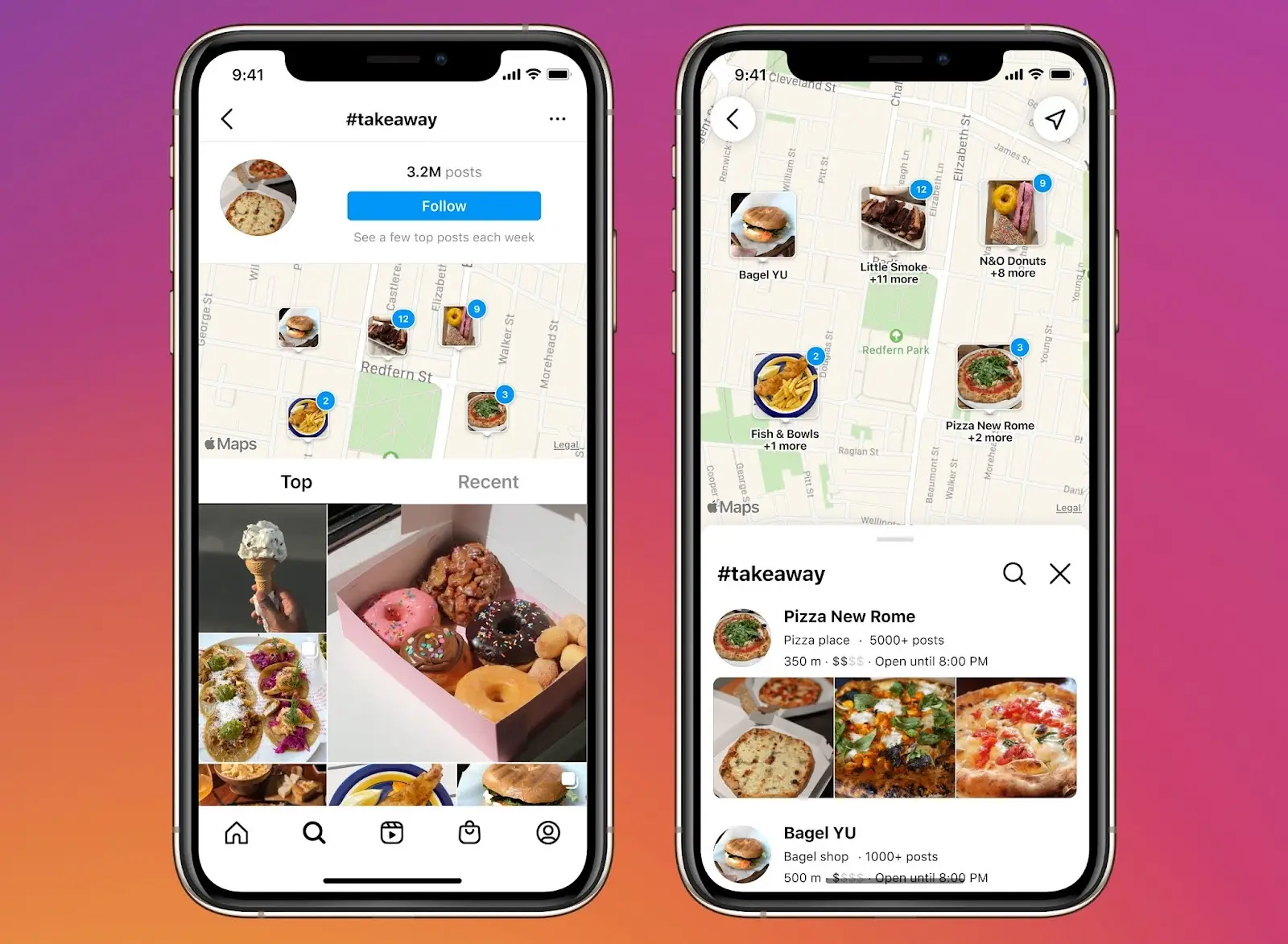
Adding hashtags (clickable phrases that start with the “#” symbol) to your posts helps you gain even more visibility. Like when users search for a specific hashtag:
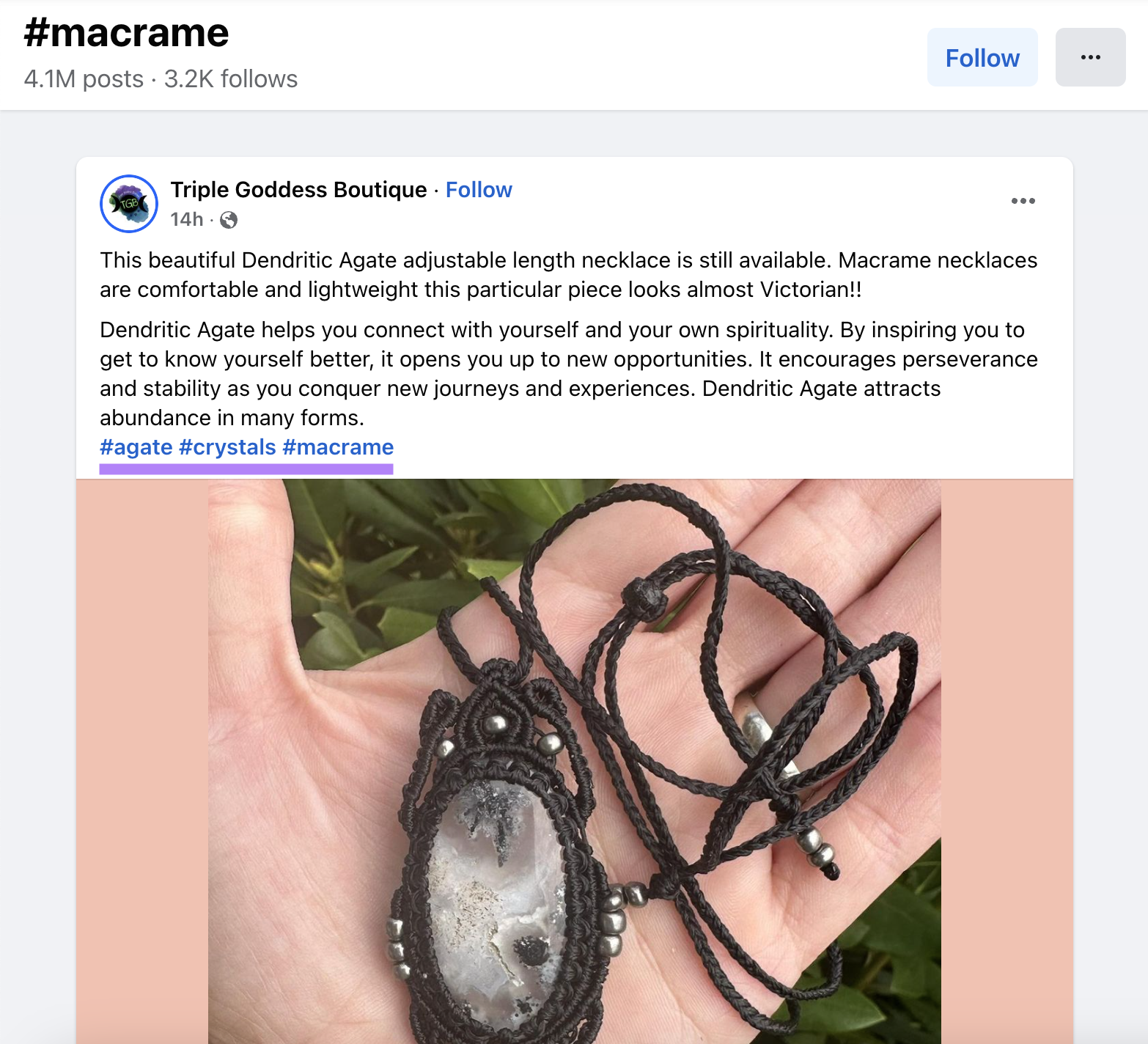
We recommend using one to three hashtags per post.
Facebook gives these additional hashtag tips:
- Keep your hashtags simple and relevant to your post
- Avoid punctuation
- Avoid spaces
- Incorporate hashtags into sentences—i.e., “How much do you like our #macrame?”
10. Generate Backlinks
Links from external sites that point to your Facebook page (called backlinks) can help it rank higher in Google’s search results. Google sees backlinks as authority indicators. And may view Facebook pages with many reputable backlinks as trustworthy.
Plus, these links can direct more people to your Facebook page. So, try to encourage other sites to link to your Facebook page.
Here are some ideas:
- Link to your page from your website
- Get media mentions (like on your local newspaper’s website) and ask them to link to your Facebook page
- Write guest blog posts that include links to your Facebook page (if the publisher allows it)
- Partner with influencers and have them write blog posts that review your business and link to your Facebook page
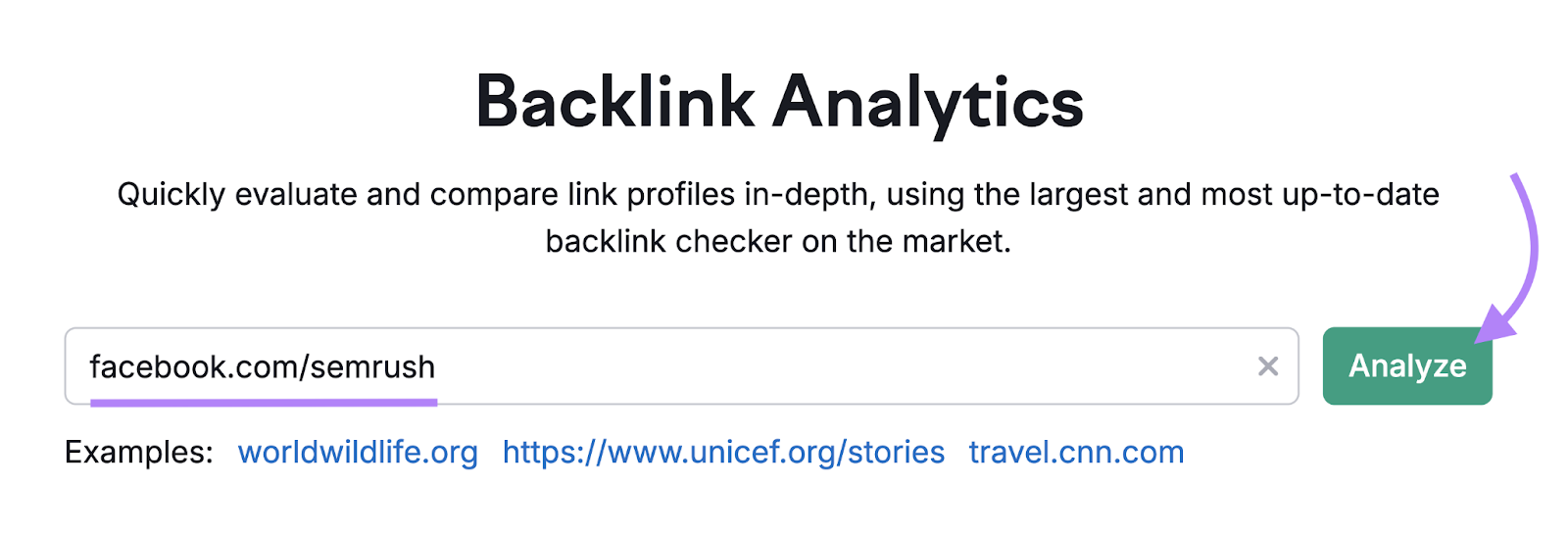
Then, monitor your backlinks with Semrush’s Backlink Analytics tool.
Enter your Facebook page’s URL and click “Analyze.”
Click on the “Backlinks” tab to view all your Facebook page’s backlinks. Categorized by “Active,” “New,” and “Lost.”
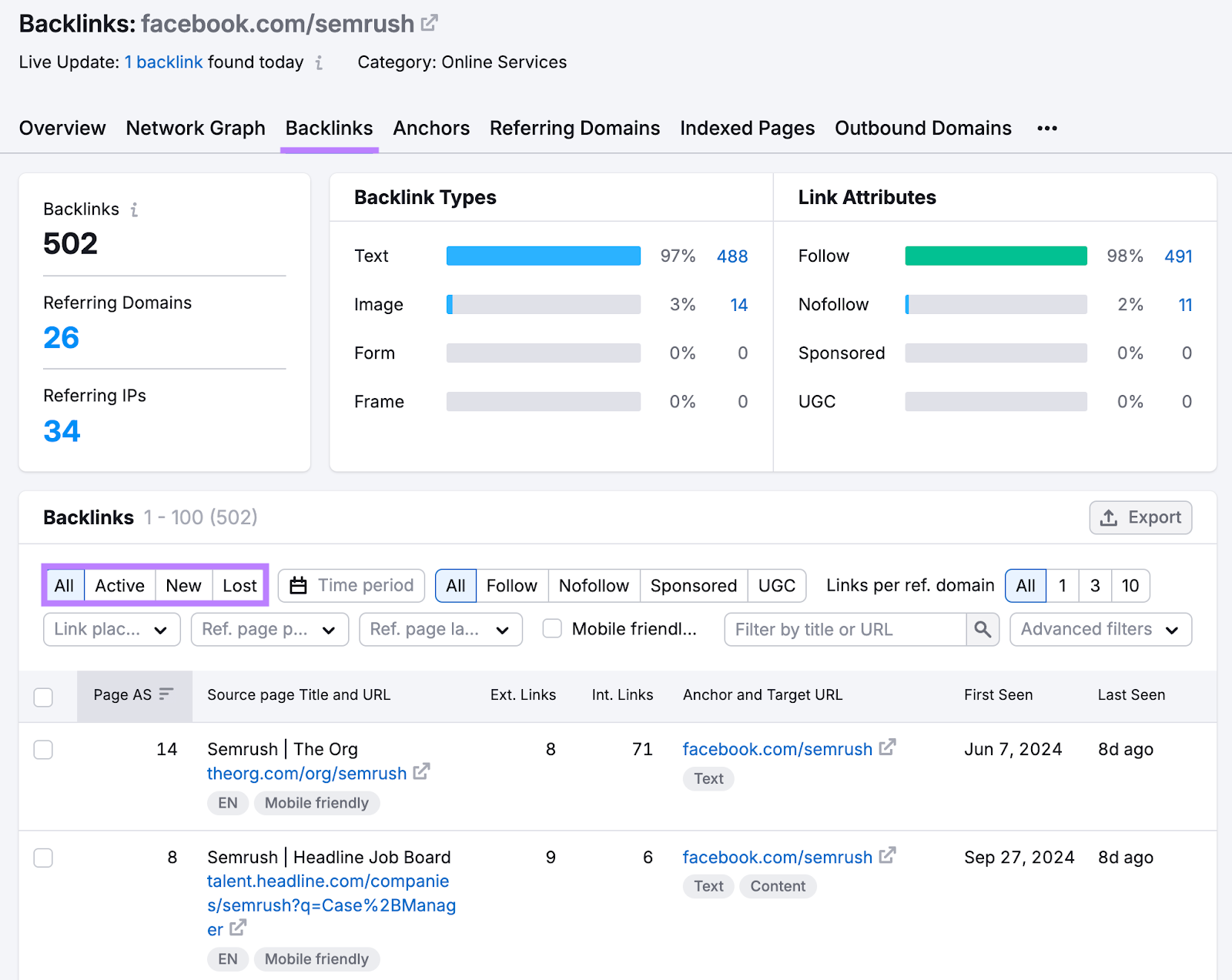
You might want to keep an eye on “Lost” backlinks because these are links you once had but no longer do.
Reach out to sites that removed your page’s links and ask for them back.
11. Encourage Recommendations
Recommendations are reviews shared on Facebook that say whether users recommend a business.
Like this:
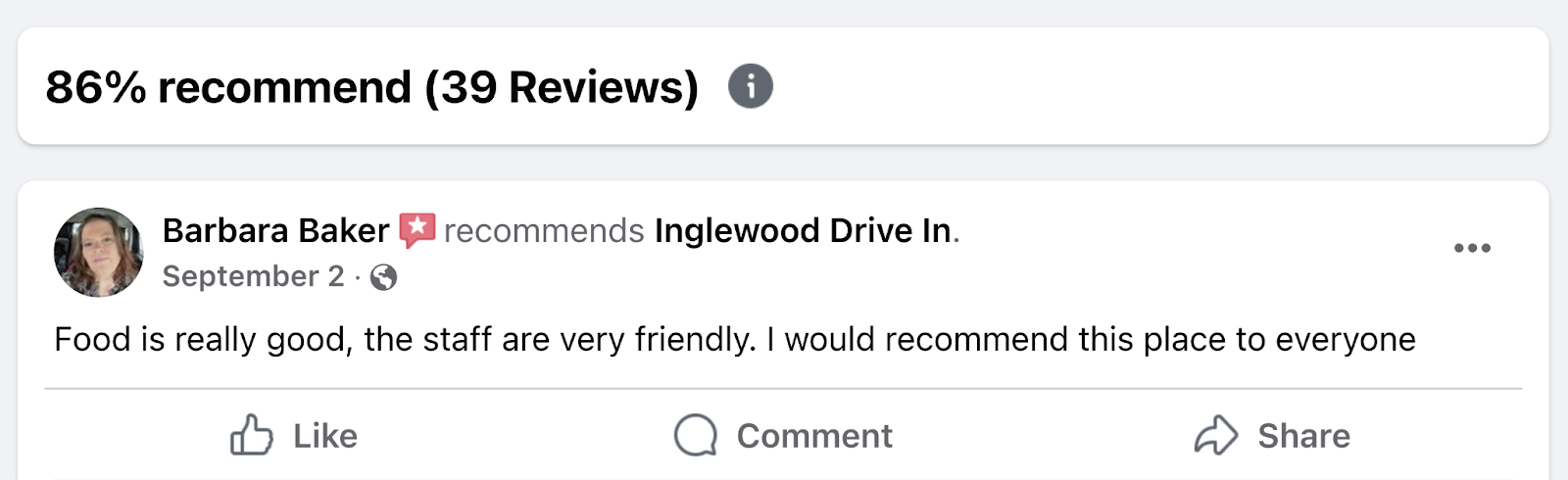
If your business has many positive Recommendations, it may be more likely to appear higher in rankings. And be suggested to more people.
Your Recommendations percentage can also appear in search results as an aggregate star rating:
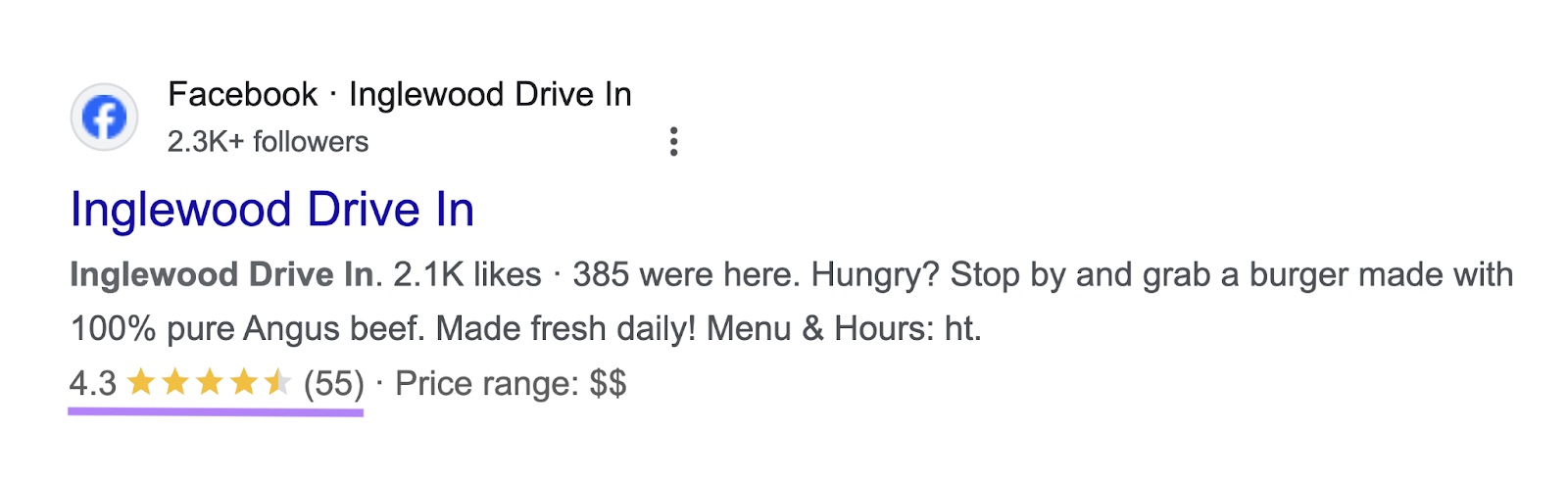
Here are two ideas to increase Recommendations:
- Post signs in your stores with your Facebook page’s URL and ask people to leave feedback
- Send a post-purchase email with a link to leave you a Facebook Recommendation. Like this email:
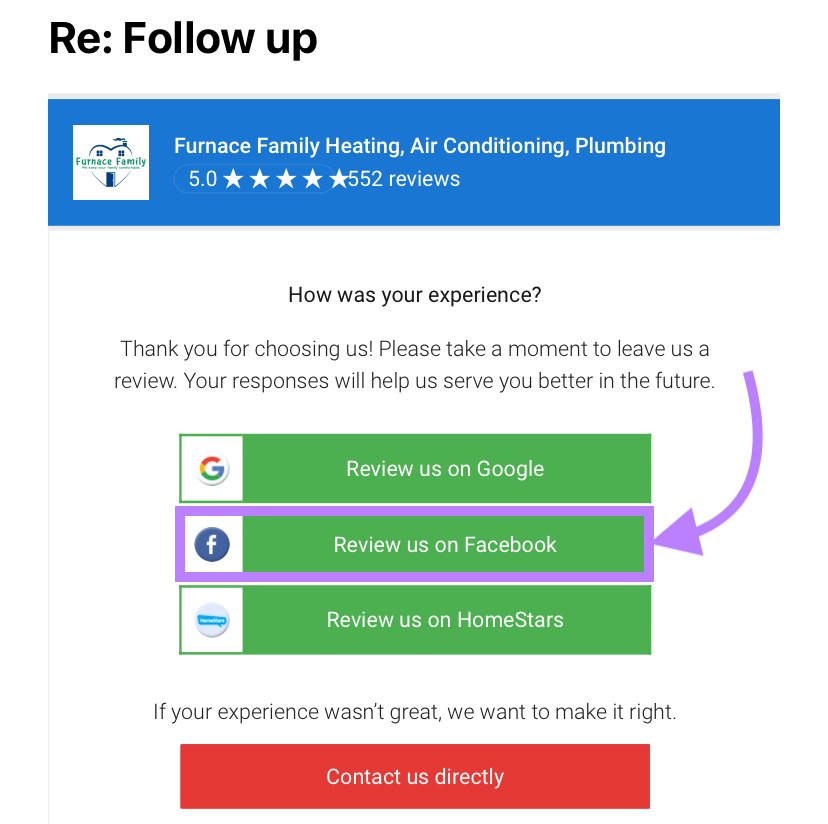
Then, respond to all types of feedback (both positive and negative). Because it shows people you care about what they have to say.
Bottomline
Optimizing your Facebook presence for SEO is a comprehensive strategy that requires consistent effort and strategic planning. Focus on creating high-quality, keyword-rich content that encourages engagement and provides value to your audience. Fully optimize your Facebook page with a unique name, custom URL, and complete About section. Regularly update your content to keep your audience engaged and signal to search engines that your page is active and relevant.
Use AI tools to enhance your content optimization and analyze user behavior. Adapt to algorithm changes by prioritizing meaningful interactions and using Facebook’s evolving features like video and interactive posts. By implementing these strategies, you can boost your Facebook SEO, increase visibility, drive more traffic to your website, and enhance your overall digital marketing strategy.
Remember, consistency is key. Continuously analyze and adjust your approach to stay ahead in the competitive social media landscape.







Comments