
 By
By 
Top business products for team collaboration include Google Workspace and Microsoft 365, which provide integrated communication, file sharing, and document editing features. Slack excels in real-time messaging through organized channels and connectors. Miro’s virtual whiteboard technology allows for visual collaboration and brainstorming. Finally, Asana is a top pick for project management, allowing teams to effectively track tasks and projects.
With advancements in artificial intelligence and hybrid work models, flexibility and seamless communication are the order of the day. From tried-and-true technology to breakout stars, we compiled a list of the top 5 collaboration tools to meet the demands of any team in 2025, allowing you to accomplish your best work possible.
1. Slack
Great for: Easy communication
Price: Free to join, with paid plans starting at $8.75/active user/month
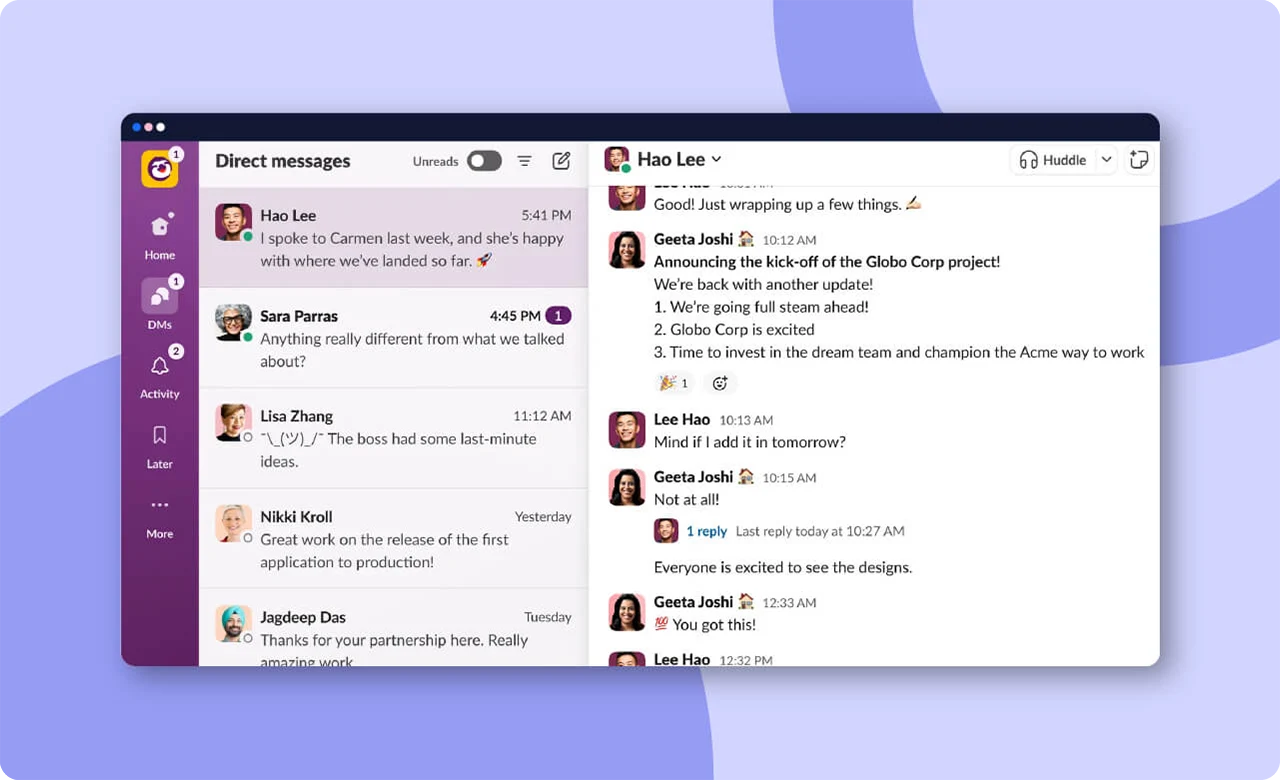
Slack is a messaging software that transforms disorganized workplace communications into a single, structured hub. Consider it your digital workplace water cooler, where you can chat, share files, and cooperate without drowning in email mayhem.
Slack keeps communication flowing, from project management and information sharing to fast talks and unexpected virtual coffee breaks. It’s not only for business executives; engineers, marketers, remote teams, and even your neighbor’s garage band find it extremely useful.
Slack steps in to save us from the dark ages of long email threads and jumbled communications. It addresses the “Where did I see that message?” problem by establishing channels for certain topics or projects. Slack’s online communication platform facilitates and streamlines collaboration with features such as integrations and searchable archives.
Top features:
- Organized channels: Create channels for specific projects or topics, keeping conversations organized and preventing information overload.
- Direct messaging: Quickly reach out to team members for one-on-one conversations without cluttering the main channels.
- File sharing: Seamlessly share documents, images, and other files within channels or through direct messages.
- Integrations: Integrate with many third-party apps and tools, bringing all your favorite tools into one central hub for streamlined collaboration.
- Searchable archives: Easily find past conversations, files, and information with a robust search feature, eliminating the frustration of hunting through endless threads.
- Notifications and customization: Stay in the loop with customizable notifications so you’re alerted to important updates without being overwhelmed.
- Video and voice calls: Initiate video or voice calls directly within Slack.
- Channel mention and announcements: Use @mentions to notify specific team members or make important announcements in designated channels.
2. Zoom
Great for: Hybrid and remote teams
Price: Free for meetings up to 40 minutes with fewer than 100 attendees, with paid plans starting at $13.33/user/month

Zoom is a video conferencing program that transforms your screen into a shared place for a variety of purposes, including team meetings, virtual happy hours, webinars, and online courses. Zoom eliminates garbled speech, frozen screens, and unpleasant delays, providing a fluid and consistent connection.
Zoom is well-known for its high-quality video and audio, dependability, and ease of use, making it suitable for both the technologically challenged and the technically knowledgeable. Zoom is the go-to platform for distant teams looking for a human connection, teachers bringing the classroom home, or simply having a virtual game night with pals.
Those who manage hybrid and remote teams understand how crucial this team collaboration tool has become with the shift to remote work. It is the remedy to the solitude blues, encouraging face-to-face contact when physical proximity is not available.
Top features:
- Video conferencing: Host high-quality video meetings with individuals or groups, fostering collaboration with crystal clear face-to-face interactions.
- Screen sharing: Share your screen in real time for collaborative discussions, presentations, and document reviews.
- Breakout rooms: Divide larger meetings into smaller, private rooms for focused discussions or group activities.
- Chat and messaging: Communicate in real time with text-based chat during meetings.
- Virtual backgrounds: Customize your video background with virtual backgrounds for a touch of professionalism or personalization.
- Recording and transcription: Record and share meetings and use transcription services to accurately capture meeting notes.
- Calendar integrations: Seamlessly integrate Zoom with your favorite calendar app, making scheduling and joining meetings hassle-free.
- Webinars: Host webinars for larger audiences, with features like Q&A sessions and participant engagement tools for interactive presentations.
- Security features: Robust security measures, including password protection, waiting rooms, and end-to-end encryption, ensure secure collaboration.
3. Google Workspace
Great for: Document sharing and collaboration
Price: Starting at $6/user/month
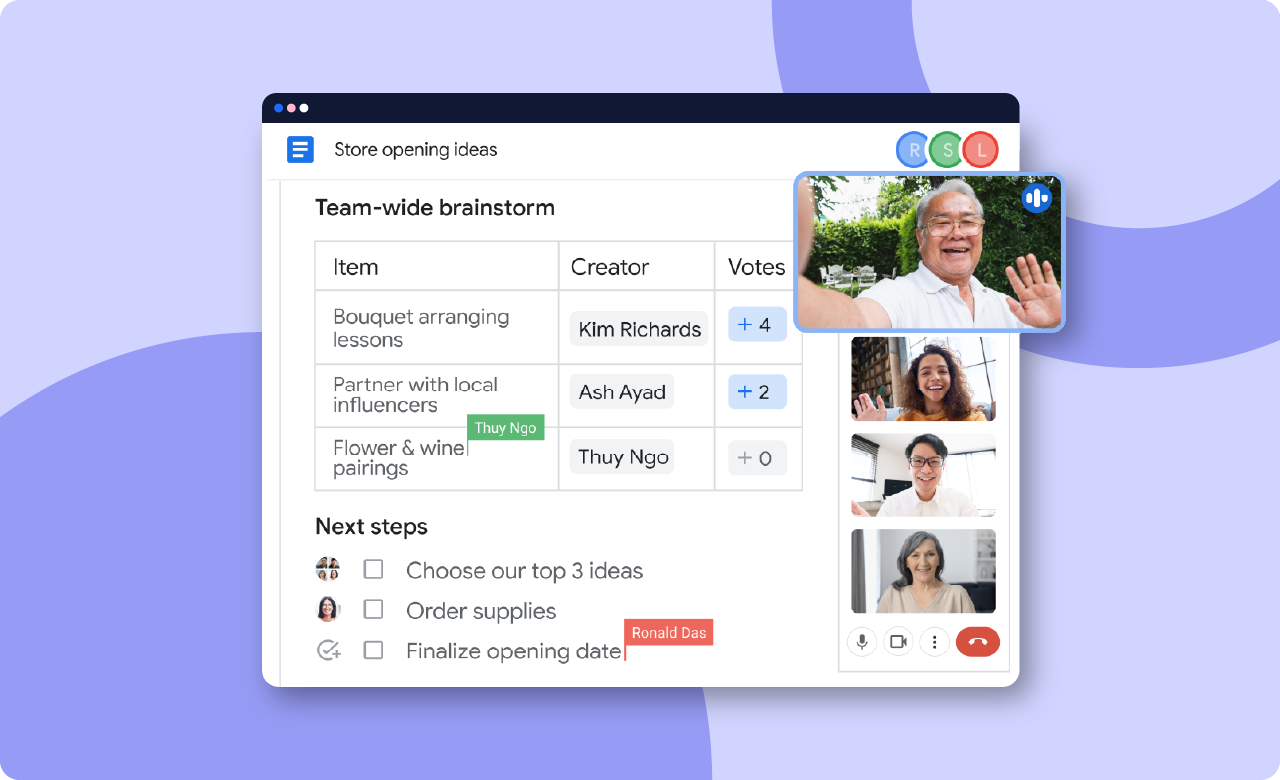
Google Workspace is a cloud-based productivity package that includes Gmail, Google Drive, Google Meet, and more. Google’s online collaboration capabilities transform your digital workspace into a productivity powerhouse, from document creation and file sharing to hybrid meeting scheduling and real-time collaboration.
Read Also: The Importance of Data Security in Business Products and Services
Google Workspace addresses the age-old issue of collaboration headaches. No more version control headaches or email attachments that get misplaced. It is the solution to the disarray of fragmented technologies, providing a unified platform where teams can edit papers concurrently, hold virtual meetings, and easily share information.
Top features:
- Gmail and Google Chat: Streamline communication with built-in email and chat functionalities — all in a single platform.
- Google Drive: Eliminate the need for back-and-forth file sharing with real-time editing and commenting on documents, spreadsheets, and presentations.
- Google Meet: Host virtual meetings with integrated video conferencing.
- Google Calendar: Simplify scheduling and coordination with a shared calendar, making it easy to plan meetings, set deadlines, and keep everyone on the same page.
- Collaborative apps: Access a suite of cloud-based applications like Google Docs, Sheets, and Slides.
4. Trello
Great for: Small teams
Price: Free to join for up to 10 users, with paid plans starting at $5/user/month
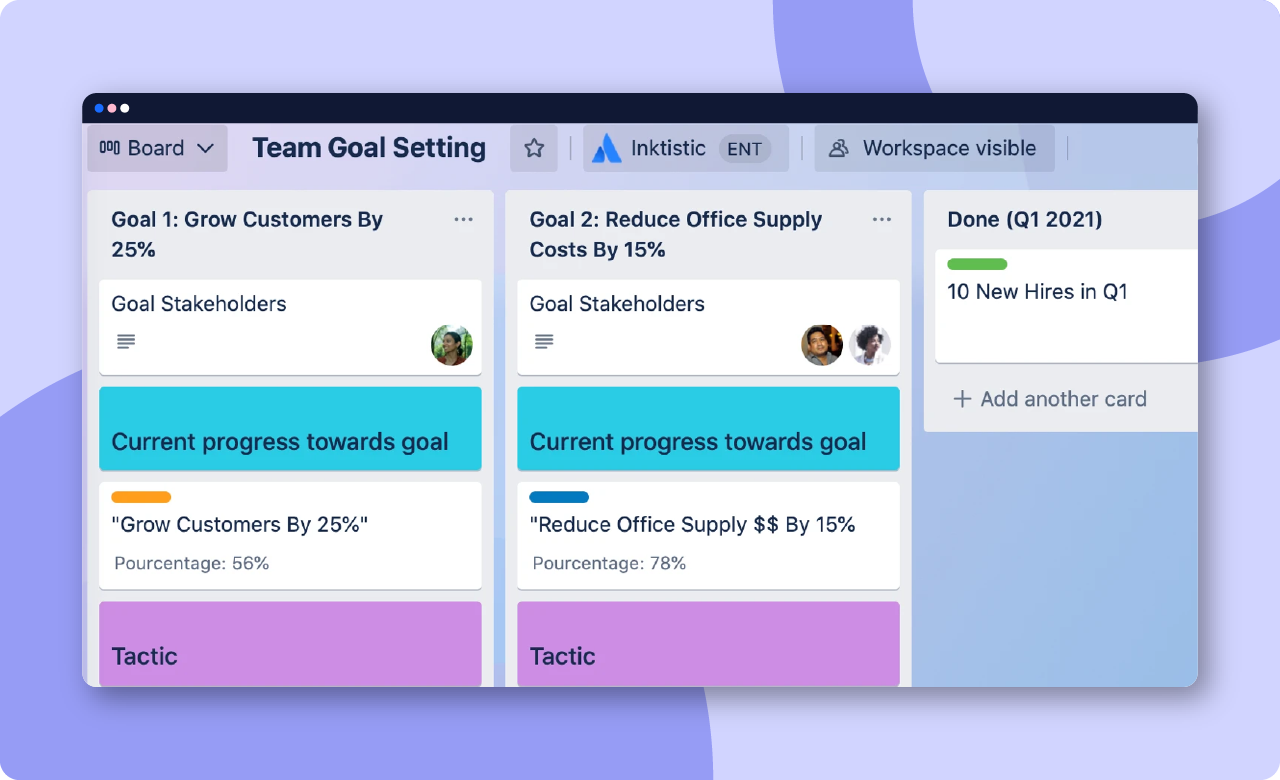
When you think about Trello, you undoubtedly envision bright boards and delightful drag-and-drop functionality. These entertaining cards make task management straightforward, but Trello’s platform goes beyond that to strike a balance between personalization and simplicity.
After you’ve established a few Trello boards, you may see them as a timeline, dashboard, or map to gain a better understanding of your team’s progress and operations. Trello also allows you to set rules and automations to keep projects moving.
Its simple setup allows even inexperienced project managers to get started right immediately. If you want to add some extra features, you can leverage Trello’s template library and power-ups to create new ways to use boards. Trello’s flexibility makes it an excellent collaboration tool for small organizations and teams.
Top features:
- Views: Change your project POV by seeing your boards from a timeline, dashboard, map, calendar, or workspace view.
- Automations: Save your team a few clicks by setting up automations on all of your boards.
- Power-ups: Level up your boards by adding power-ups for communication, file management, analytics, and more.
- Templates: Explore Trello’s template library to jump-start your team’s projects and find new ways to use the platform.
- Integrations: Let your tools join forces to help everyone get more done.
5. GitHub
Great for: Code collaboration
Price: Free to join, with team plans starting at $4/user/month
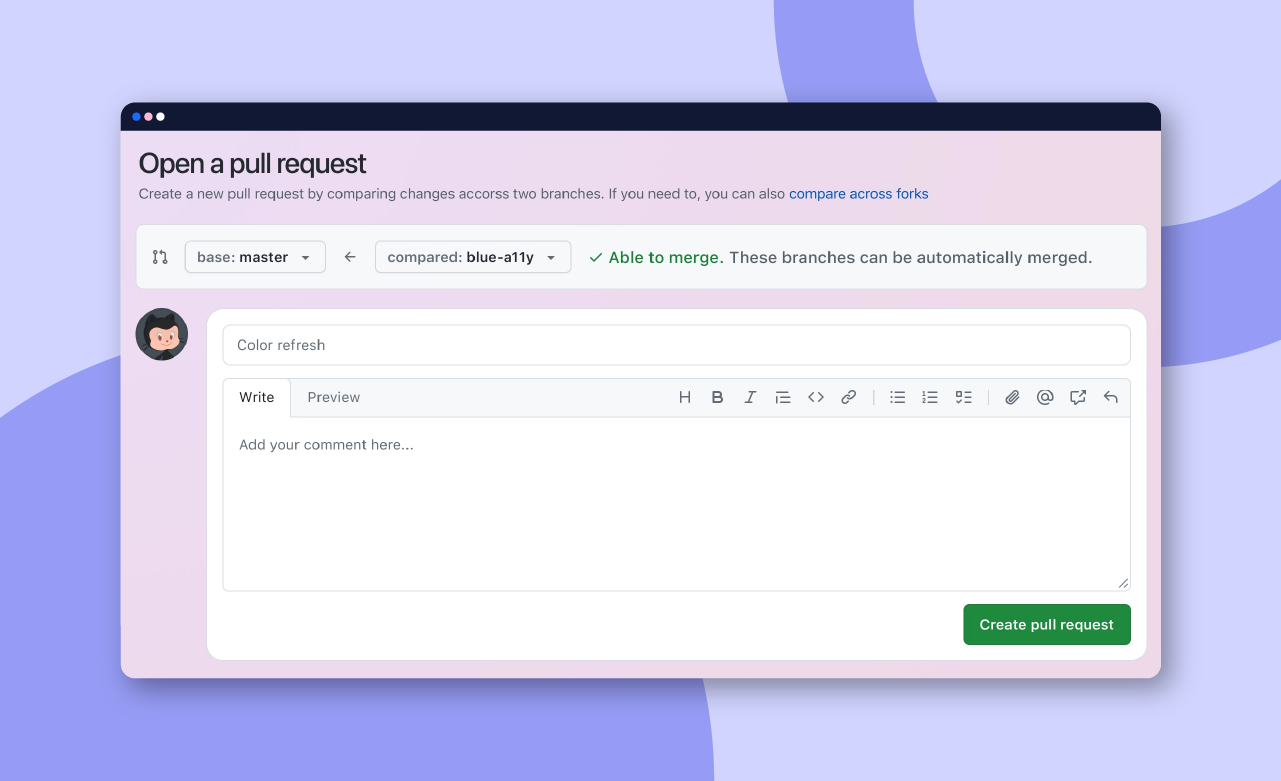
GitHub is a collaborative site where developers may work together to code and complete projects. At its core, it is a version control system that keeps track of code changes, allowing developers to work effortlessly without interfering with others’ work.
While GitHub is suitable for lone coders, it excels at open-source projects, collaborative project management, and version control. It’s ideal for developers who want to collaborate effortlessly, regardless of their physical location.
Top features:
- Pull requests: Propose changes, review code, and discuss modifications before merging for a controlled and collaborative code integration process.
- Code review: Facilitate collaborative coding by letting developers review and give feedback on one another’s code changes.
- Project management: GitHub comes with project management tools like Boards and Milestones, helping teams organize and prioritize tasks effectively.
- Access control: Set permission levels to control who can view, contribute, or manage the repository.
- GitHub Actions: Automate workflows, from code building to testing and deployment, streamlining the development process.
- GitHub Pages: Host static websites directly from the repository so developers can showcase their projects and documentation seamlessly.
- Repository forking: Easily fork and contribute to existing projects, fostering collaboration within the open-source community.
Finally
Collaboration tools are the unsung heroes of team success, providing numerous benefits to the digital table. These tools are the MVPs your team didn’t realize they needed, from smoothing out communication creases to bringing project turmoil under control.










Comments