
 By
By 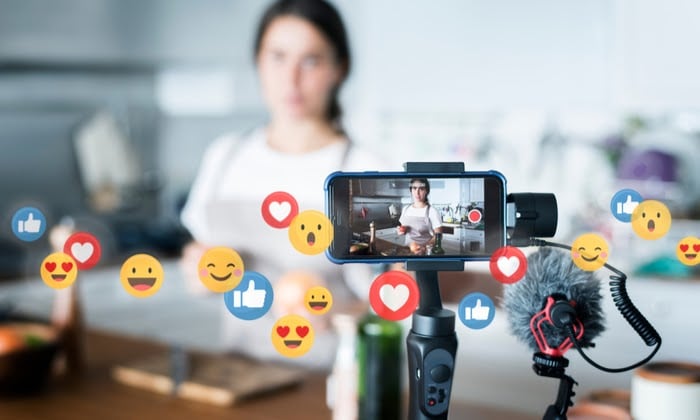
One of the quickest ways to increase engagement, expand your following, and create a devoted community on TikTok is to go live. In contrast to pre-recorded videos, TikTok Live facilitates real-time interaction, which makes it simpler to interact with followers, respond to inquiries, and maintain viewer engagement.
TikTok is more likely to promote your live session to a larger audience if more people watch, comment, and give reactions. This is because the TikTok Live algorithm favors interactive and high-engagement streams. Gaining more viewers on TikTok Live is essential to expanding your brand, whether you’re a company marketing goods, a creator providing knowledge, or just someone trying to establish a bigger presence.
Despite its potential, a lot of producers find it difficult to maximize their live streaming due to low audience counts, limited interaction, or technical problems. The good news is that you can make TikTok Live one of your most effective content tools by using the appropriate tactics, timing, and engagement strategies.
Everything from creating a top-notch live stream to maintaining viewer engagement and growing your TikTok Live audience naturally will be covered in this book. Continue reading if you want to expand your audience, gain new fans, and produce memorable live events.
Going Live on TikTok: Step-by-Step Guide
Make sure your account satisfies the eligibility requirements and that you understand how to put up a high-quality live session before you begin using TikTok Live.
Step 1: Check If You’re Eligible for TikTok Live
To access TikTok Live, your account must meet these requirements:
- You must be at least 18 years old (previously 16+ but now updated).
- Your account must have at least 1,000 followers.
- Your account must be in good standing with no recent violations of TikTok’s Community Guidelines.
Step 2: How to Start a TikTok Live Stream
- Open the TikTok app and tap the “+” button at the bottom of the screen.
- Scroll through the content options and select Live.
- Enter a compelling title that will attract viewers (avoid clickbait, but make it engaging).
- Choose a category or topic to help TikTok promote your stream to relevant users.
- Set up filters, effects, and a good camera angle before hitting the Go Live button.
Step 3: Setting Up a Professional-Looking Live Stream
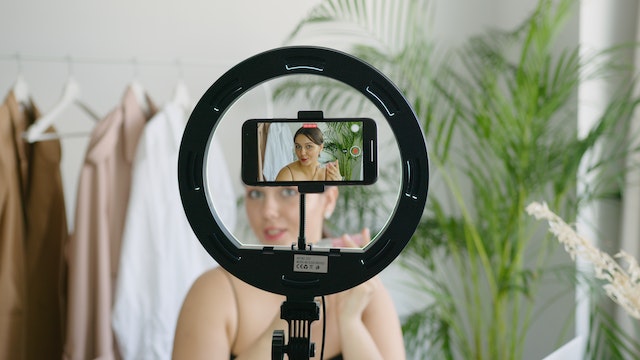
- Good lighting is key – natural light or a ring light works best.
- Use a stable tripod or phone stand to avoid shaky footage.
- Test your audio to make sure your sound is clear and background noise is minimal.
- Have a plan for engagement – know what you’ll talk about and prepare questions to keep the conversation flowing.
Once you are live, interact with viewers, encourage comments, and make the session as engaging as possible. The more interactions you get, the higher your TikTok Live will rank.
How to Keep Viewers Watching
Going live on TikTok is one thing, but what counts most is keeping viewers interested. TikTok’s algorithm will stop promoting your live broadcast to more users if viewers join and go in a matter of seconds. Maintaining viewers’ interest, engagement, and interaction throughout the stream is crucial.
1. Greet Viewers & Acknowledge Comments
When someone joins your live, greet them by name. People are more likely to stay if they feel recognised. Actively respond to comments, ask questions, and encourage participation.
Example: Instead of just saying, “Hey everyone, welcome!”, try “Hey Jack! Thanks for joining – where are you tuning in from?”
2. Use the Q&A Feature & Polls
TikTok allows you to enable the Q&A feature, which lets viewers submit questions. Use this to guide your content and keep the conversation flowing.
Example: If you are a business going live, ask “What’s one thing you’d like to know about our products?” and answer in real time.
Read Also: Captivating Your Audience: 7+ Techniques for Engaging TikTok Live Stream Viewers
3. Structure Your Live Session
A well-structured live stream keeps people engaged. Try this format:
- Introduction (First 3-5 Minutes) – Welcome viewers and introduce the topic.
- Main Content (15-20 Minutes) – Deliver valuable content, whether it’s a tutorial, behind-the-scenes look, or Q&A.
- Call to Action (Final 5 Minutes) – Encourage viewers to follow, like, or visit your website.
4. Offer Exclusive Content or Incentives
People love giveaways, discounts, or insider info. Offering an exclusive tip or limited-time promo for viewers keeps them watching longer.
5. Keep Energy Levels High
The tone for involvement is set by your energy. Your audience will feel the same way if you appear bored. Keep your eyes on the camera, make hand motions, and remain lively.
What distinguishes a TikTok Live that goes viral from one that fades into the background is engagement. To keep your audience interested, make it engaging, entertaining, and interactive.
How to Increase TikTok Live Viewers Organically
Smart preparation, advertising, and engagement strategies are key to increasing the number of viewers on TikTok Live without using paid promotions. TikTok will promote your live broadcast to a larger audience if more people join it early on. Here’s how to draw in more viewers organically.
1. Promote Your Live in Advance
Don’t just go live without letting your audience know. Build anticipation by:
- Posting a TikTok video 24-48 hours before your live announcing the time and topic.
- Using Instagram Stories, Facebook, and other platforms to remind followers.
- Adding a countdown sticker on Instagram Stories to increase interest.
2. Use the Right Hashtags & Titles
When you start your TikTok Live, use a clear, engaging title that tells people what they will gain by watching. Add hashtags that relate to your niche, such as #TikTokLive #LiveEvent #AskMeAnything.
Example: Instead of “Going Live Now!”, try “How to Grow on TikTok – Ask Me Anything!”
3. Go Live When Your Audience is Active
Check TikTok Analytics to find the best time to go live. If your audience is most active between 7-9 PM, schedule your stream within that window.
4. Collaborate with Other Creators
Going live with another TikTok creator instantly increases your reach, as your stream will be pushed to both of your audiences.
5. Engage With Viewers in Real Time
Invite viewers to share, like, and comment on your live stream. TikTok’s algorithm will promote your stream more if there is more interaction. Engage with new members by greeting them, conduct live polls, or pose questions.
By using these techniques on a regular basis, you may grow your TikTok Live viewership naturally and eventually develop a devoted, active following.
TikTok’s most recent feature offers a fresh approach to managing engagement. Find out more about the TikTok Dislike Button and how it might affect the visibility and rankings of content.
Finally
Indeed. Live streaming can help you become more visible, gain the audience’s trust, and gain new fans. TikTok’s algorithm is more likely to highlight engaging live sessions, increasing exposure.
TikTok Live may develop into a potent tool for engagement, brand expansion, and monetization with the correct tactics.






Comments