
 By
By 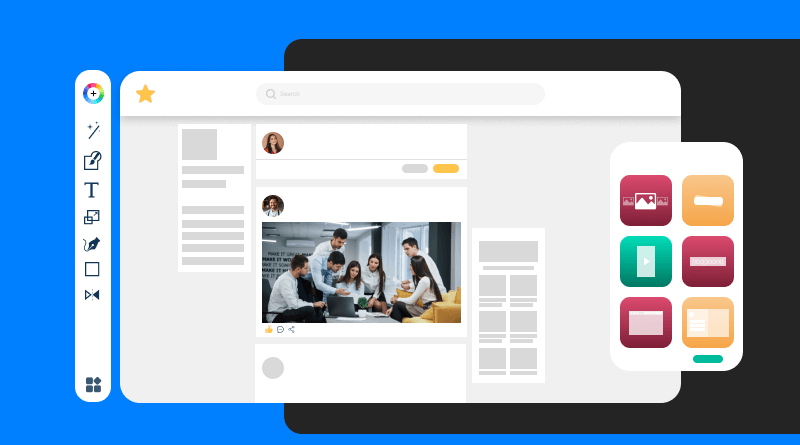
The term “no-code” website construction describes systems and technologies that enable you to develop a fully functional website without using any HTML, CSS, JavaScript, or PHP. Users can create websites graphically by dragging, dropping, clicking, and customizing inside an easy-to-use interface rather than manually coding layouts or styling elements.
Consider it similar to utilizing design software, but with all the features—domain, hosting, responsiveness, and more—built right into the launch of your website.
Key Features to Look for in a No-Code Website Builder
Not every no-code platform is made equally. If you intend to create a website without knowing how to code, the capabilities your website builder provides will have a direct impact on how user-friendly, adaptable, and polished the final product is.
Here are the essential features to look for:
1. Professionally Designed Templates
A quality builder should offer a wide range of templates tailored for different industries, like e-commerce, health & wellness, education, or consulting. Templates give you a polished starting point and save hours of design work.
2. Drag-and-Drop Editor
A visual editor is the heart of any no-code platform. Look for tools that let you move, resize, and customize elements (text, images, buttons, forms) directly on the page. This makes building feel more like designing a slide than coding a page.
3. Customization Options
While ease-of-use is important, flexibility matters too. The ability to change fonts, colors, layouts, scrolling effects, and animations helps you make your website feel unique, not just another template clone.
4. Built-In Hosting and Domain Setup
The best no-code builders take care of the technical backend—offering hosting, SSL, domain linking, and performance optimization—so you don’t need to deal with third-party services.
5. Mobile Responsiveness
A modern website must look great on phones, tablets, and desktops. Your builder should support responsive design automatically, with options to preview how your site appears on different screen sizes.
6. Widgets and Integrations
Advanced features like contact forms, video embeds, popups, social sharing buttons, and even ecommerce elements (like carts or payment options) should be built-in or easy to integrate.
7. SEO and Analytics Tools
Your site should be easy to find. Make sure the platform allows you to set page titles, meta descriptions, alt tags, and connects easily to Google Analytics or other tools.
Read Also: Essential Tools Every Online Entrepreneur Needs
These features help ensure your no-code website doesn’t just look good, but actually performs well and supports your growth.
Step-by-Step: How to Build a Website Without Coding
You don’t need to be a developer–or even particularly tech-savvy–to create a functional, beautiful website. Most no-code platforms guide you through the process, but here’s a simplified overview of what you’ll typically do:
Step 1: Choose Your Website Builder
Select a platform that matches your needs. For instance:
- Need fast setup and industry templates? Try Edifice CMS
- Want full creative freedom? Look into Wix or Webflow
- Prefer a minimalist, elegant design? Squarespace might be a fit
Tip: If you’re unsure, start with a free trial to explore features risk-free.
Step 2: Pick a Template or Theme
Templates are pre-designed layouts tailored for different industries, like restaurants, fitness, consulting, or e-commerce. Choose one that closely fits your brand or service offering.
Step 3: Customize Your Content
Update your site with:
- Your logo and brand colors
- Text content (About, Services, Contact, etc.)
- High-quality images or videos
- Call-to-action buttons like “Book Now” or “Start Free Trial”
With platforms like Edifice CMS, you can also add scrolling effects, hover animations, and tweak fonts, padding, and layouts–all visually.
Step 4: Add Widgets or Functionality
Most no-code platforms come with add-ons like:
- Contact forms
- Social media feeds
- Calendars and booking tools
- Payment gateways (for e-commerce)
Edifice CMS, for example, offers hundreds of ready-to-use widgets that can be added with a click.
Step 5: Set Up Domain and Hosting
You can:
- Use a free subdomain (e.g., yoursite.edificecms.com) to start
- Or connect a custom domain (like yourbrand.com)
Hosting is typically included, so there’s no separate setup required.
Step 6: Preview, Optimize, and Publish
Before launching:
- Check how your site looks on desktop and mobile
- Run through basic SEO setup (meta titles, descriptions, alt tags)
- Test key pages (like contact forms or checkout flows)
Once you’re ready, hit Publish and your website goes live–no code, no hassle.
Top Website Builders That Don’t Require Coding
With dozens of platforms claiming to offer “no-code” solutions, it can be overwhelming to choose the right one. Below are some of the most popular and beginner-friendly website builders in 2026, along with what makes each one unique.
1. Wix
Best for: Creatives, small business owners, personal brands
Wix offers one of the most intuitive drag-and-drop editors with hundreds of customizable templates. It includes built-in hosting, mobile optimization, and a growing set of AI tools to speed up your design process.
Key Features:
- Drag-and-drop builder
- App marketplace for added functionality
- Wix ADI (AI-powered design assistant)
- Built-in SEO tools
2. Squarespace
Best for: Visual brands, portfolios, service providers
Squarespace is known for its elegant templates and minimal design. While it offers less flexibility than Wix, it’s ideal for those who want a visually polished site with minimal effort.
Key Features:
- Award-winning templates
- Built-in analytics and marketing tools
- E-commerce and booking options
- Blogging features
3. WordPress.com
Best for: Bloggers, content-heavy sites, scaling businesses
Unlike WordPress.org (which requires hosting and some technical skills), WordPress.com offers a no-code website-building experience. It’s great for publishing-heavy websites and offers powerful customization through themes and plugins.
Key Features:
- Block-based visual editor
- Built-in blog and SEO tools
- E-commerce support (on premium plans)
- Mobile Responsiveness
4. Edifice CMS
Best for: Beginners looking for a fast, flexible launch
Edifice CMS is a newer platform tailored for simplicity and control. It offers a range of industry-specific templates, hundreds of customizable widgets, and visual tools for animation, color control, and layout editing.
Key Features:
- No-code drag-and-drop builder
- Professionally designed templates for different industries
- Advanced customization (scrolling effects, hover animation)
- Built-in blog and SEO tools
5. Webflow
Best for: Designers who want deeper control without writing code
Webflow blurs the line between design and development. It’s a no-code tool with advanced layout and animation capabilities—ideal for those who want total design control, but it has a steeper learning curve than the others.
Key Features:
- Pixel-level design control
- CMS functionality for dynamic content
- Hosting included
- Built-in SEO tools
Final Thoughts
Not only is it feasible to create a website without writing a single line of code, but it’s now simpler, quicker, and more accessible than ever. No-code tools give you the ability to create websites, whether you’re a freelancer, small business owner, or someone starting a side project.
Selecting the appropriate platform is crucial. Choose one that is adaptable, suitable for beginners, and made to expand to meet your demands.










Comments